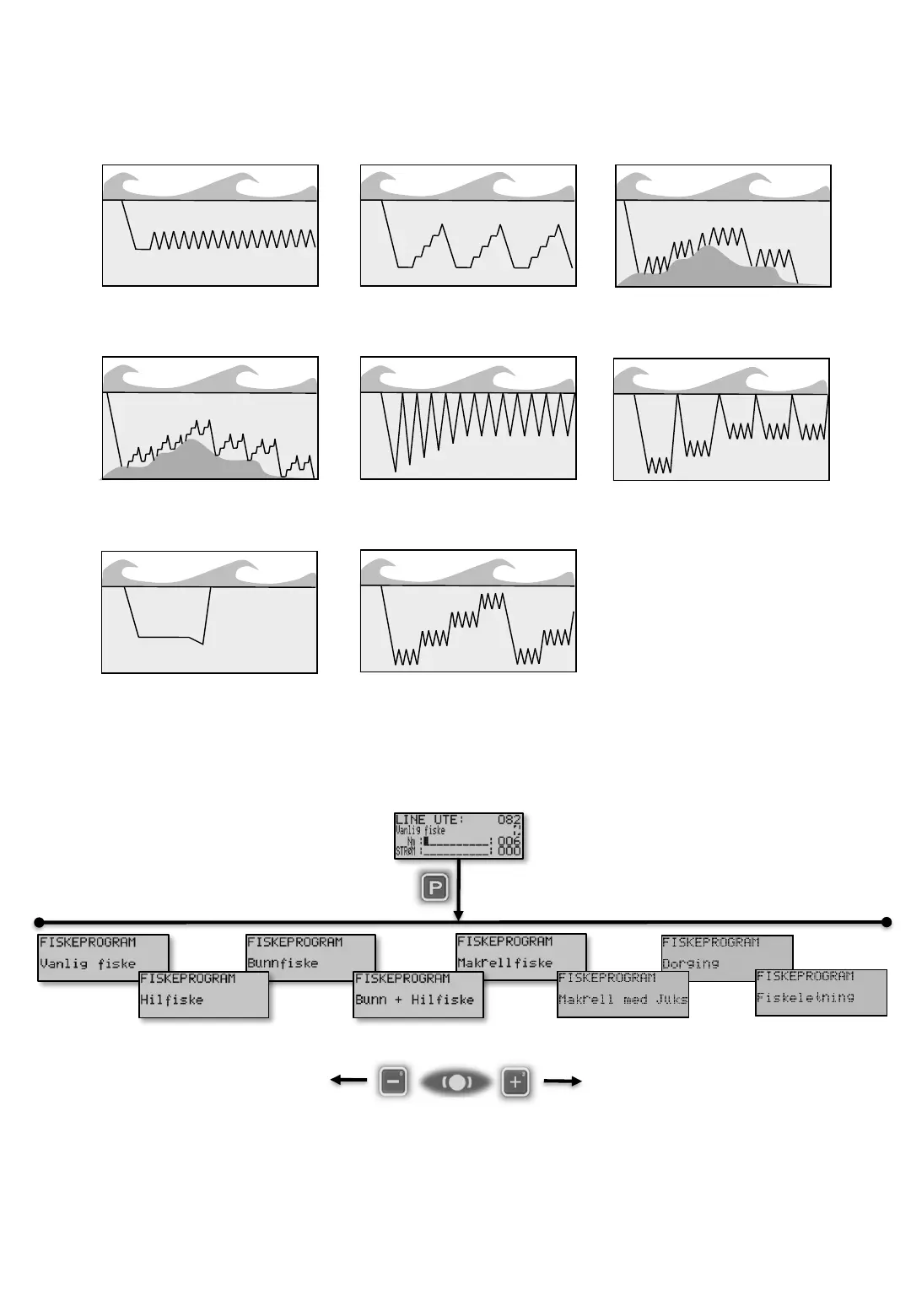
[P]1 Normal Fishing [P]2 Step Jig Fishing
[P]
To select Fish program, from Main screen press [P]rog. Use button [3] and [6] to select. Then
continue with the [P]rog button to reach the most common screens for the selected program. Fire more
details see Chapter [P]1 to [P]8 on following pages.
Chapter [P] Fish programs
In Ex there are 8 different Fishing programs. All programs are programmable in smallest details
and below is an overview. The following pages shows the programs in details.
[P]1 [P]3 [P]5 [P]7
[P]2 P[4] P[6] P[8]
[P]7 Trolling
[P]8 Fish Finding
Program
[P]3 Bottom Program
[P]4 Bottom Fishing Program
With Step Jig.
[P]5 Mackerel Program
[P]6 Mackerel Program
With Jig


 To Next Page