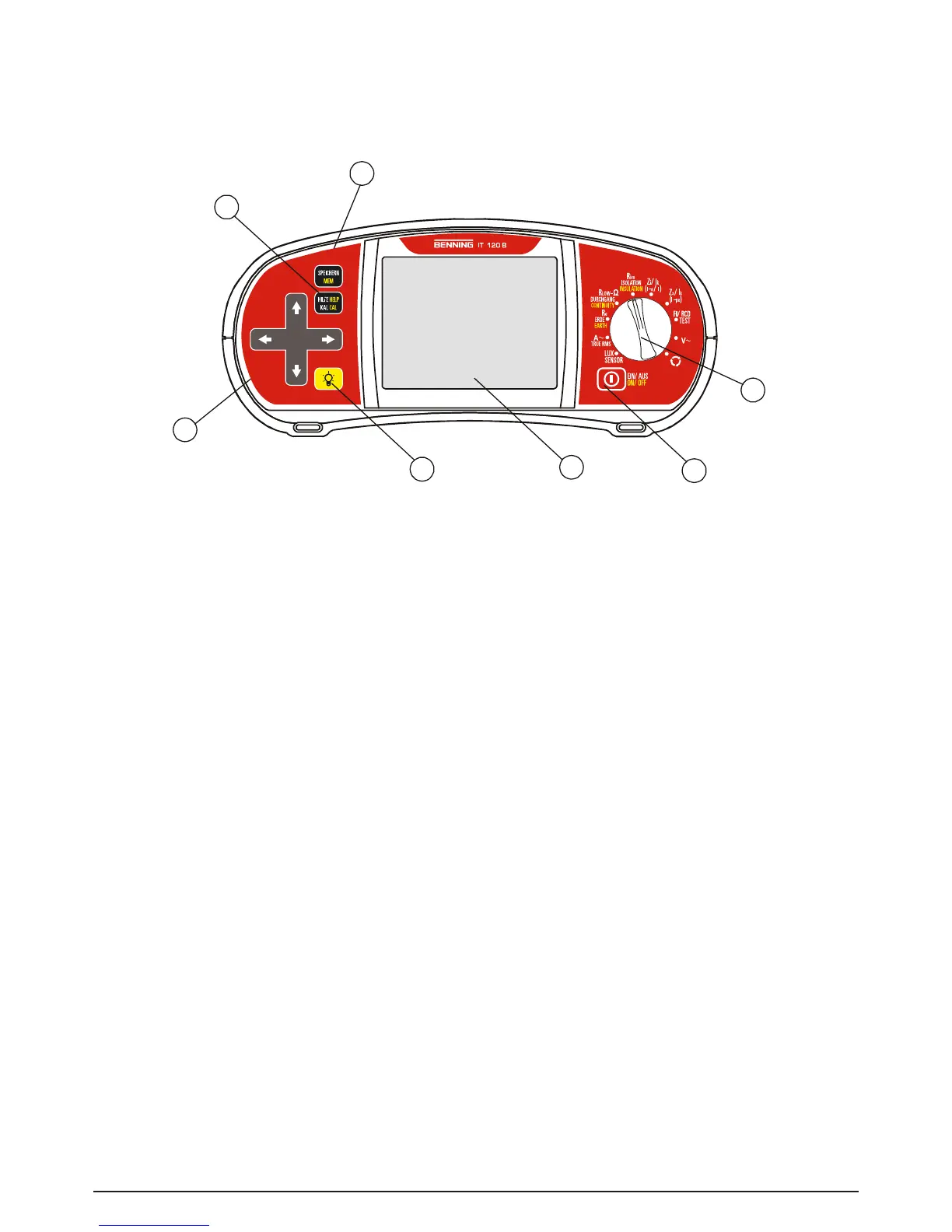
Fig. 3.1: Front panel, example: BENNING IT 120 B
Legend:
1 ON/OFF key, to switch on or off the BENNING IT 110/ BENNING IT 120 B
The BENNING IT 110/ BENNING IT 120 B is automatically switched off 10 minutes after the
last key was pressed or the function selector switch rotated.
2 Function selector switch.
3 BENNINGIT110: CALkey,tocompensatetestleadresistanceinlowΩresistance
measurement.
BENNING IT 120 B: Press MEM key to save, recall or delete measurement results.
4 BENNING IT 110: HELP key, to access help menus.
BENNING IT 120 B: HELP/CAL key, to access the help menus. The CAL function is enabled in
lowΩresistancemeasurementtocompensatetestleadresistance.
5 Jogger keypad with cursors and TEST keys
The TEST key also acts as the PE touching electrode.
6 Key to change backlight level and contrast
High level backlight is automatically shut off 20 seconds after the last strike of any key or func-
tion selector switch rotation in order to extend the service life of the battery.
7 128 x 64-dots matrix display with backlight



 To Next Page