14
Assembling the Host
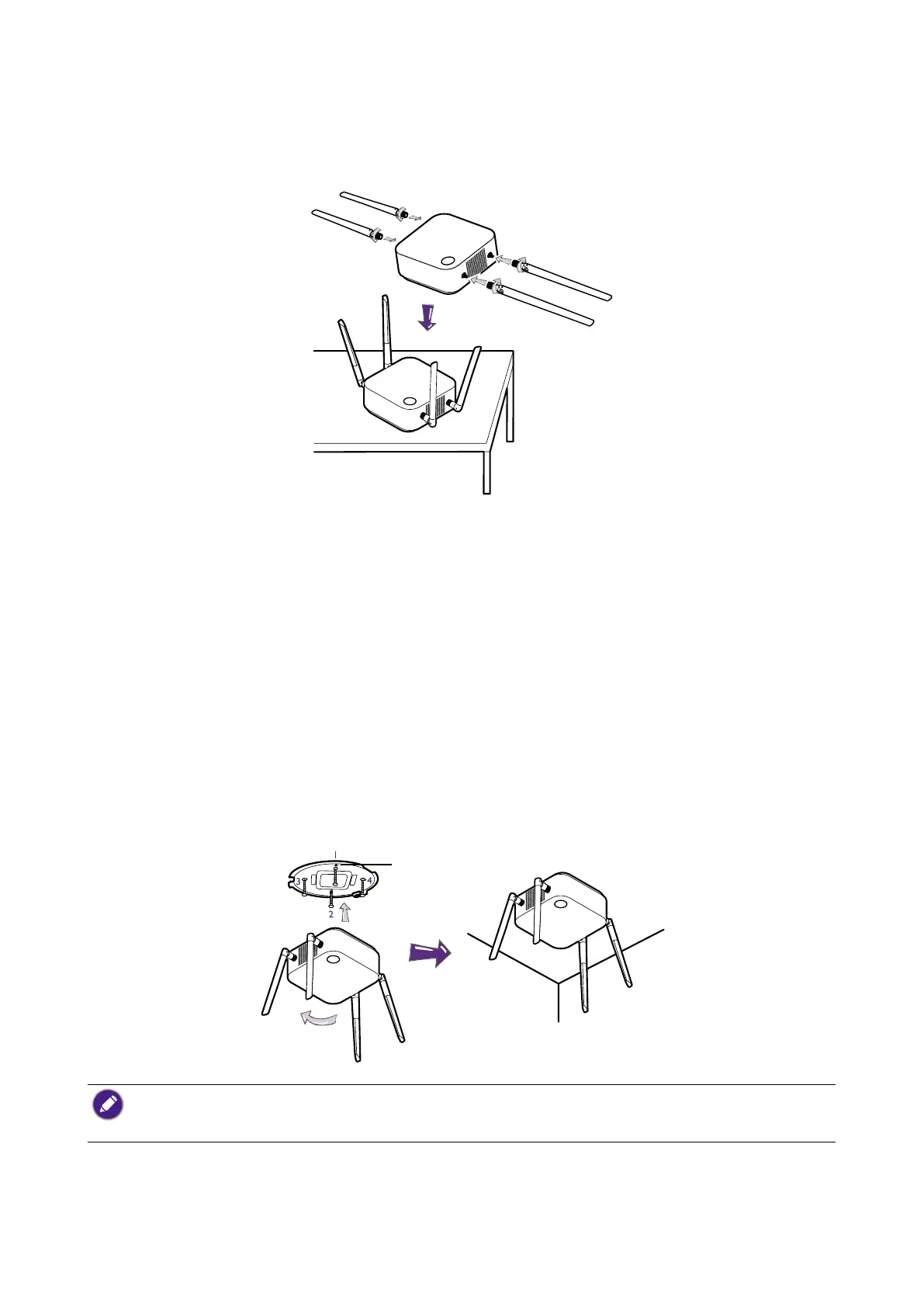
Assemble the Host with four antennas by turning the antennas clockwise (right) and
counterclockwise (left) to fasten them tightly.
Setting up the Host
You are provided with four different ways to position the Host. The total weight of the Host Unit is
330g.
Attaching the Host to the ceiling
1. Place the lid on the ceiling and locate the alignment hole.
2. Use the screws provided to lock the lid to the ceiling.
3. Lock the rst hole (1).
4. Follow the instruction in the illustration below to lock the other holes (2-4).
5. Rotate the Host counterclockwise to afx the Host to the lid.
Alignment hole
• Please only use the screws (M3*16 tapping screw) provided with the kit to mount the Host to the ceiling.
• Please see Positioning the Host antennas on page 18 for guidelines on positioning the antenna to maximize
signal reception.



 To Next Page