39
Logging into the web management interface via a wireless network
The product supports 802.11 ax/ax/n. It is compatible with most devices with Wi-Fi capability (e.g.
laptop or mobile devices), you can locate the Host via the WDC30_xxxxxx SSID (shown in the
Guide/Idle screen) in your laptop or mobile device’s wireless network menu and connect to it. The
default password is the same as the name of the SSID (for example, if the SSID is “WDC30_374DEF”,
the password will be “WDC30_374DEF”). When the device is connected to the Host, enter the
IP Address, “192.168.0.92” in a web browser, then enter the user name and password as shown in
step 4 of Logging into the web management interface via direct connection on page 36.
The following is an example of how you can log into the web management interface via a mobile
device with IEEE 802.11 ax/ax/n.
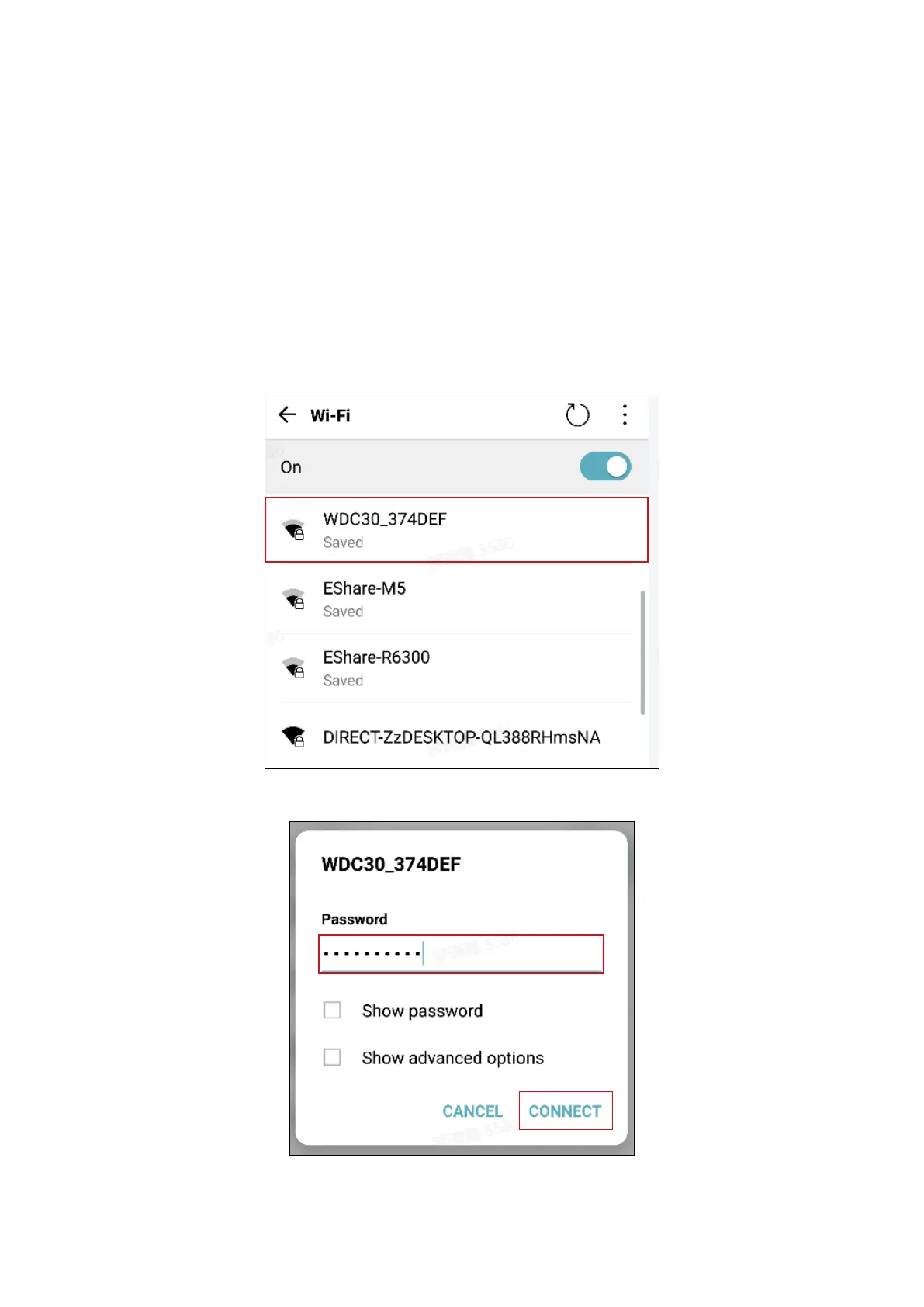
1. Go to Settings > Wi-Fi, and you can nd the SSID of your Host: WDC30_374DEF.
2. Enter the default password “WDC30_374DEF” and press Connect.
3. Access the web management interface following step 4-5 of Logging into the web management
interface via direct connection on page 36.



 To Next Page