56
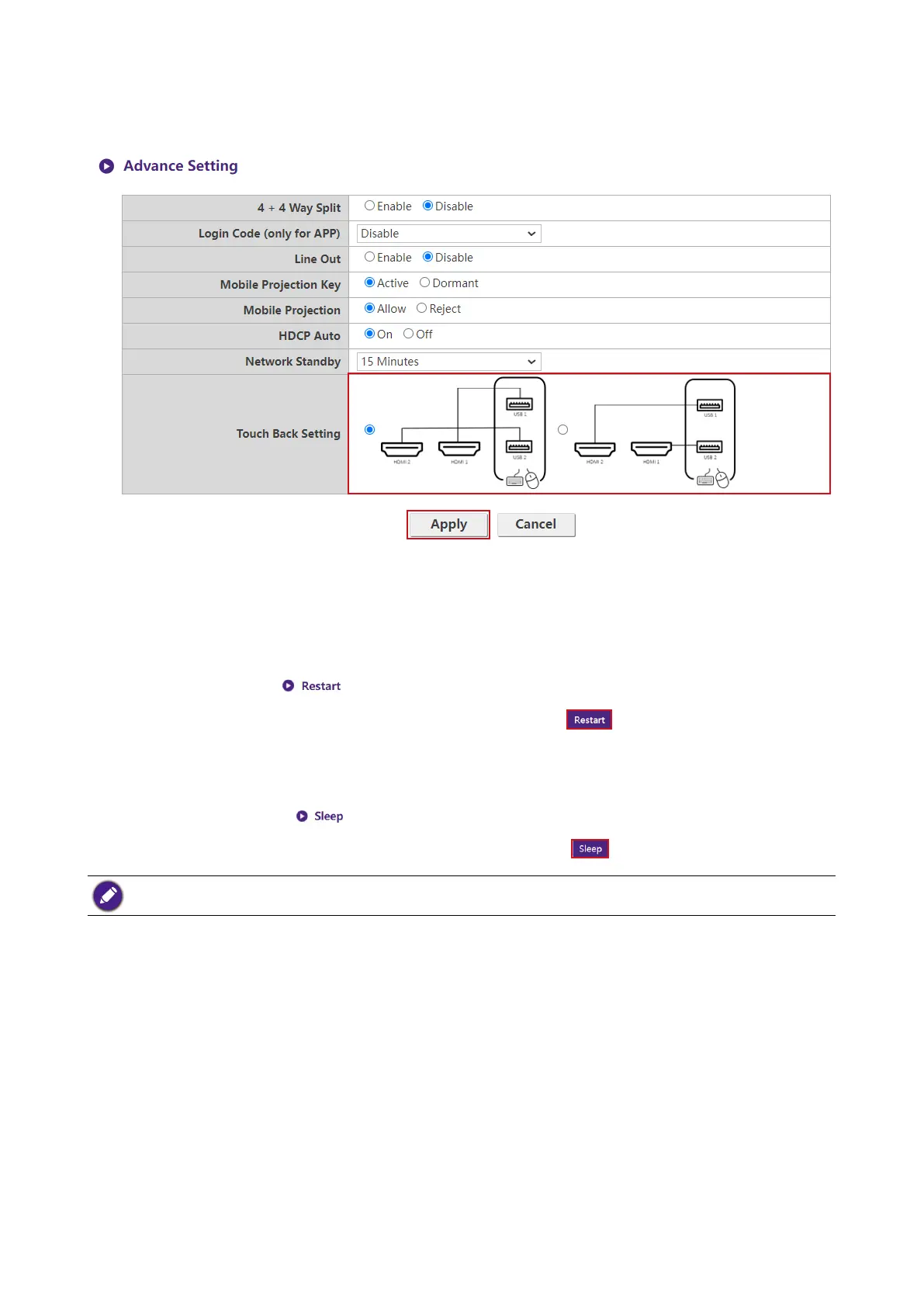
HDMI 1 mapping to USB 1 and HDMI 2 mapping to USB 2. IS can set to another setting (HDMI 2
mapping to USB 1 and HDMI 1 mapping to USB 2) in further when needed.
After you congure all the Advance Setting items, press Apply to proceed.
If you want to restart the Host, click Restart and the Host will restart.
If you want to place the Host in sleep mode, click Sleep.
To wake the Host from sleep mode, press the standby button on the top of the Host.
Scheduling
You can change the schedule by clicking Scheduling. You can set System Time and
Periodical Restart.
You can select your Time Zone and the NTP Server from which the time is obtained from
Internet. When Auto Date and Time is set to Disable, you can manually set the Date and Time.
The time settings will be saved to internal memory accordingly.



 To Next Page