41
Information
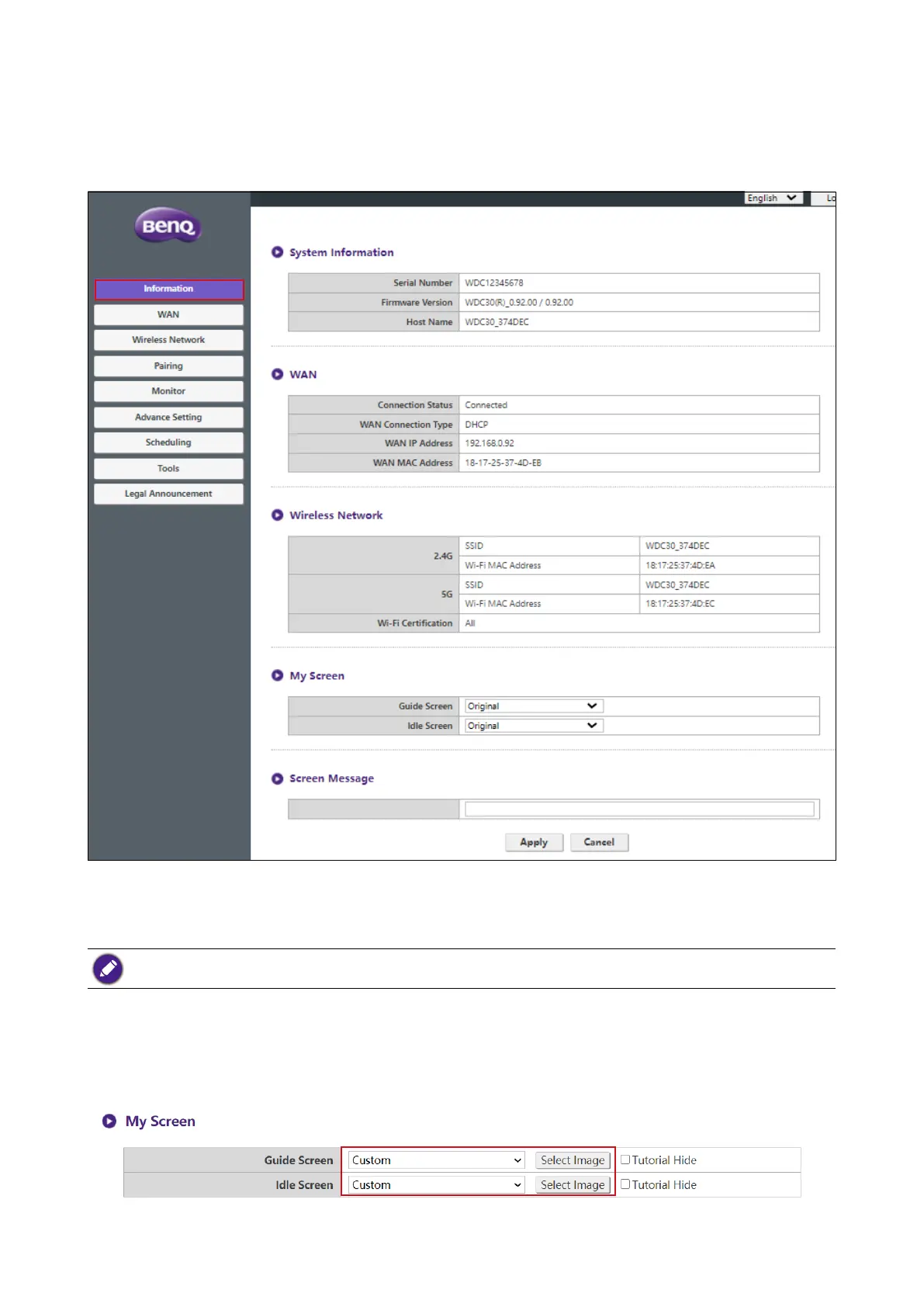
Click Information and you will see detailed information for System Information, WAN,
Wireless Network, My Screen, and Screen Message.
You can change the Host Name under Wireless Network SSID.
The SSID is relevant to Host Name.
If the SSID (host name) is changed, you need to pair the Button(s) to the Host again.
You can change the background image for the Host’s guide screen and/or idle screen by selecting
Custom in the Guide Screen or Idle Screen elds, then clicking the Select Image button that
appears, and then navigating to and selecting the image le on your local folder you want as either
the Hosts Guide Screen or Idle Screen.



 To Next Page