21
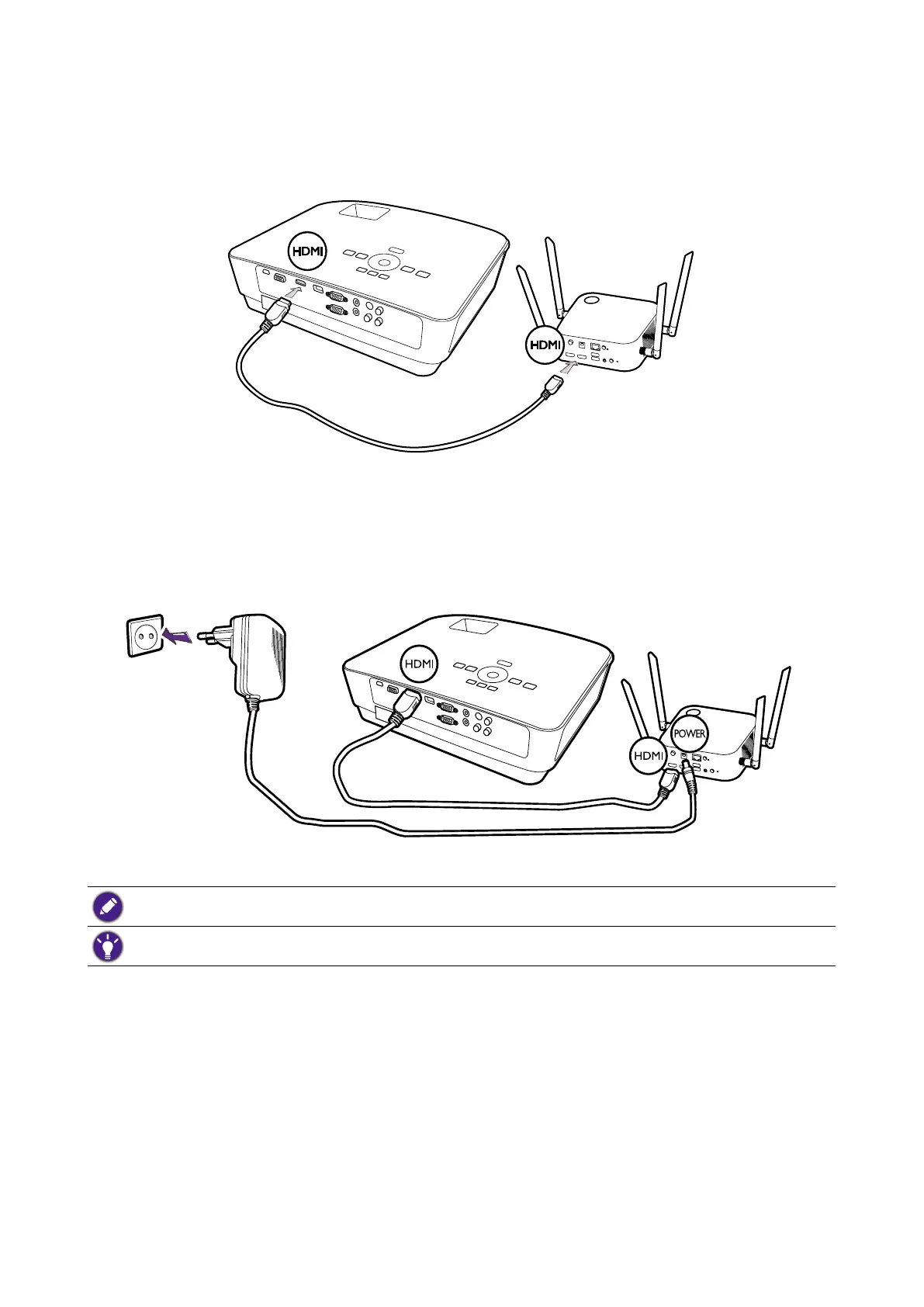
Connecting the HDMI cable
Connect the HDMI cable to the HDMI out jack of the Host and the HDMI input jack of the
projector.
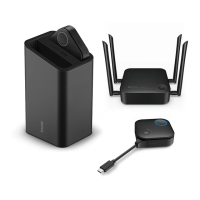
Power supply via a power adapter
Connect the supplied power adapter to the power jack of the Host, and then plug the other end of
the power adapter into a wall socket. The LED indicator on the standby button of the Host lights
up static green when the power is supplied. Press the Power switch of the Host.
For BenQ IFP (Interactive Flat Panel) products, please have power supplied via a power adapter.
Do not keep the device powered on all the time. For better performance, power off the device for 30 minutes
in every 24 hours then restart it.



 To Next Page