30
Starting and stopping presentations
This section will guide you on how to start and stop a presentation using the product.
Getting ready
Make sure that all the connected devices have been powered on and ready for the presentation.
As the product could work with different projectors, IFPs, TVs, or monitors with standard HDMI
ports, the steps required to start a presentation may vary according to the actual environment and
your display specications. Follow the procedures below and refer to the specied sections for
details.
1. To start a presentation, see Starting presentation on page 30 for details.
2. To stop a presentation, see Idle presentation on page 31 for details.
3. To start a split-screen presentation, see Split screen presentations on page 31 for details.
4. To start a presentation with a mobile device, see Presenting with mobile devices on page 34
for details.
5. To control presentations via a touchscreen displays or mouse/keyboard see Touch back on page
35 for details.
Starting presentation
1. Make sure power is supplied to the Host. See Connecting the HDMI cable and power on page
19 for more information.
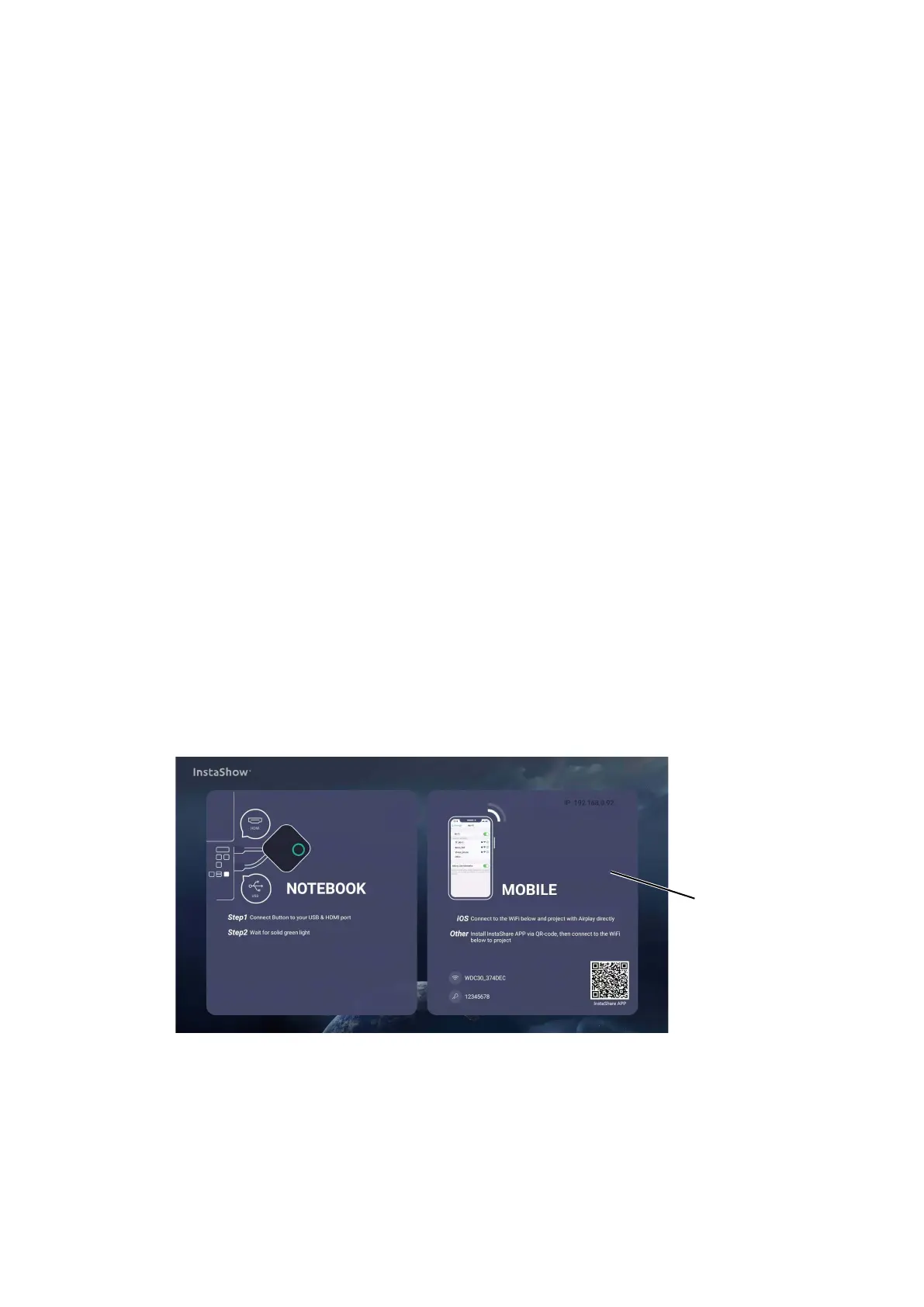
2. Choose the HDMI source corresponding to the Host on the display. You will see the Guide
screen.
Guide
Screen
3. Please follow the instruction on the Guide screen to supply power to the Button. You can also
see Setting up and powering a Button on page 22 for more information. The LED indicator on
the Button is static green when the Button is connected and working properly.
4. To start a presentation, press the Present key.



 To Next Page