44
Wireless Network
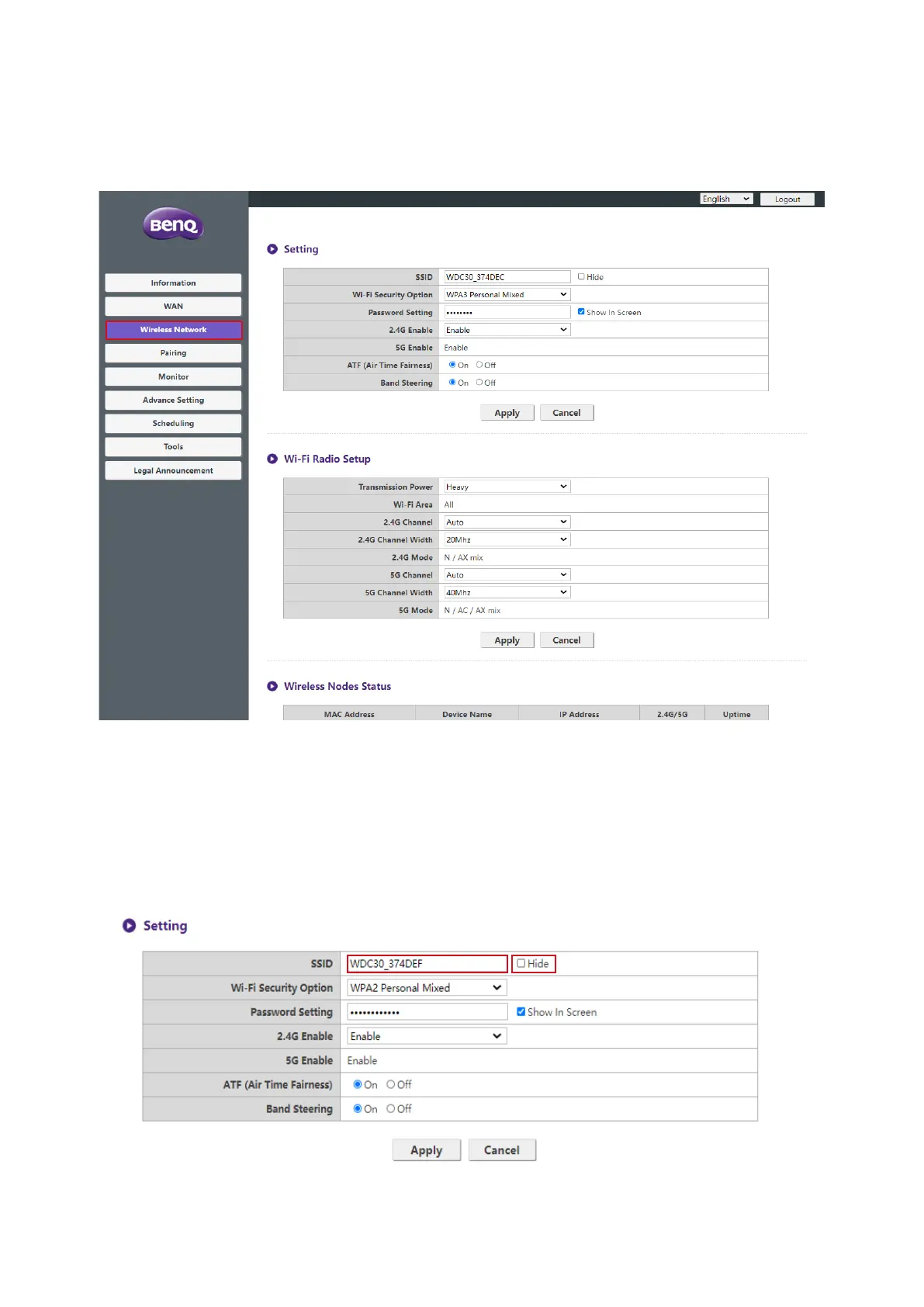
Click Wireless Network and you will see the Setting, Wi-Fi Radio Setup, and
Wireless Nodes Status menu for the Host.
Setting
The Wi-Fi SSID for the Host is displayed in the SSID eld.
The SSID is relevant to the Host Name of Information > System Information menu,
to change the SSID will also refresh the Host Name.
If you prefer not to show SSID and password, check Hide.



 To Next Page