43
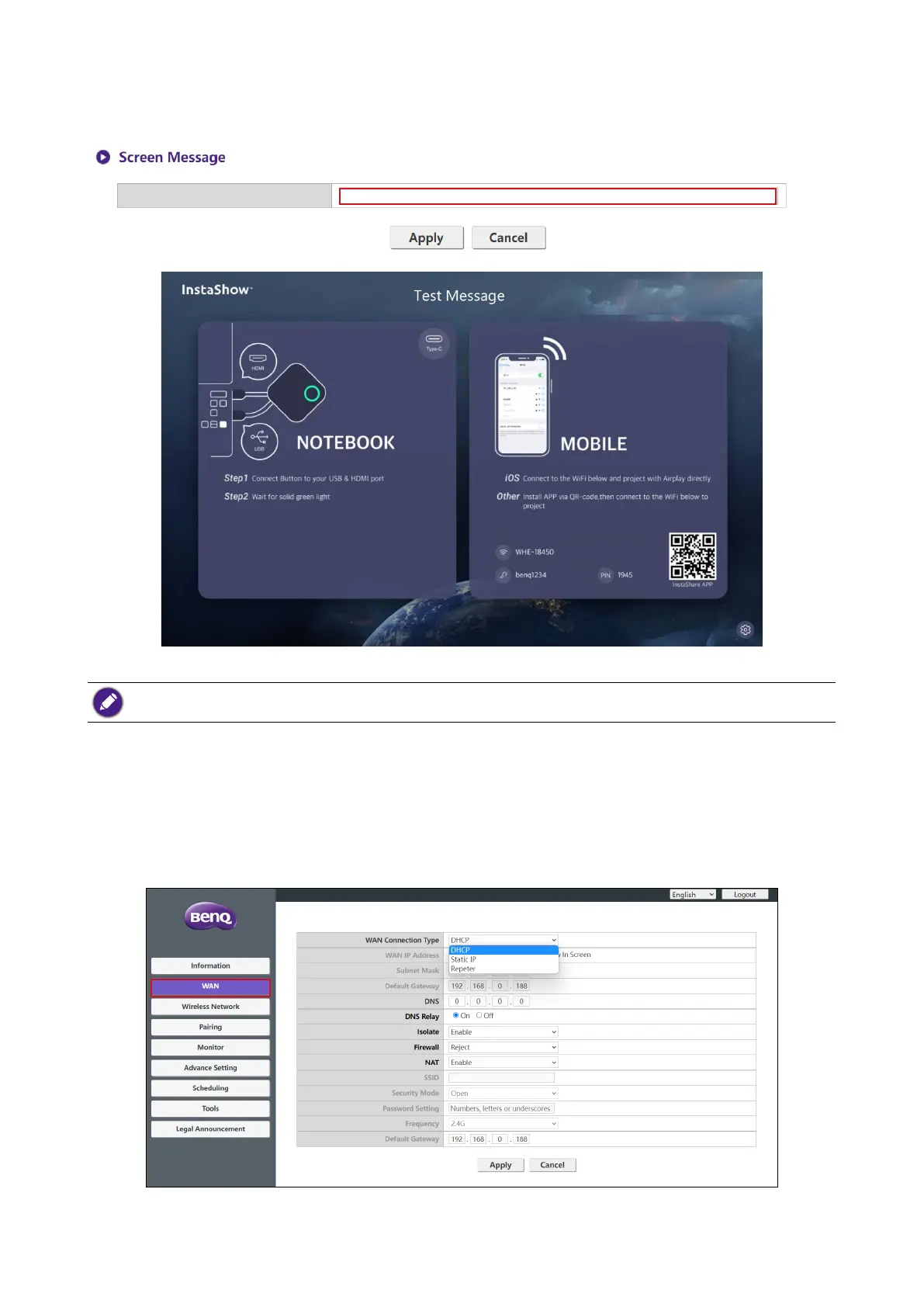
You can enter messages under Screen Message. After lling in a message, press Apply to
proceed. Your message will be shown at the top of the Guide/Idle Screen.
One line (with up to 100 alphanumeric or Chinese characters in the line) is allowed for Screen Message.
WAN
Click WAN and you will see the default WAN IP Address of the Host. The default connection
type is HDCP which acquires the IP Address from your HDCP server of your network. If you want
to change your WAN IP Address, choose Static IP under WAN Connection Type. Press
Apply after changing the WAN IP Address.



 To Next Page