45
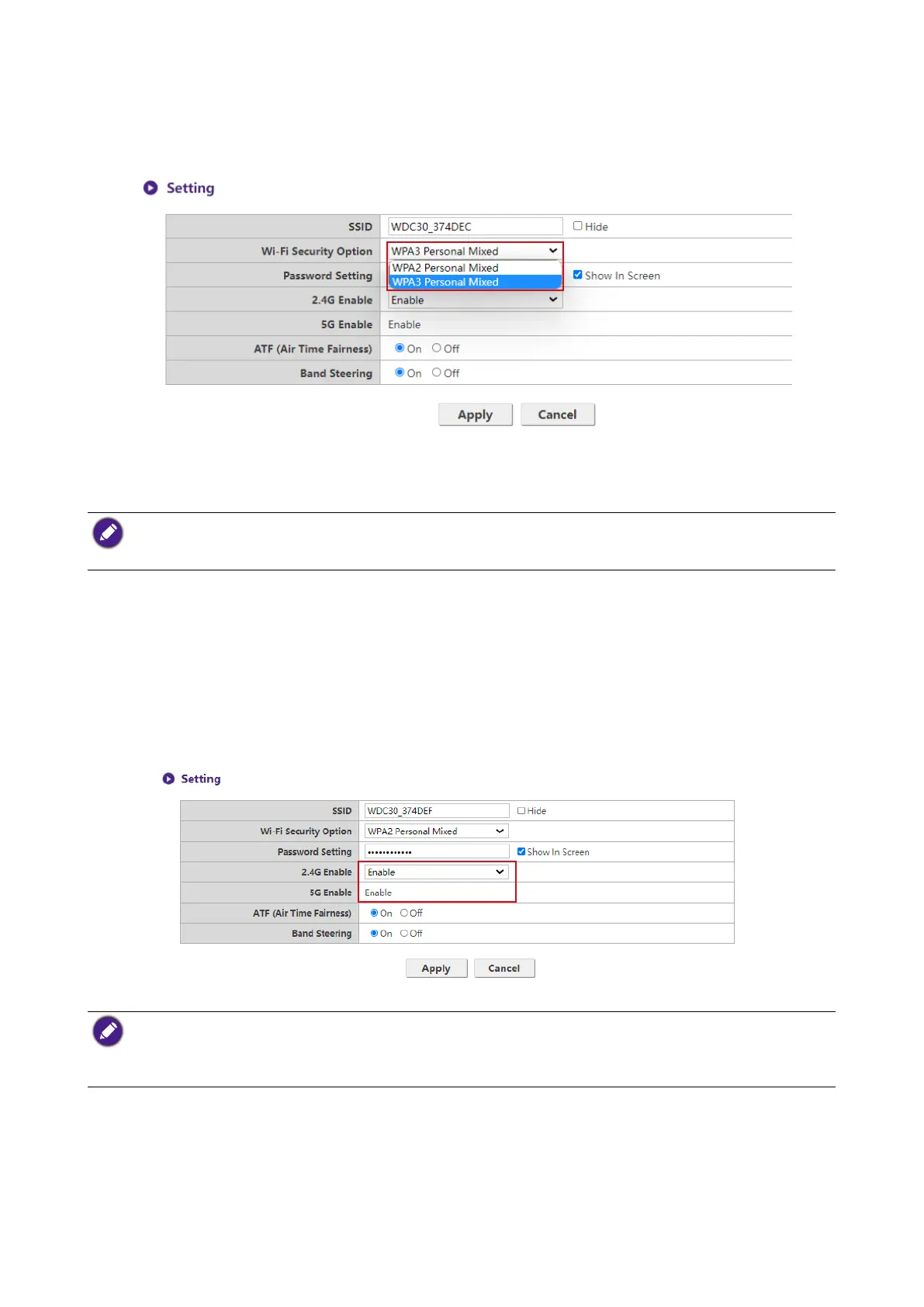
Wi-Fi Security Option provides the user WPA2 Personal Mixed and
WPA3 Personal Mixed options for the Host’s wireless connection when users access the web
management interface via a wireless network.
WPA2 Personal Mixed, WPA3 Personal Mixed allows users with various encryption methods
to connect to the Host, which may be needed for users with older wireless devices.
The Wi-Fi security options described above only applies to the Wi-Fi connection used to access the web
management interface via a wireless network. The Wi-Fi connection used for data transfer between the Host
and Buttons utilizes a xed WPA2-PSK security setting which cannot be changed.
Password Setting allows you to change the password of the Host. If the password is changed,
you need to pair the Button(s) to the Host again.
You can choose the available frequencies for the Host’s Wi-Fi signal in the 2.4G Enable and
5G Enable elds. A 2.4G Wi-Fi signal is a signal that features a larger coverage range but slower
data speeds and is more commonly used by older mobile devices, while a 5G Wi-Fi signal features
faster data speeds at a smaller range. To enable or disable either 2.4G Wi-Fi signals by selecting
Enable or Disable in the 2.4G Enable elds.
• Certain mobile devices are unable to access 5G Wi-Fi signals due to hardware limitations. If your mobile
device is unable to connect to the Host via Wi-Fi, select Enable in the 2.4G Enable eld.
• Both 2.4G Enable and 5G Enable can be enabled at the same time.
• 5G is not able to disable due to all the operations of InstaShow Buttons rely on 5G Wi-Fi.
ATF (Air Time Fairness) allow faster clients to have more airtime than slower clients that boost
the overall network performance. However this may make slower clients even slower.



 To Next Page