55
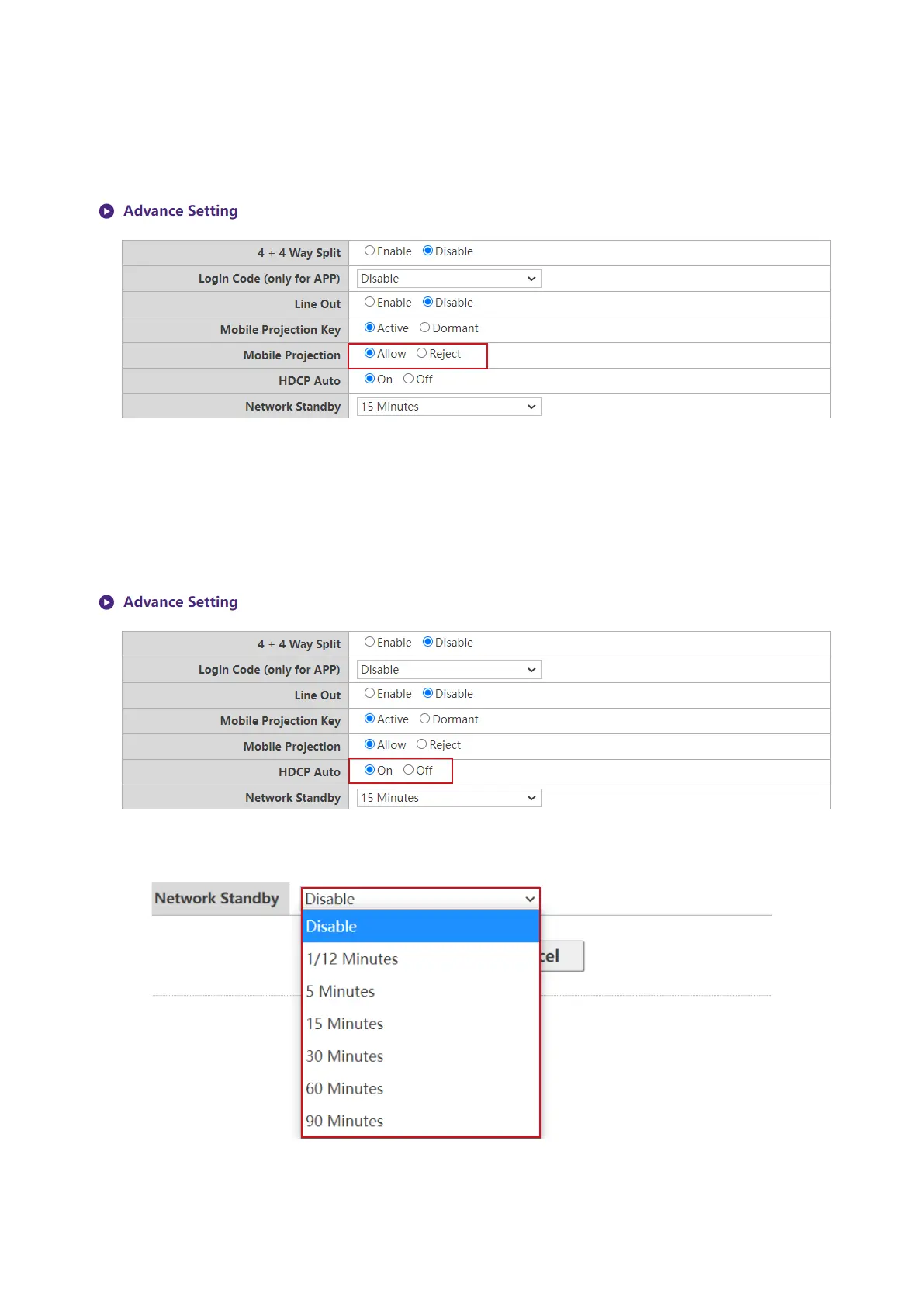
Moblie Projection is linked to Moblie Projection at RX Host’s I/O Panel. When sets to Allow,
all the clients(include BYOD and mobile devices) can start projection via InstaShare or other
supported wireless display protocols. When sets to Reject, only TX Buttons are allowed to project
their screens. The Standby and Guide Screen will also be changed by this setting.
HDCP Auto is a security setting that allows you congure whether or not HDCP digital copy
protection is automatically enabled for the content output by the Host. The default setting for this
eld is On, which means that HDCP copy protection will be automatically enabled by Host for
content that features HDCP copy protection and disabled for content that does not feature HDCP
copy protection. To change the setting so that HDCP copy protection is always enabled by Host
select Off.
Network Standby allows you to set the time of inactivity before the Host enters network
standby mode.
Touch Back Setting
The Host supports dual touch screen back to projected device's screen. Default setting allows



 To Next Page