37
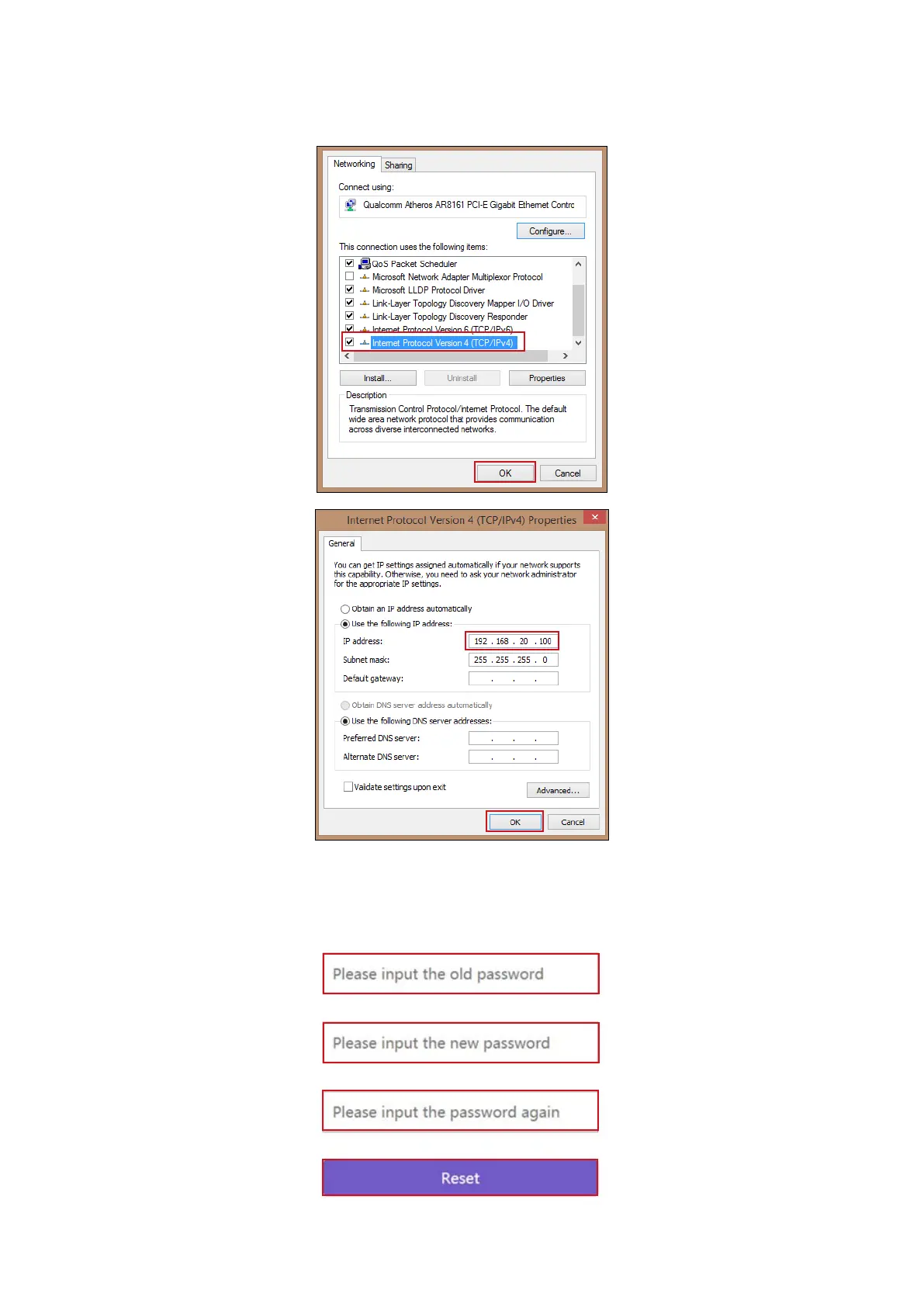
3. The default IP address of your Host is 192.168.20.1 Change your laptop’s IP address to
192.168.20.x (e.g. 192.168.20.100).
4. On your browser, enter the IP address: 192.168.20.1 At the rst access to the web management
interface or after a rmware upgrade, you may be prompted to change the password to proceed.
Enter the default password (0000) as the old password, and set a new one.



 To Next Page