19
Notes on remote controller operation
• Some environment factor may hamper the operation of remote controller. If so, point remote controller at the
projector and repeat the operation again.
• In case the effective range of the remote controller is shortened or the remote controller stops functioning,
please replace the battery with a new one.
• The projector enters wired control mode automatically and cannot be controlled by the remote controller’s IR
signal, once the cable terminal of a remote controller is inserted in the projector’s wired control port. To control
the projector with the IR signal of the remote controller again, remove the wire control terminal from the
projector.
• IR signal may be interrupted and rendered useless when the remote controller is exposed to bright sunlight or
uorescent light. Make sure the installation environment is proper for IR remote controller.
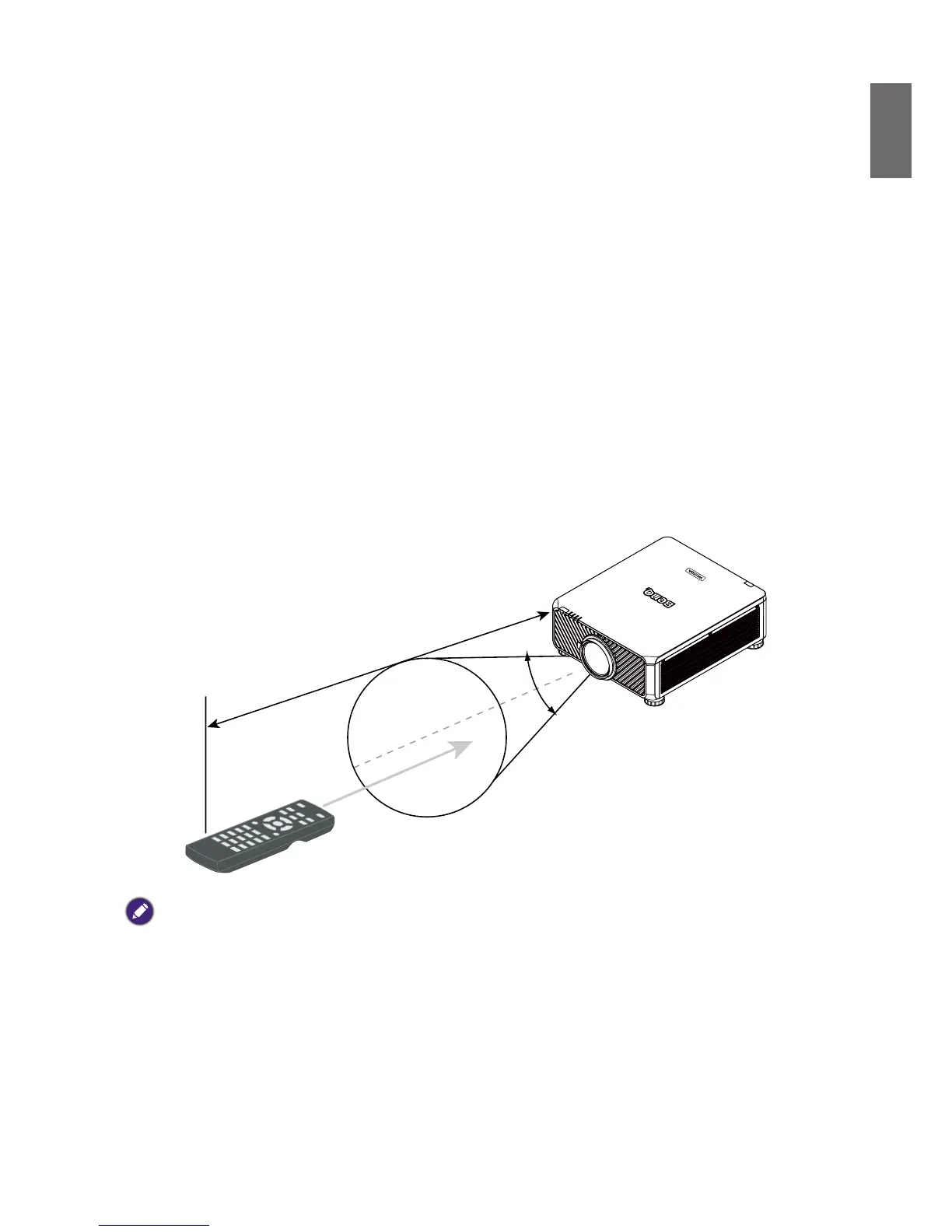
Remote control operation
• Make sure that there is nothing positioned between the remote control and the infrared (IR)
sensors on the projector that might obstruct the IR beam from the remote control reaching the
projector.
• The effective range of the remote control is up to 7 meters, and at an angle within 30 degrees
of the IR beam. Always aim straight at the projector, however most screens will also reect the
IR beam to the projector.
Caution:
DO NOT expose your remote controller to high temperatures or moisture or it may function abnormally.



 To Next Page