46
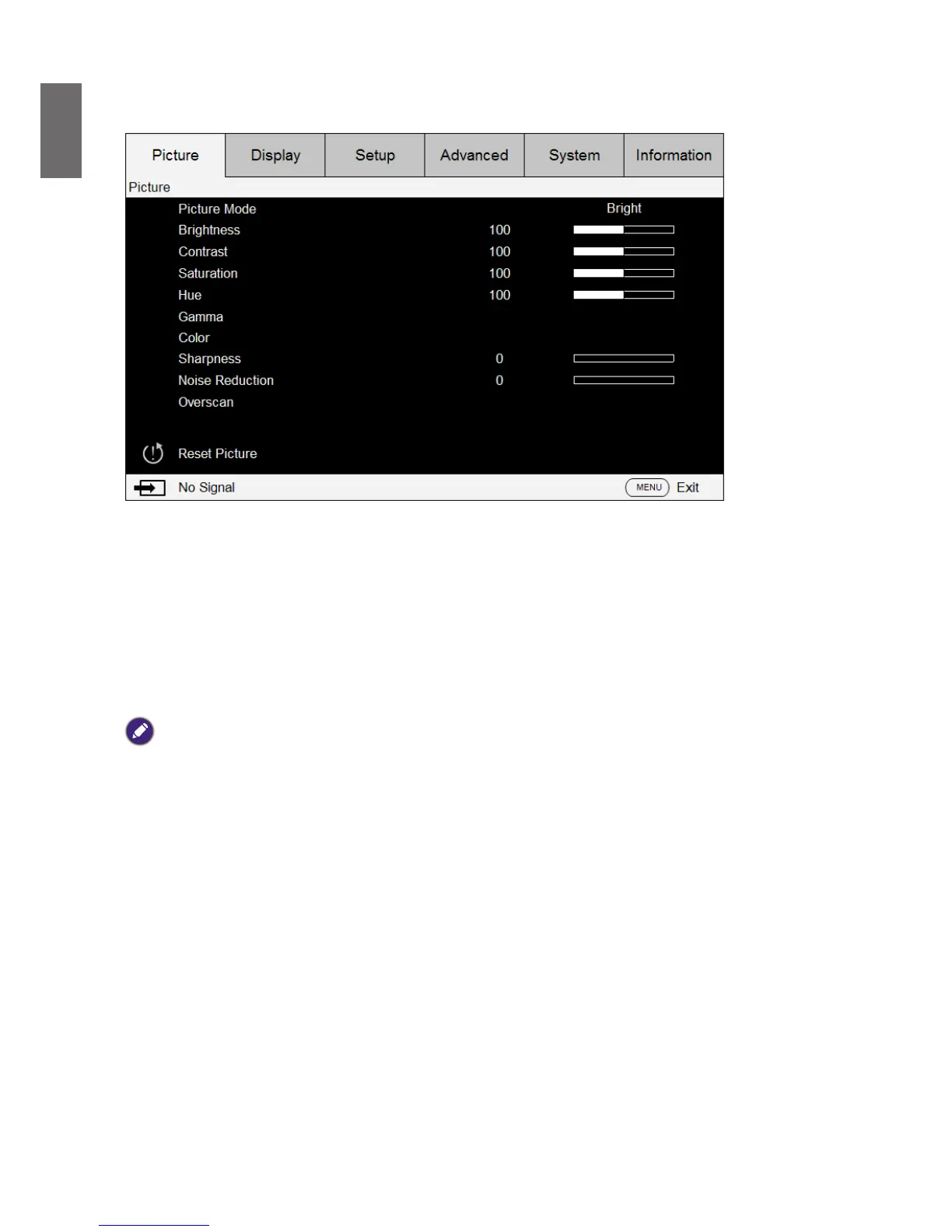
OSD menu - Picture
• Picture Mode
Press
◄►
arrow key to select display mode.
Bright: Output in the highest brightness for application that requires higher brightness.
Presentation: Display the best image effect for presentation or static image projection.
Cinema: Display in best color effect for lm playback.
• Brightness
Press
◄►
arrow keys to adjust image brightness.
• Contrast
Press
◄►
arrow keys to adjust image contrast.
Caution:
Brightness and contrast are two mutually dependent factors. To achieve optimized settings you may have to ne tune
brightness settings after contrast adjustment.
• Saturation
Press
◄►
arrow keys to adjust saturation level. (The higher the level the more saturated the
color.)
• Hue
Press
◄►
arrow keys to adjust hue level of color.
• Gamma
Press
◄►
arrow keys to adjust 1.0, 1.8, 2.0, 2.2, 2.35 and 2.5 level.
• Color
Press
◄►
arrow keys to adjust color temperature of image.
Color Temperature: You can choose from 5400K, 6500K, 7500K, 9300K and Native. The
projector’s default color temperature is set at NATIVE and it is suitable for most situations.
Color Adjustment: This function allows users to adjust Gain and offset for Red, Green, and
Blue independently.
Hue: Press ENTER to enter the Hue menu. Press
◄►
to adjust settings of red, green, blue,
cyan, magenta, and yellow.
Saturation: Press ENTER to enter the Saturation menu. Press
◄►
to adjust settings of red,
green, blue, cyan, magenta, and yellow.



 To Next Page