31
Using the projector
Preparations
1. Plug in and turn all of the connected equipment on.
2. Insert the projection lens.
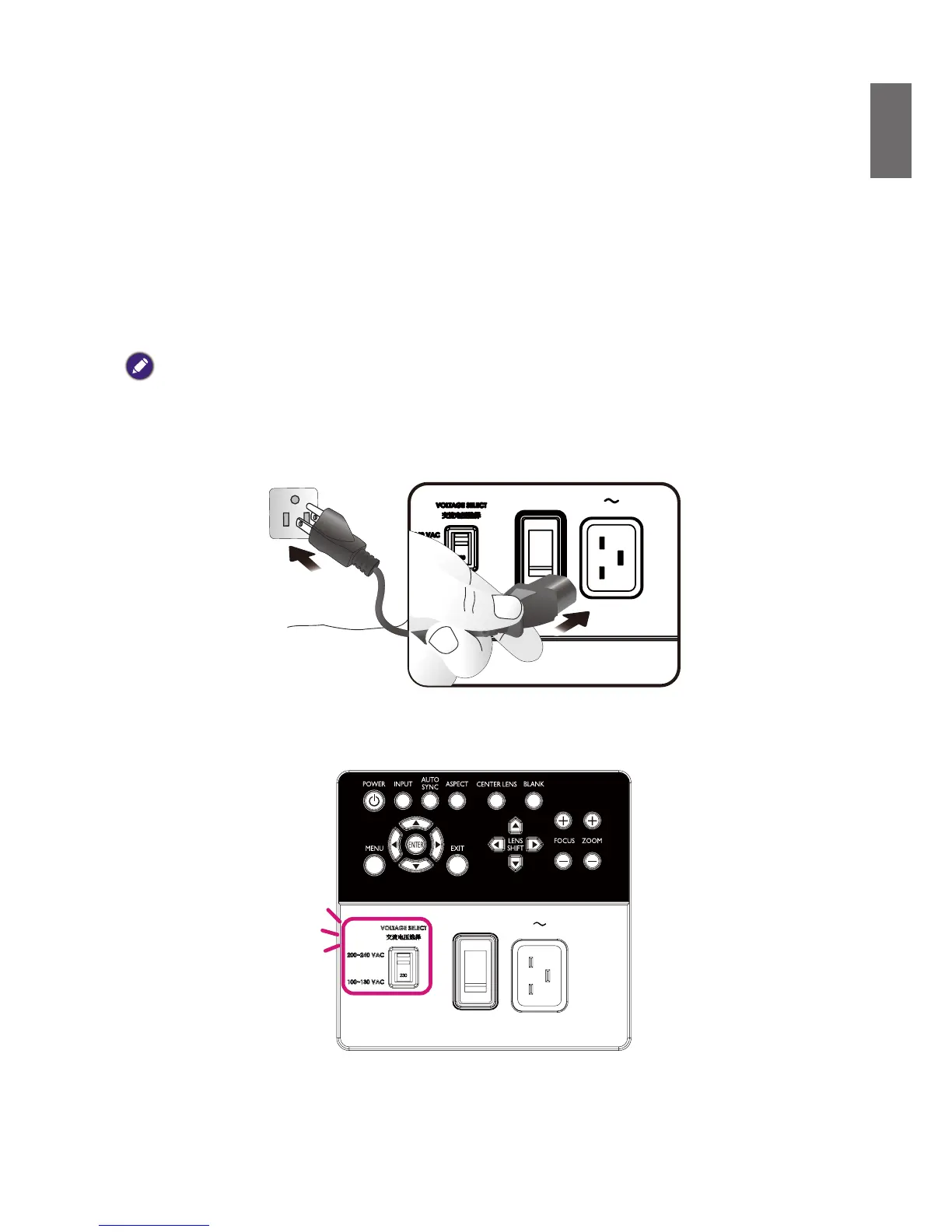
3. Plug the power cable into a wall power outlet, check the voltage switch placed at right voltage in
the region being used, and turn on AC switch.
Note:
Please use the original accessories (e.g. power cable) only with the device to avoid possible dangers such as electric
shock and re.
Please make sure the Voltage Switch is selected at the right voltage in the region where projector is being used, before
you turn on the power switch.



 To Next Page