22
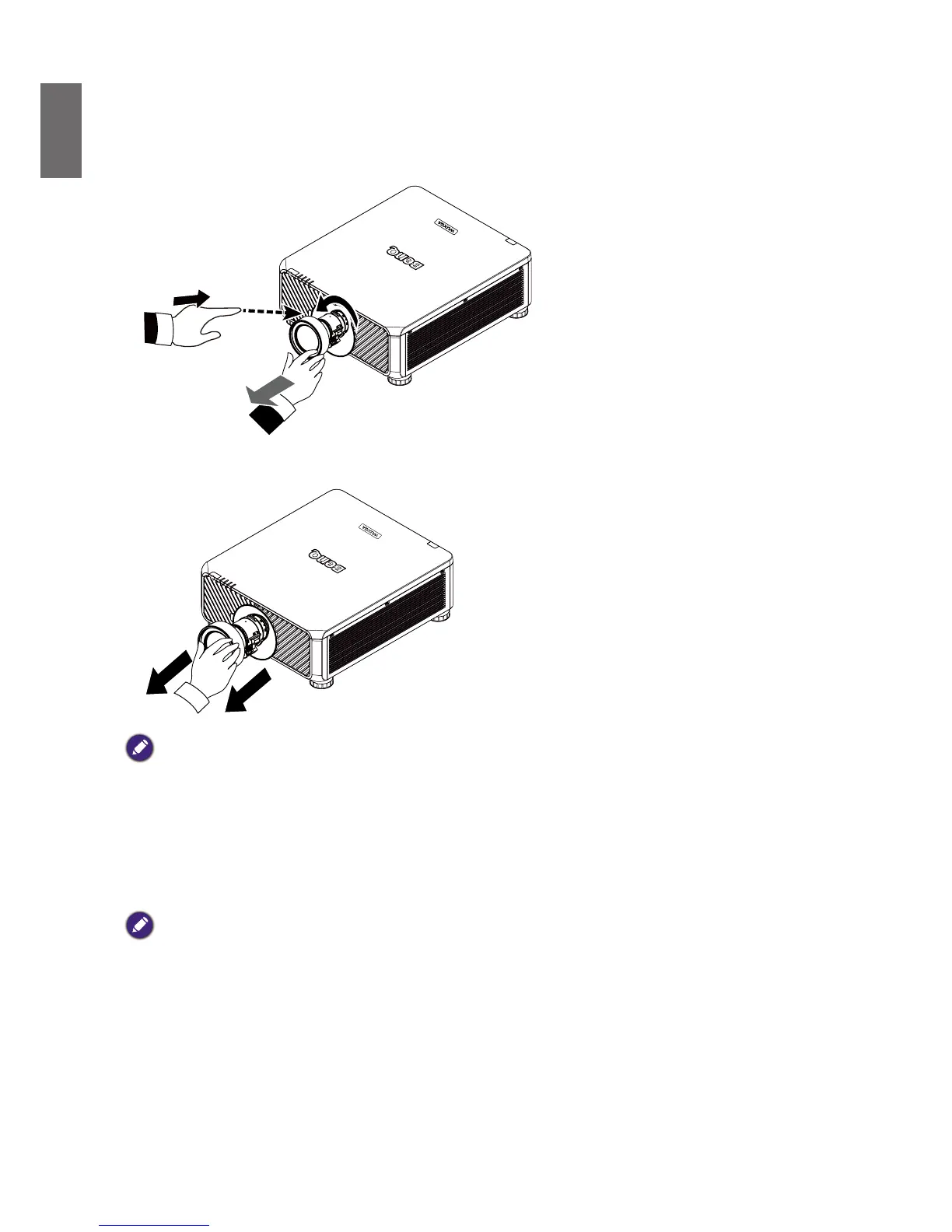
Removing the existing lens from the projector
1. Push the Lens Release button all the way in and rotate the lens counterclockwise, and the
existing lens will be disengaged.
2. Pull out the existing lens slowly.
Note:
• Do not shake or place excessive pressure on the projector or the lens components as the projector and lens
components contain precision parts.
• Before removing or installing the lens, be sure to turn off the projector, wait until the cooling fans stop, and turn
off the main power switch.
• Do not touch the lens surface when removing or installing the lens.
• Keep ngerprints, dust or oil off the lens surface. Do not scratch the lens surface.
• If you remove and store the lens, attach the lens cap to the projector to keep off dust and dirt.
Caution
• Please turn off projector when changing or removing lens, or it will cause the projector shut down immediately
without normal procedure.



 To Next Page