Setting Up the Machine
25
2022-05 EN 50400685.00A.04
NOTICE
Missing Knife Cover Insert or Coverstitch Insert while Sewing
Injuries caused by the knife or by the looper movement.
Before each sewing, check whether the mounted knife cover insert or the coverstitch insert is attached.
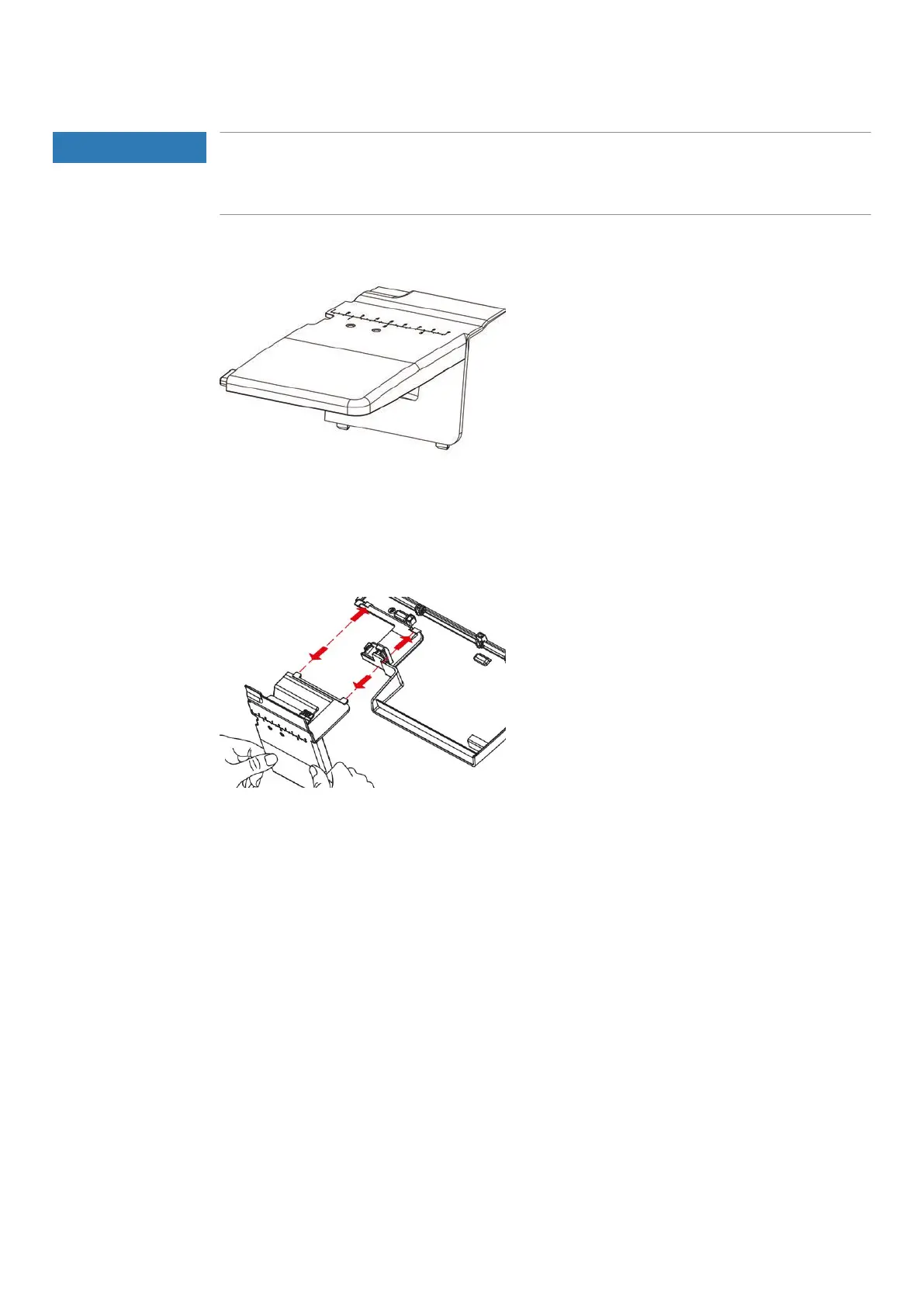
Removing/attaching the Coverstitch Insert for the Slide-on Table
Prerequisite:
• Threader cover is opened.
> To remove the coverstitch insert, press the snap-in points downwards and pull out of the snap-in
opening.
> To insert the coverstitch insert for the slide-on table, push the snap-in points into the snap-in opening.
> To remove the coverstitch insert for the slide-on table, press the snap-in points downwards and pull out
of the snap-in opening.



 To Next Page