Sewing Preparation
30
2022-08 EN 5020077.40A.04
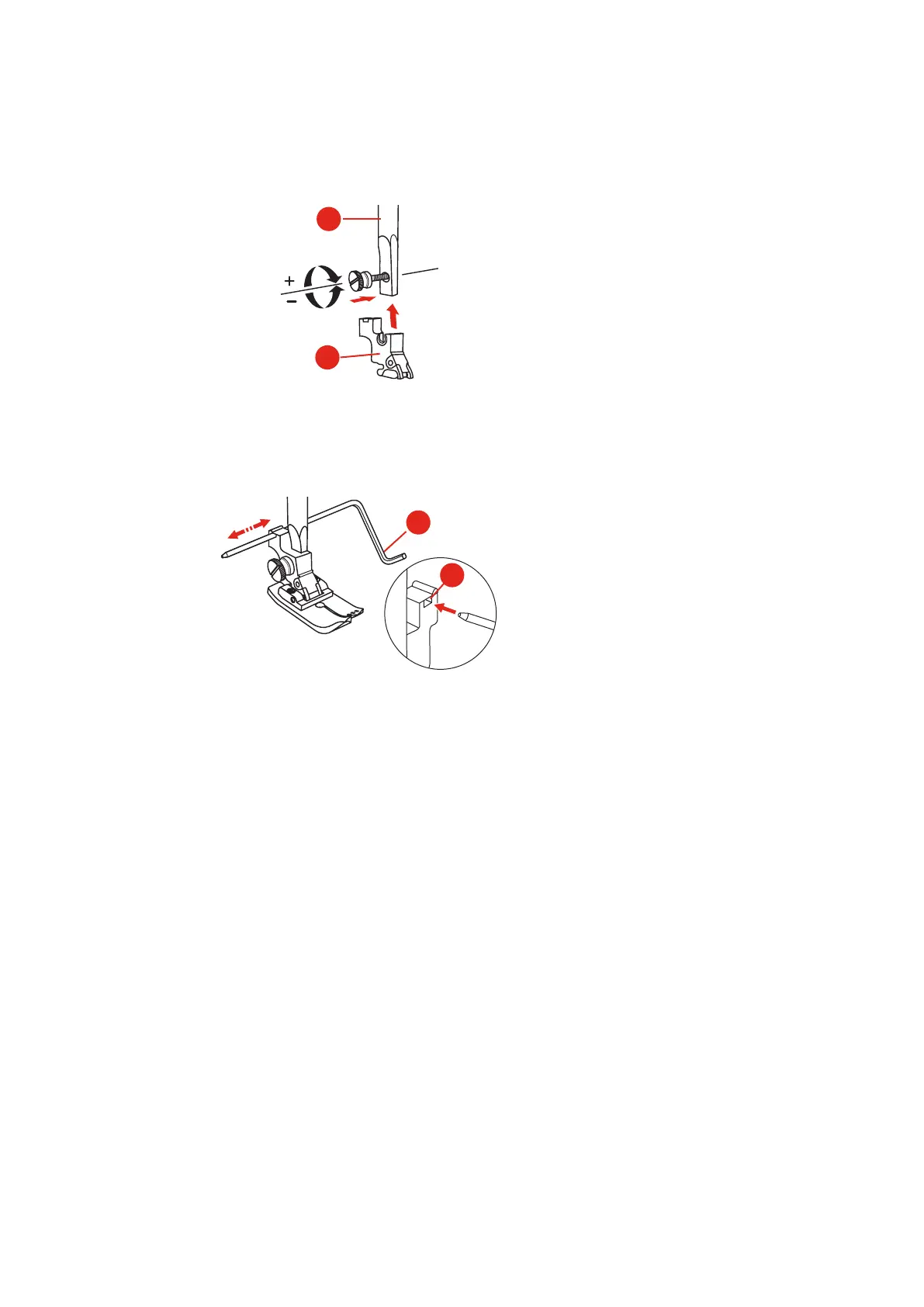
> Align the presser foot holder (1) with the presser foot bar (2) underneath and to the left.
> Hold the presser foot holder firmly and screw in the screw by hand.
> Tighten the screw using the screwdriver.
Attaching the Seam Guide
The seam guide is suitable for sewing parallel lines.
> Insert the seam guide (1) in the slot (2).
> Set the required distance to the adjacent seam.
Having the presser foot sole displayed in the user interface
The recommended presser foot sole for the selected stitch is displayed. Moreover, other optimal presser foot
soles can be displayed.
> Switch the machine on.
> Select a stitch pattern.
– The recommended presser foot sole with letter designation is displayed in the «Presser Foot Indicator/
Presser Foot Selection» field.



 To Next Page