Creative Sewing
54
2022-08 EN 5020077.40A.04
5 Creative Sewing
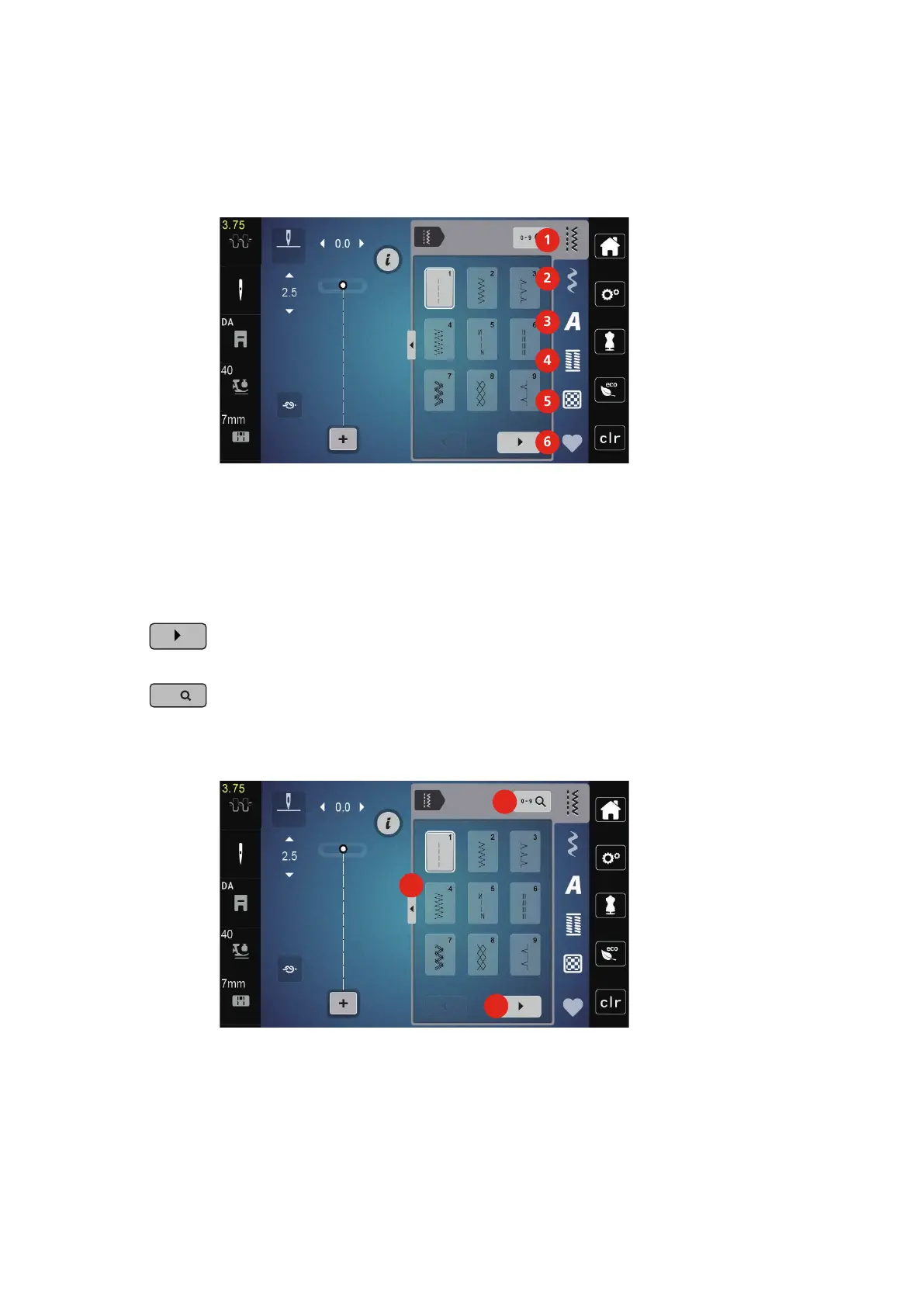
5.1 Overview Selection Menu Sewing
1 «Practical Stitches» 4 «Buttonholes»
2 «Decorative Stitches» 5 «Quilt Stitches»
3 «Alphabets» 6 «Personal Memory»
Selecting a Stitch Pattern
> Select a stitch pattern, alphabet or buttonhole.
> To display further stitch patterns, scroll to the right (1).
> To increase the view, tap «Increasing/Decreasing the Display Size»(2).
> To minimize the stitch pattern view, tap «Increasing/Decreasing the Display Size» (2) again.
> To select the stitch pattern by inputting the stitch number, tap «Stitch Pattern Selection via Number» (3).
– If «!!!» appear when entering the stitch pattern, the stitch pattern cannot be used in the Combi
mode.
– If «???» appear when entering the stitch pattern, the stitch pattern doesn't exist.



 To Next Page