Buttonholes
87
2022-08 EN 5020077.40A.04
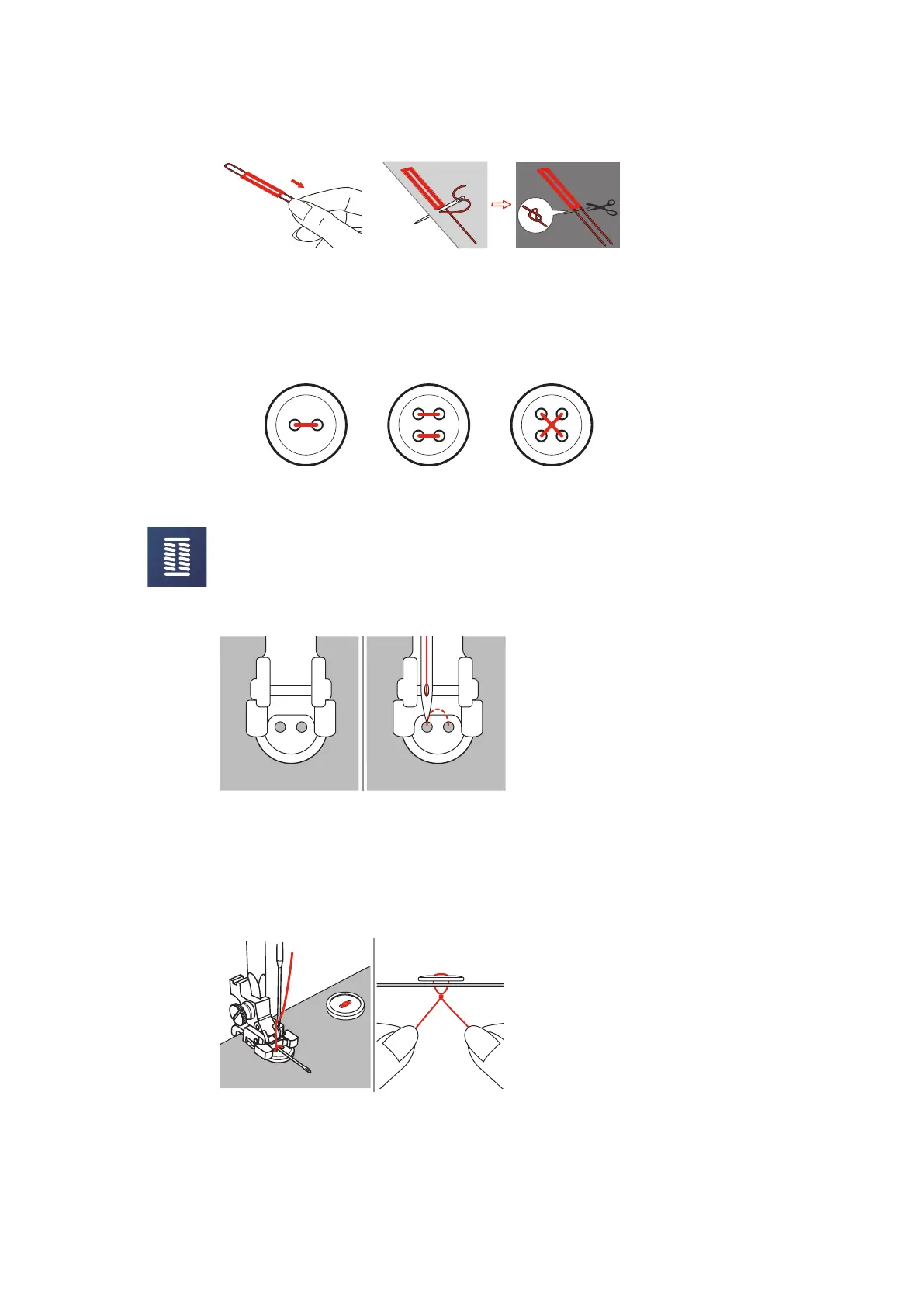
> Pull the cord ends with the sewing needle to the back and knot or secure them.
9.5 Sewing On Buttons
The Button Sew-on Program can be used to sew on buttons with two or four holes, press studs or snap
fasteners. To enhance the stability, the Button Sew-on Program always stitches into the left hole of the
button. As for a button with 4 holes, the two front holes should be sewn first.
The first securing stitch of the Button Sew-on Program alwasy stitches into the left hole of the button.
> Attach the Button Sew-on Foot (RC).
> Tap «Buttonholes».
> Lower the feed dog.
> Select the Button Sew-on Program No.60.
> Fit the button into the sewing project.
> Check distances between holes with the handwheel. If necessary, alter the stitch width.
> Hold the threads when starting to sew.
– The machine sews the buttonhole program and stops automatically.
– When a stem is needed, place a darning needle on the buttonhole and sew.
> Pull the two bobbin threads until the thread ends of the upper threads are visible on the wrong side of
the fabric.
> Tie the threads manually.



 To Next Page