Creative Sewing
61
2022-08 EN 5020077.40A.04
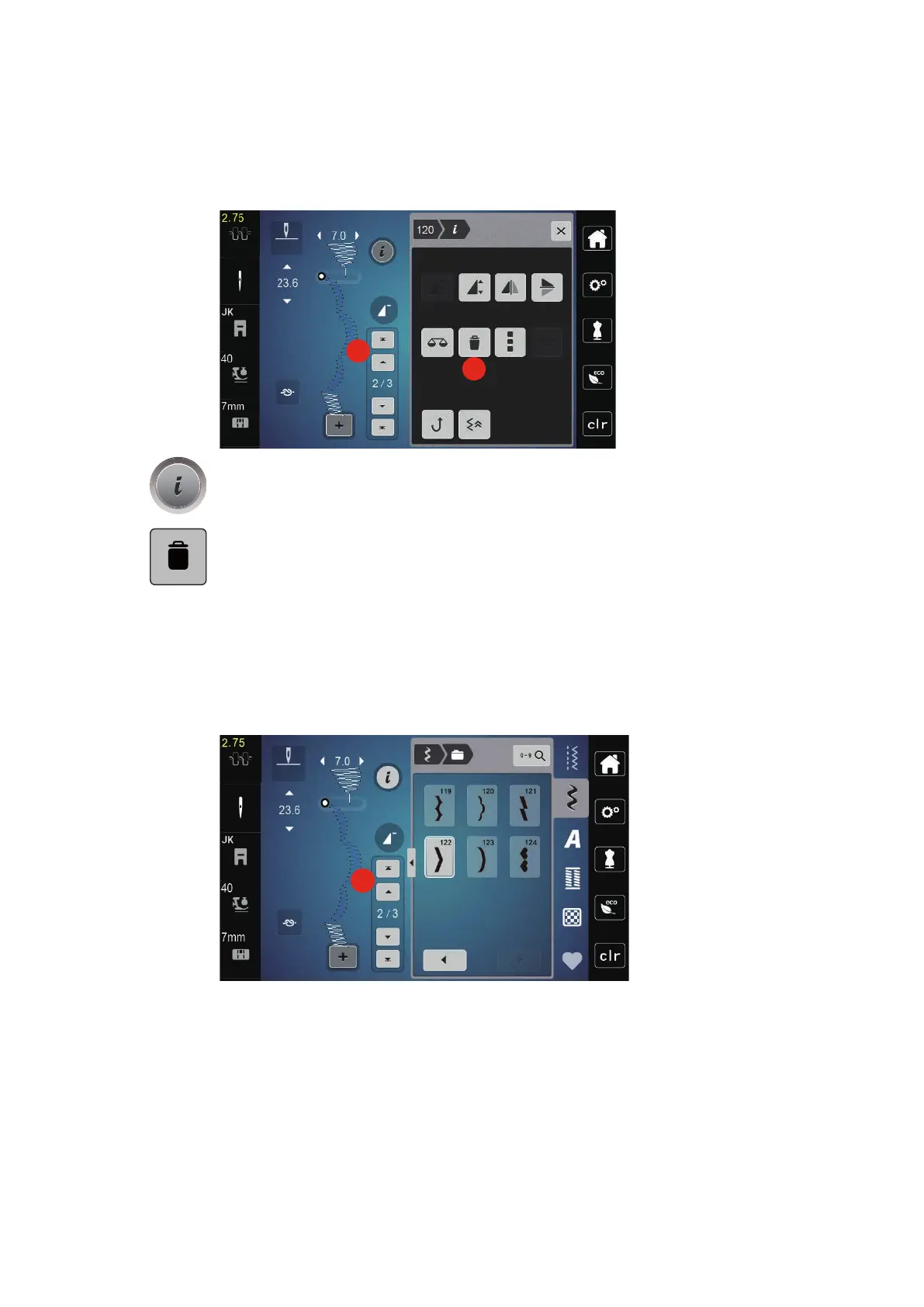
Deleting a Single Stitch Pattern
> Create a stitch pattern combination.
> To select a single stitch pattern, tap the desired position(1) within the stitch pattern combination.
> Tap «i-Dialog».
> To delete the single stitch pattern, tap «Deleting».
Adding a Single Stitch Pattern
> To add a stitch pattern at the start, go right to the front of the stitch pattern group and tap the second
upper arrow (1).
– Both upper arrows are inactive.
> Add a new stitch pattern.
> Create a stitch pattern combination.



 To Next Page