141Saving Motifs
Saving Motifs
Motifs from the embroidery computer, sticks, embroidery cards as well as motifs created in the
BERNINA artista software, can be combined, rearranged, and altered in different ways, then
saved.
Motifs can either be saved to the embroidery computer or on a stick (Personal Design Stick).
The embroidery computer has a memory system, i.e. both the sewing stitch combinations and
embroidery motifs are saved in this system. Since the memory space is not sub-divided into
fixed spaces, any desired number of motifs can be stored as long as enough free memory is
still available. If there is not enough memory space, other motifs and/or stitch information
must first be deleted.
Saving to the Embroidery Computer
• open desired motif from embroidery
computer, personal design stick or
peripheral source
• alter or combine motif if desired
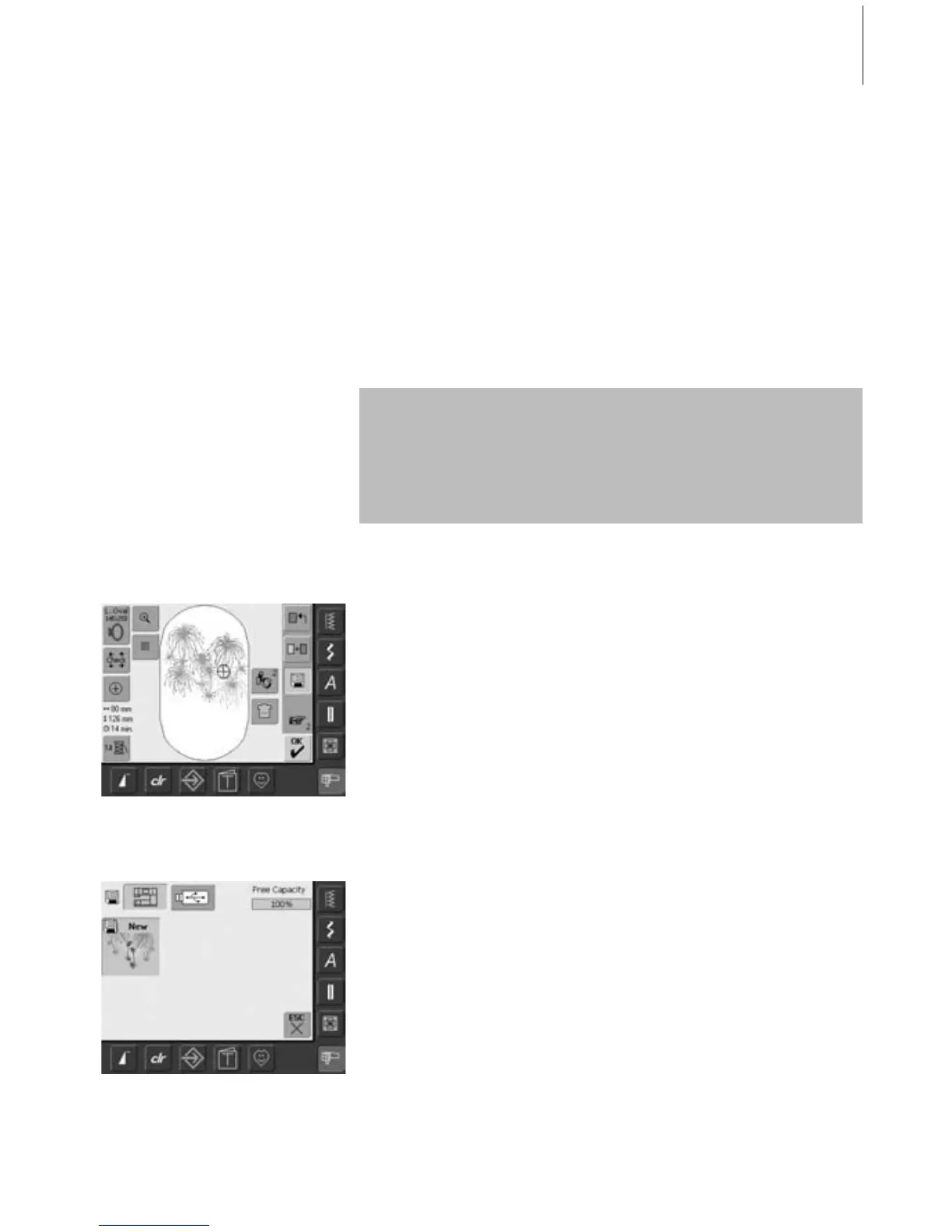
• touch «Save» in the Edit 1 screen
• motif to be saved is displayed as «New»
on left of screen
•the Embroidery Computer button from the
Selection menu is activated
• the folder My Designs will open
automatically
• the System Memory Capacity (Free
Capacity) is shown in percentage (%) in
the top right bar
• select motif to be saved
• the motif is now saved in the folder
My Designs in numerical order
• the Edit 1 screen appears again
In a saved stitch combination, individual stitches can be altered after being
selected.
Motifs which have been altered in terms of size and saved, will be regarded as a
new motif when subsequently selected. (That is why all percentages say 100%,
and the original alteration(s) is/are no longer visible.)



 To Next Page