97Setup-Program
Display Messages and Audio Settings
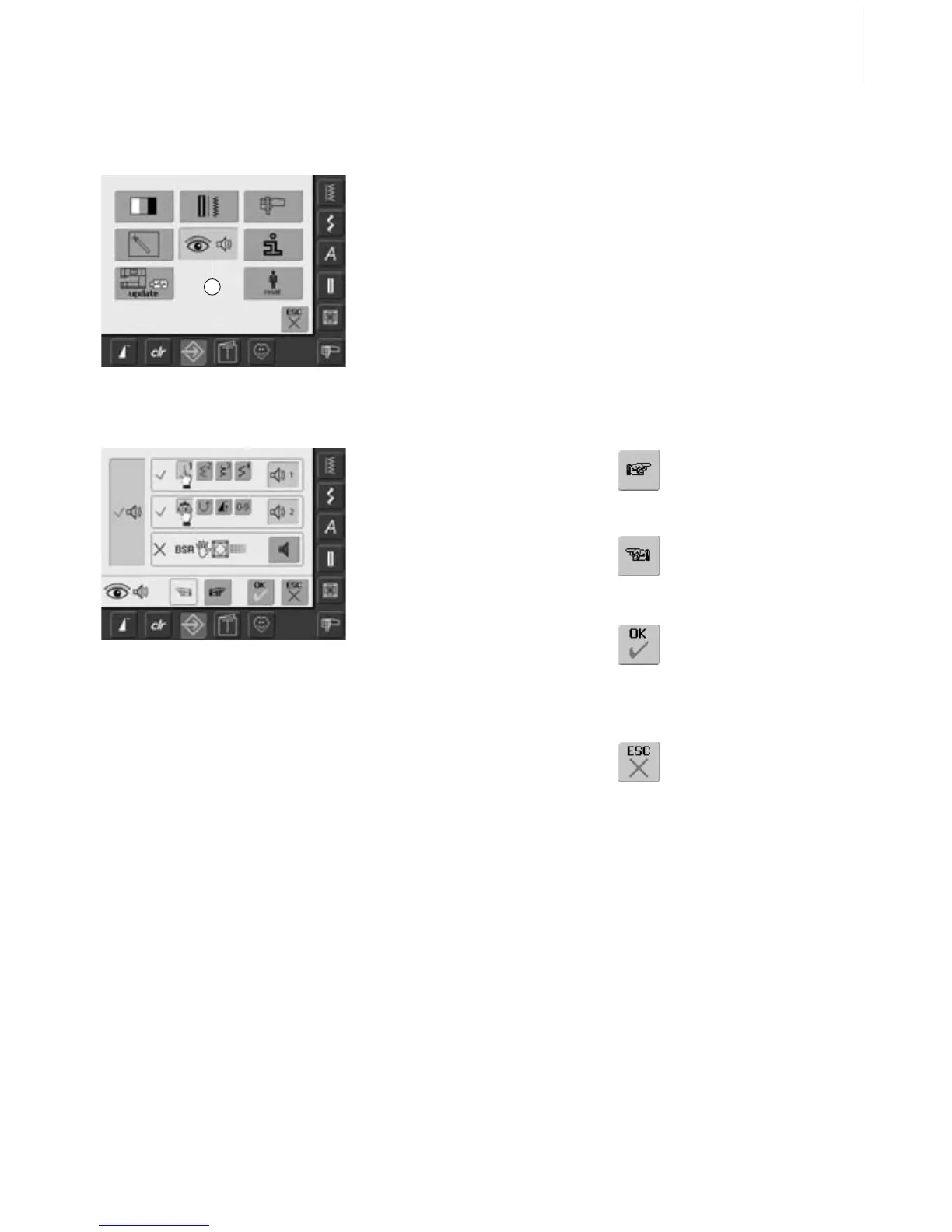
Opening Setup Program
•press the Setup button
• selection menu appears
• touch «5»
• the screen «Audio Settings» appears
Audio System
•with large left bar the sounds can be
activated or deactivated
• blue background and blue speaker means
that the bar is active
• gray background and red speaker means
that the bar is inactive
Selecting Stitch / Selecting Function / BSR
• the selection of stitches and functions can
be indicated acoustically
• for Stiches (top) touch the bar with the
speaker symbol one or more times
• one to six sound choices will be activated.
The bar is blue and the choice of the
selected sound is indicated by a number
(1-6). The sounds can be heard
• if the bar is gray and the speaker red, the
sounds for the stiches are inactive
• the sounds for Functions (middle) and one
sound for Quilting with BSR (bottom) can
be turned on and off the same way
• touch «To Next Page»
Audio Settings
Saving and Closing
• touch «OK»
• changes are saved, the screen
closes and the selection menu
appears
Closing Screen
• touch «ESC»
• the screen display closes, the
original settings remain saved
and the selection menu
appears
To Next Page
• touch «To Next Page»
•the next screen appears
To Previous Page
• touch «To Previous Page»
• the previous page appears
5



 To Next Page