20
Opening a Saved File
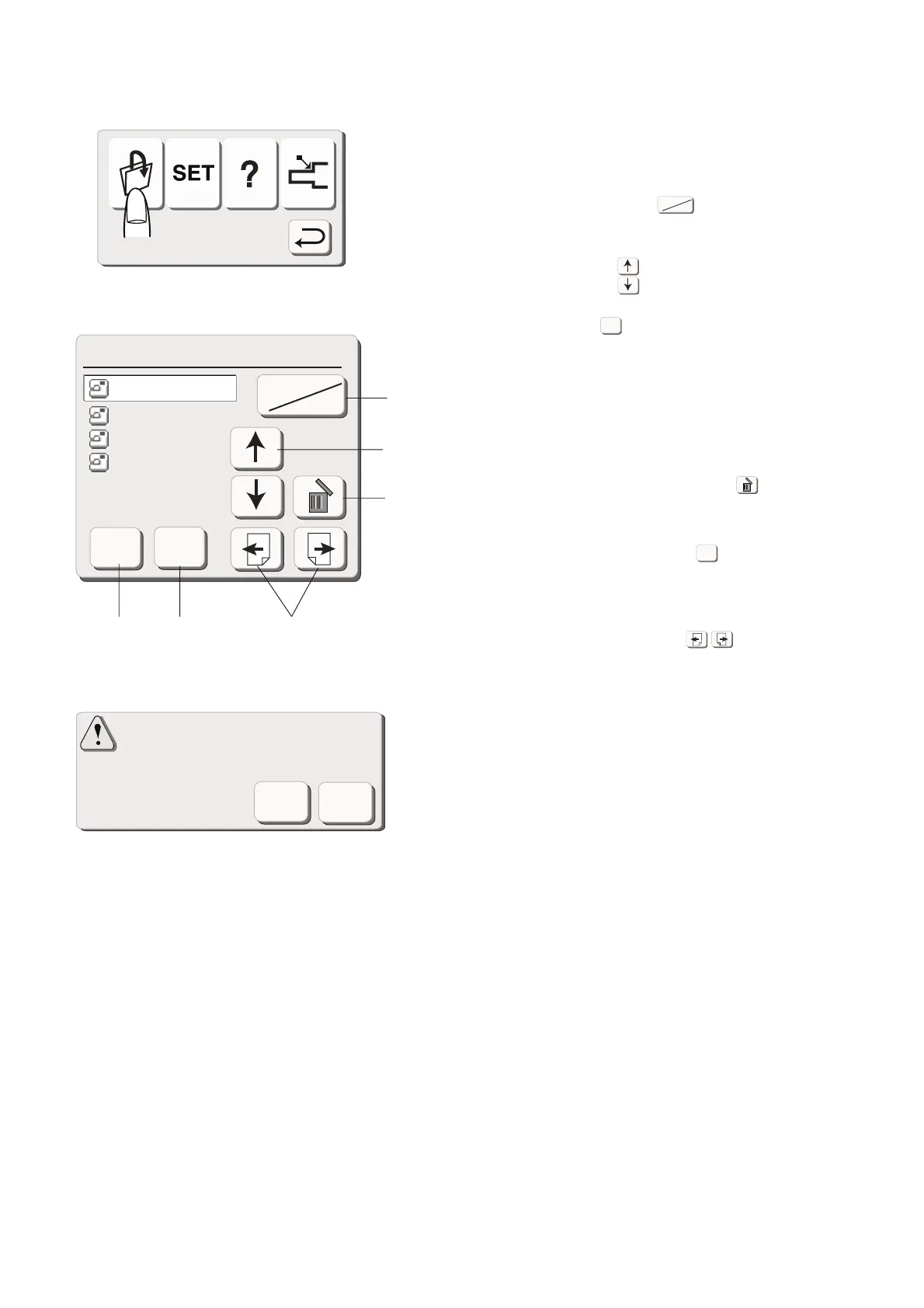
When you press the open le key, the open le window
will appear. You can open the le to sew the
programmed patterns that you have saved.
(1) Press the built-in/card key to select the
location of the le directory, either in the internal
memory of the machine or in the PC card.
(2) Press the arrow keys to select the desired le
to open.
(3) Press the OK key to open the selected le. The
pattern combination of the le will be displayed on
the screen.
Deleting the saved le
(4) When you need to delete the saved le, select the
le to delete and press the delete key.
The conrmation window will appear.
Press Yes key if you are sure to delete it.
(5) When you press the cancel key, the le will not
be deleted.
The Open File window will close and it will go back
to the original screen.
(6) When you press the Page keys, you will be
able to see the saved les in the next or previous
page.
Are you sure you want
to delete this le?
OK
Cancel
Open File(Built-in)
Cancel
OK
Built-in
Card
ABC
M_001
M_002
M_002
Built-in
Card
OK
Cancel
(1)
(2)
(4)
(3) (5)
(6)









 To Next Page