41
Saving a File
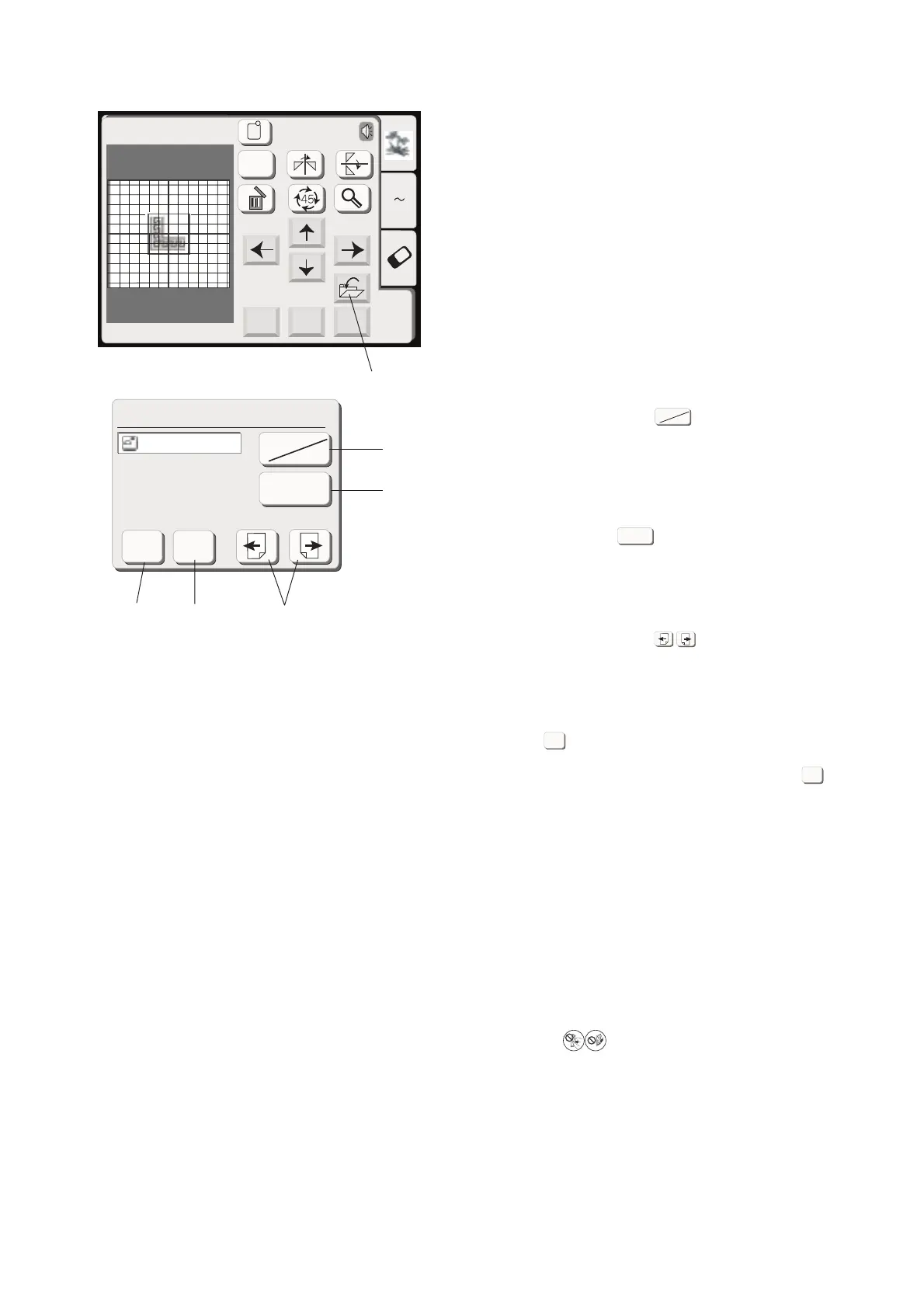
When you press the save le key, the Save File window
will open.
(9) Save le key
You can select a location to where you want to save the
le. Press the built-in/card key, to select the
location either the internal memory of the sewing
machine or the PC card.
1 Built-in/card key
Press the File Name key if you wish to assign a
new name to the le.
2 File Name key
When you press the Page keys, you will be able
to see the saved les in the previous and next pages.
3 Page keys
Press OK key to save the le and the screen will
return to the original screen.
If you do not want to save the le, press Cancel key
to return to the previous window.
4 OK key
5 Cancel key
NOTES:
The le name will be automatically assigned starting
from M_001 in order.
Do not turn the power off or eject the card when the
warning sign or hourglass is showing on the
visual touch screen. Otherwise, data stored in the
memory may be lost or damaged.
Cancel
Edit
Mode OK
Edit
AZ
Size
A(F): 126x110mm
Save File (Built-in)
M_001
Cancel
OK
Built-in
Card
File Name
Built-in
Card
File Name
(9)
1
2
3
5
4
OK
Cancel









 To Next Page