28
Deco 330
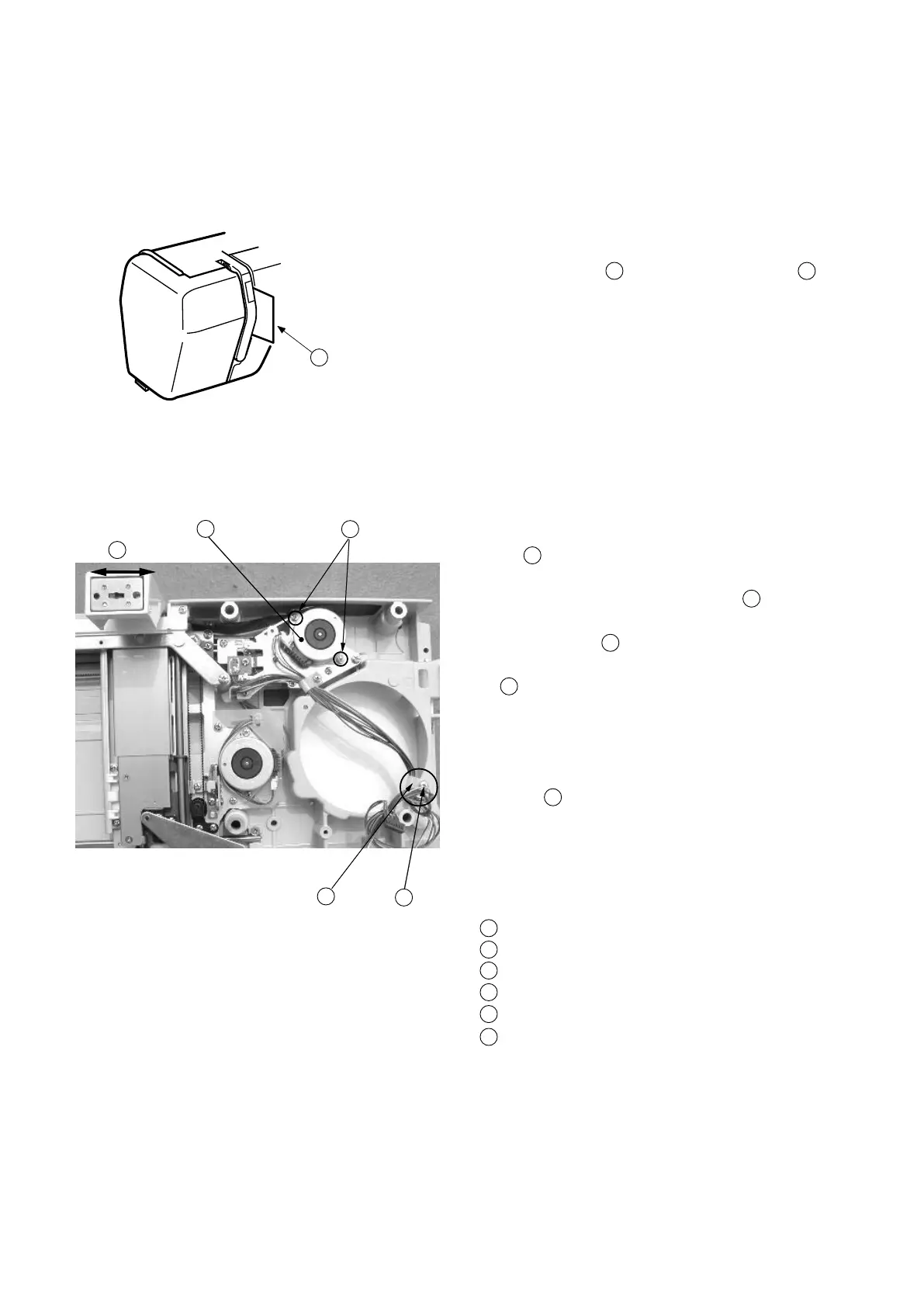
Adjusting X Motor Gear
If the machine is noisy when sewing an embroiderydesign,adjust the X-Motor as follows.
Toremove:
1Removethebaseunit(Seepage5).
2Removethepresserfoot.
3Remove Screw(A) 1 andremovetheNylonclip
2
from the cords.
Adjustment procedure:
4ConnecttheX,Ymotorconnectorstoprinted circuit
board A.
5 Turnthepower switch “ON” and select the 3 large “A”s
of Gothic of the monogramming.
6Lower the presser bar after the carriage moves to the
sewing position.
7 Tounable the needle thread sensor,insertapieceof
paper into the channel as shown.
8RunthemachineandloosenScrews (B)
4
(2 pieces). While the carriage is moving in the
direction of arrows
6
,adjusttheX-Motorposition
where the lowest noise is obtained and tighten Screws
(B) rmly.
9Returnthecarriage to the stored position and turn
the power switch “OFF”.
10 Pull the X ,Y motor connectors out from the printed
circuit board A, then tighten screw(A)toplace the
Nylonclip .
11 Connect the X, Ymotorconnectorstotheprinted
circuit board A again.
12 Install the base unit.
ScrewA
Nylon clip
Insertapieceofpaper
ScrewB
X- motor
Carriage moving in lateral direction
1
3
45
2
3
4
6
1
2
3
4
5
6
2









 To Next Page