42
Assigning the le name
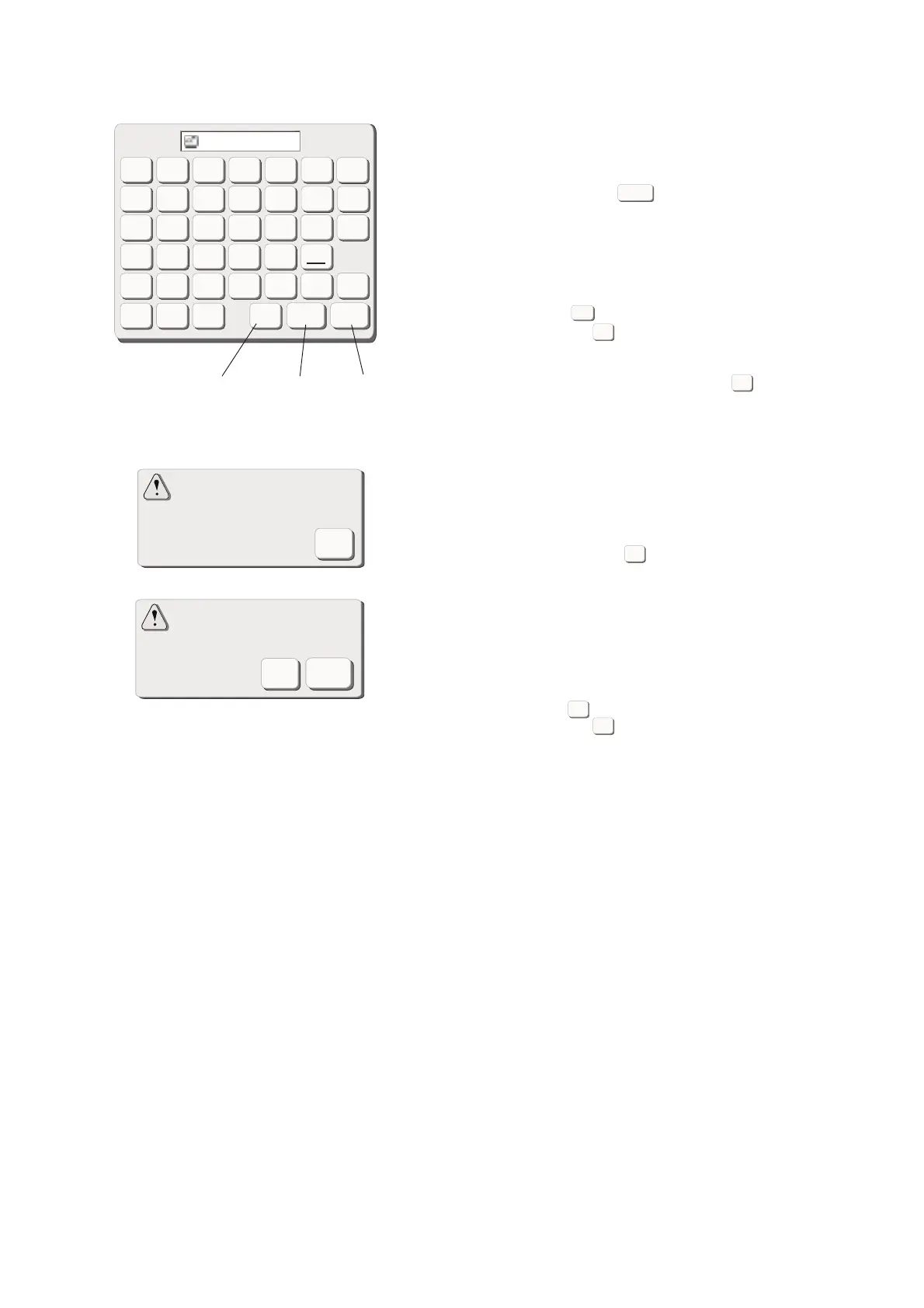
You can assign the le name in the le name window.
Press the File Name key to open the le name
window.
The character keys are displayed in the window.
Only 8 characters can be entered.
Press the B.S key to delete the last character.
Press the Cancel key and the screen will return to
the save le screen.
Enter the le name and press the OK key.
The le will be saved with the new name.
6 B. S key
7 Cancel key
8 OK key
NOTES:
When the memory is full, the warning message will
appear. Press the OK key and go to the open le
window then delete the le that you do not need.
When you save the le under the same name, the
warning mesage will appear.
Press the OK key to overwrite the existing le.
Press the Cancel key if you do not wish to overwrite
it. You may need to change the le name and save the
le under the different name.
Cancel
B.S
A
B
C
DEF
G
HI J KLM
N
OP QR
STU
012
789
3
456
VWX
YZ
OK
File Name
6
7
8
OK
Cancel
B.S
The same le name exists,
overwrite it?
Cancel
OK
Short of memory space,
the le cannot be saved.
OK
OK
OK
Cancel









 To Next Page