01/10 347 LB 444 K-40
50
10.3 Detector
10.3.1 Checking the Crystal-Multiplier Assembly
A plateau that is too small or too steep indicates faults in the crystal-multiplier assembly.
Please proceed as follows to perform a visual inspection of crystal and multiplier:
Switch off the scintillation counter before opening the instrument.
Do not perform the check in bright daylight, as this may damage the photo
cathode of the photo multiplier.
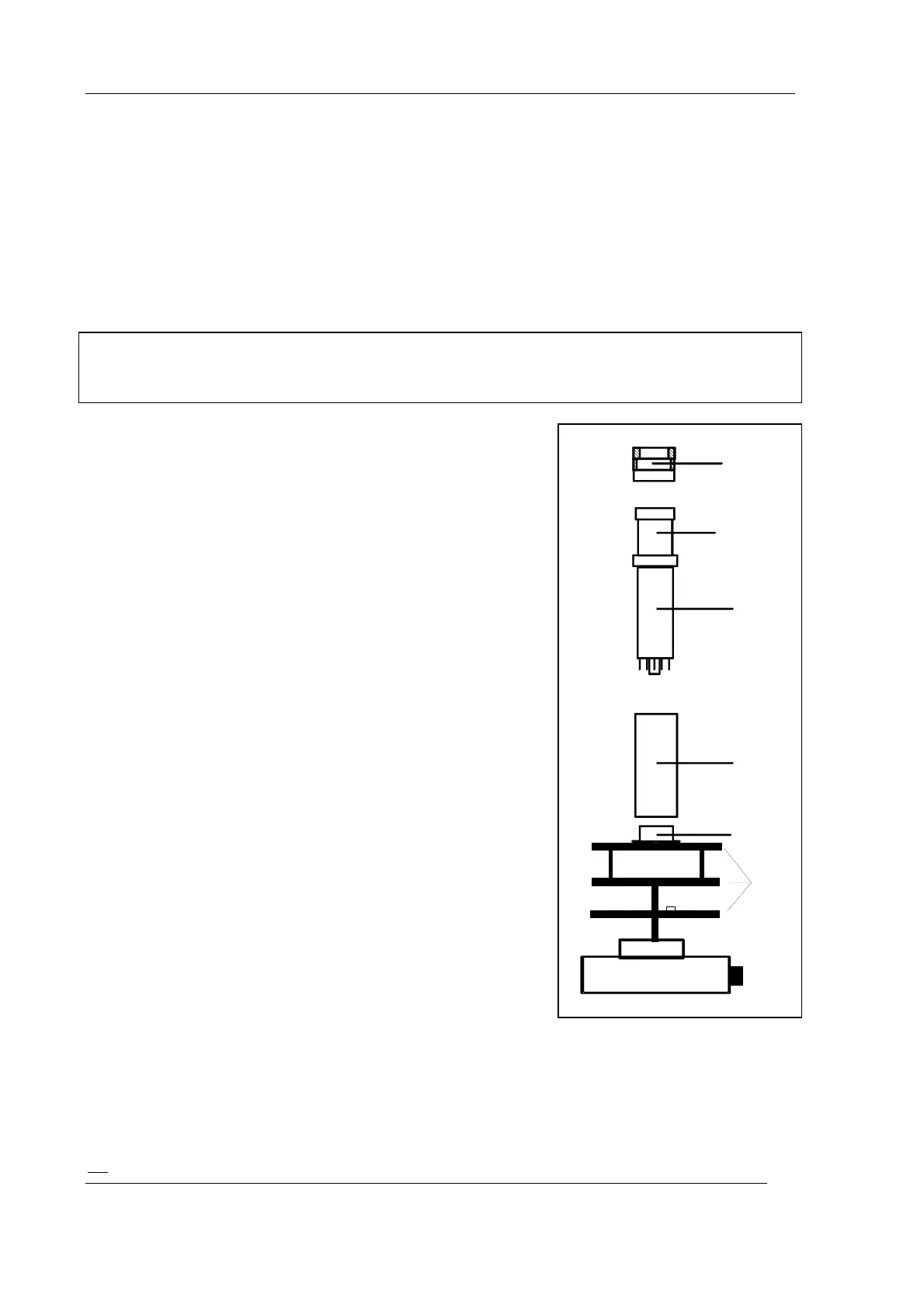
Open the scintillation counter by removing the cover of
the connection box first and then the screws of the base.
The entire electronics (1) with the crystal/multiplier
combination can then be detached from the housing.
Remove photo multiplier combination from base (2) and
unscrew ring nut (3) on front panel. The multiplier (4)
including crystal (5) can now be detached from the Mu-
metal shielding (6).
A thin layer of silicone oil between crystal and multiplier
ensures optical coupling; silicone oil is rather viscous,
particularly at low temperatures. Carefully detach the
crystal from the multiplier window by gently sliding the
crystal sideways.
Do not wipe off the silicone oil layer if no new silicon oil is
available!
Check:
The crystal must be perfectly clear inside and not show
any dull areas. Its typical color is white. A yellowish to
brownish coloring is a sign of thermal overload and
indicates that the crystal has to be replaced. The
surrounding white reflecting layer must not be damaged.
You can only check the photo multiplier for glass
breakage or other mechanical damage. Other faults
cannot be identified by visual checks alone. However, if
the crystal does not show any faults, a bad plateau
indicates that the photo multiplier is faulty.
Figure 16: Assembly of the
scintillation counter
1 = electronics part with
(a) CPU,(b) HV, (c) voltage divider
2 = base
3 = ring nut
4 = photomultiplier
5 = crystal
6 = Mu-metal shielding
(a)
(b)
(c)
3
5
4
6
2
1



 To Next Page