Repair work at the cooling system
10.3 Replacing the condenser fan
Spare parts:
Condenser complete
KBF 115 Art.-Nr. 5013-0163
KBF 115 UL Art. Nr. 5013-0163
KBF 240 Art.-Nr. 5013-0165
KBF 240 UL Art.-Nr. 5013-0165
KBF 720 Art.-Nr. 5013-0163
KBF 720 UL Art. Nr. 5013-0163
Condenser fan
KBF 115 Art.-Nr. 5013-0164
KBF 115 UL Art. Nr. 5013-0164
KBF 240 Art.-Nr. 5013-0166
KBF 240 UL Art.-Nr. 5013-0166
KBF 720 Art.-Nr. 5013-0164
KBF 720 UL Art. Nr. 5013-0164
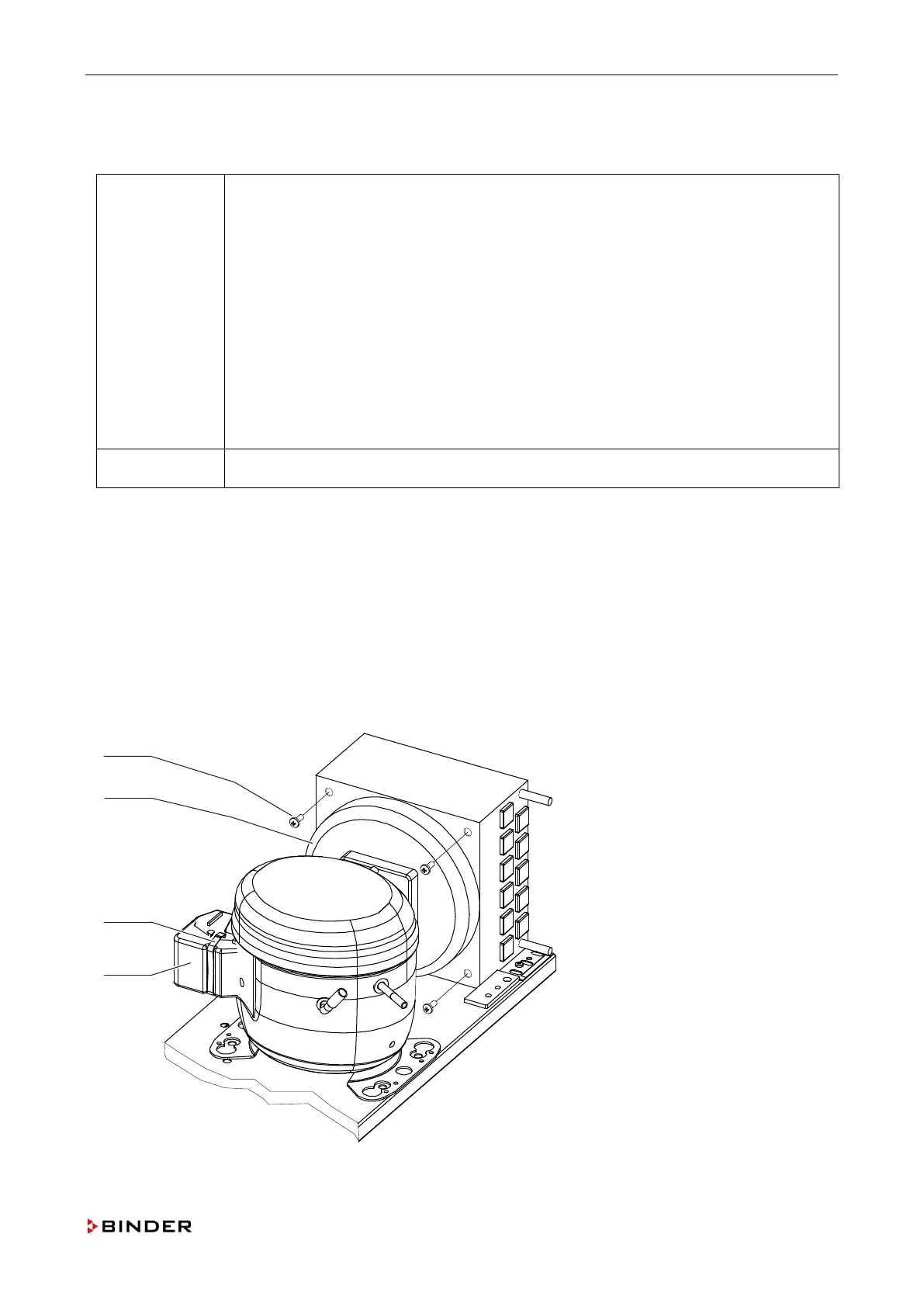
Necessary tools Crosstip screwdriver, size 2
1. Disconnect the unit from the power supply.
2. Remove the rear housing panel (chap. 5.3).
3. Remove the bracket (C) and the cover from the junction box (D).
4. Release the strain relief of the connection cables.
5. Remove the connection cable of the fan from the terminal board.
6. Remove the housing cover at the front (chap. 5.1).
7. Remove the fixing screws (A) left and right of the fan grid.
8. You can now lift the entire fan with the grid above the condenser.
9. Mount the fan by following steps 1 to 8 in reverse order.
A Fixing screws
B Fan
C Bracket
D Junction box
Figure 56: Replacing the condenser fan
Service Manual KBF (E5.2) 04-2015 115



 To Next Page