Calibrating and adjusting the temperature and humidity control
11.3.1 Resetting the temperature controller adjustment
Before the unit can be re-adjusted the current adjustment has to be reset and the input value correction has
to be switched off.
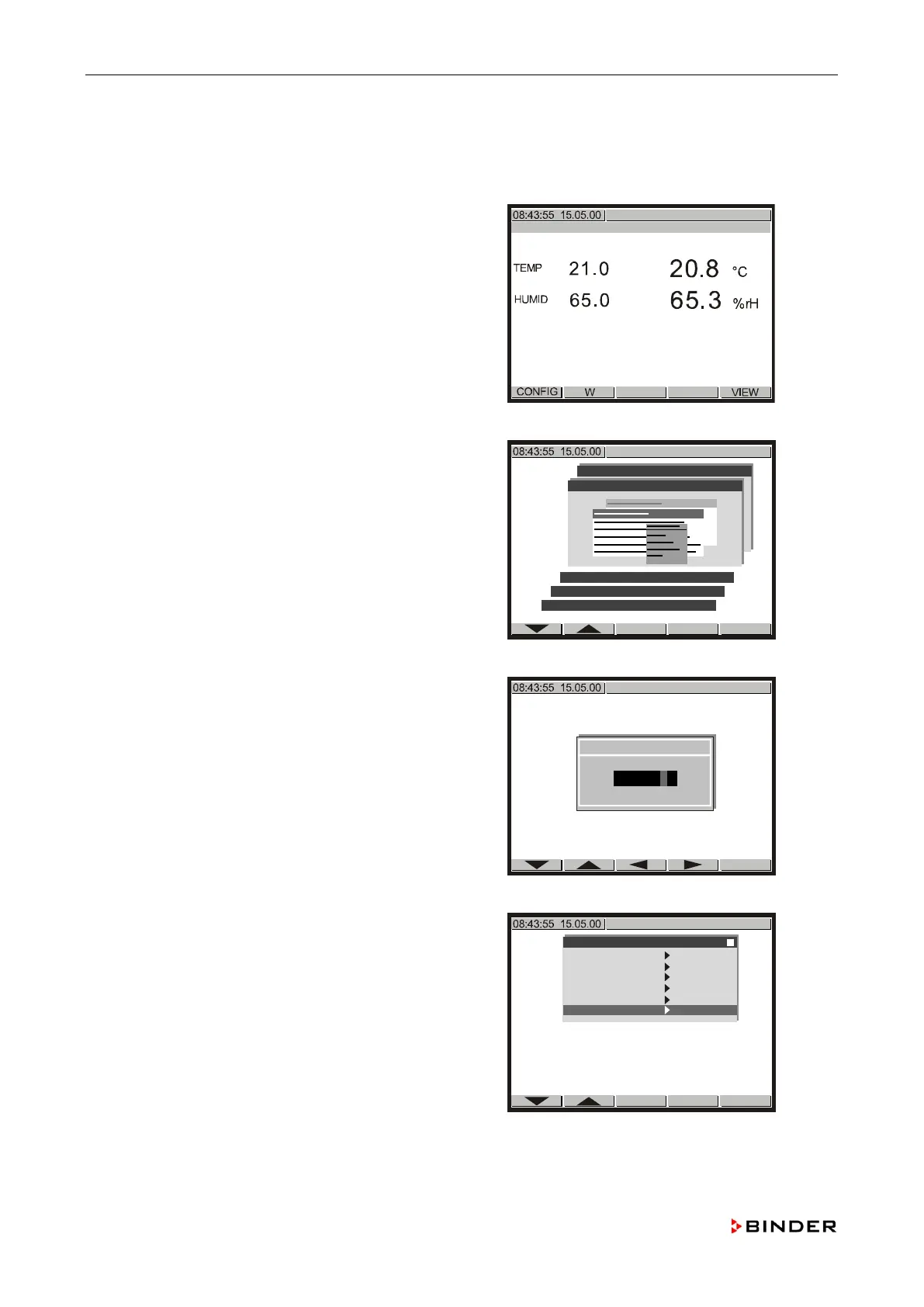
1. Starting from Normal Display push <CONFIG>.
Use the buttons or to select the menu
“Configuration 2” and confirm with <ENTER>.
User-Settings
Choose variation
Parameters
Configuration 1
Configuration 2
Use the buttons , , and to key in the
System
-Code “+02802” and confirm with <ENTER>.
↓ “
Use the buttons or to select the menu item
“Service Level” and confirm with <ENTER>.
Configuration 2
Analogue inputs
Analogue outputs
Limit comperators
Donor-functions
Controller
Service Level
122 Service Manual KBF (E5.2) 04-2015



 To Next Page