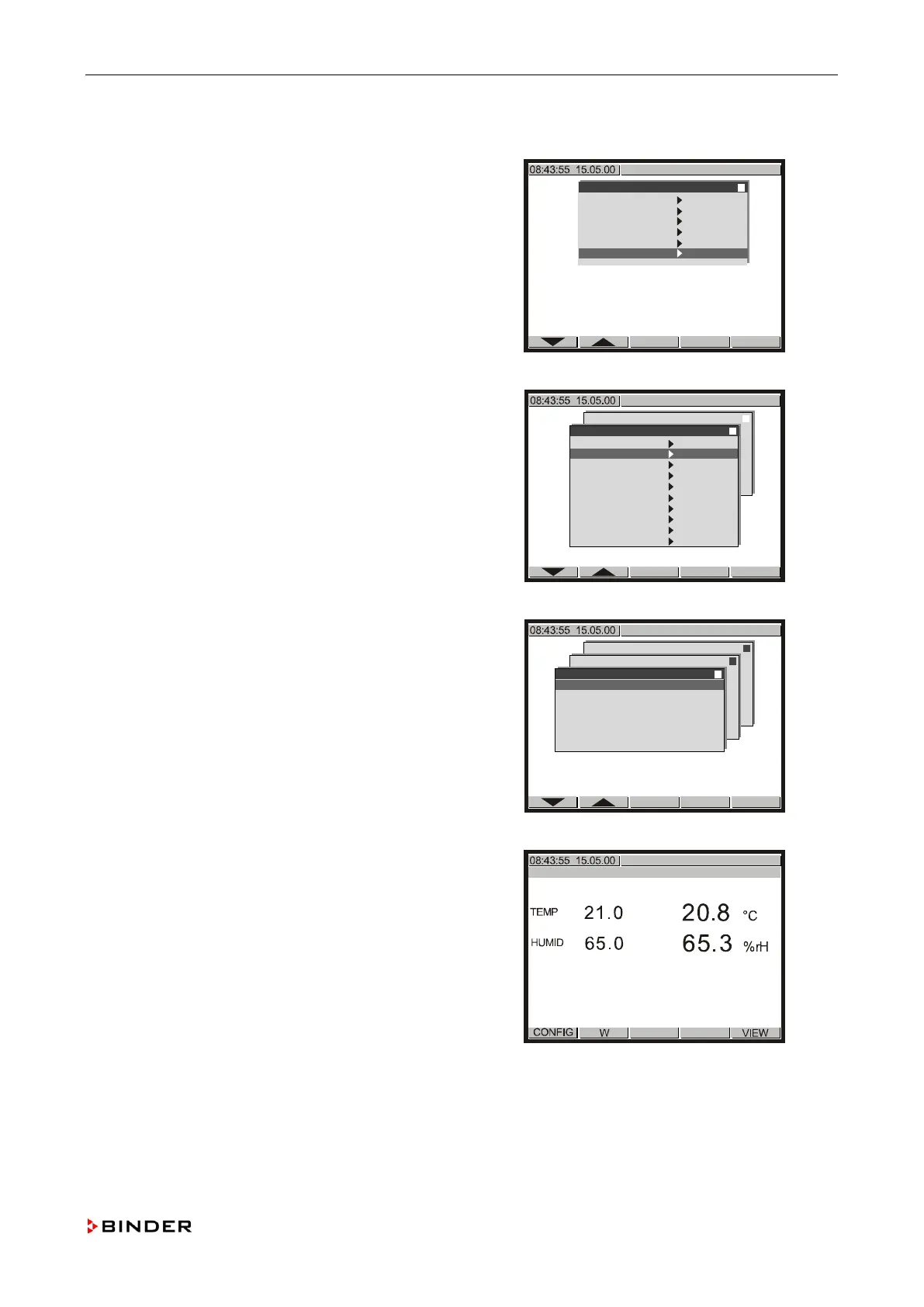
Calibrating and adjusting the temperature and humidity control
11.3.2 Calibrating the temperature controller
1. Enter the “Service Level”
(see steps 1 to 0, chap. 11.3.1).
Configuration 2
Analogue inputs
Analogue outputs
Limit comperators
Donor-functions
Controller
Service Level
Use the buttons or to select the menu item
“An
alogue Inputs” and confirm with <ENTER>.
Configuration 2
Analogue inputs
Analogue outputs
Limit comperators
Donor-functions
Controller
Service Level
Service Level
Inp.Val. correct.
Analogue Inputs
Analogue Outputs
Bin. Inputs
Bin. Outputs
Anal. Inp. mTRON
Anal. Out. mTRON
Bin. Inp. mTRON
Bin. Out. mTRON
Memory Display
↓
Note down the actual value of “1.” (e.g. +20.791).
Configuration 2
Analogue inputs
Analogue outputs
Limit comperators
Donor-functions
Controller
Service Level
Service Level
Analogue Inputs
1. +20.791
2. + 0.0
3. - 12.5
4. +65.317
5. - 12.5
Push <EXIT> four times to return to the
basic di
splay.
↓
Service Manual KBF (E5.2) 04-2015 125



 To Next Page