MK / MKT (E5) 03/2019 page 65/158
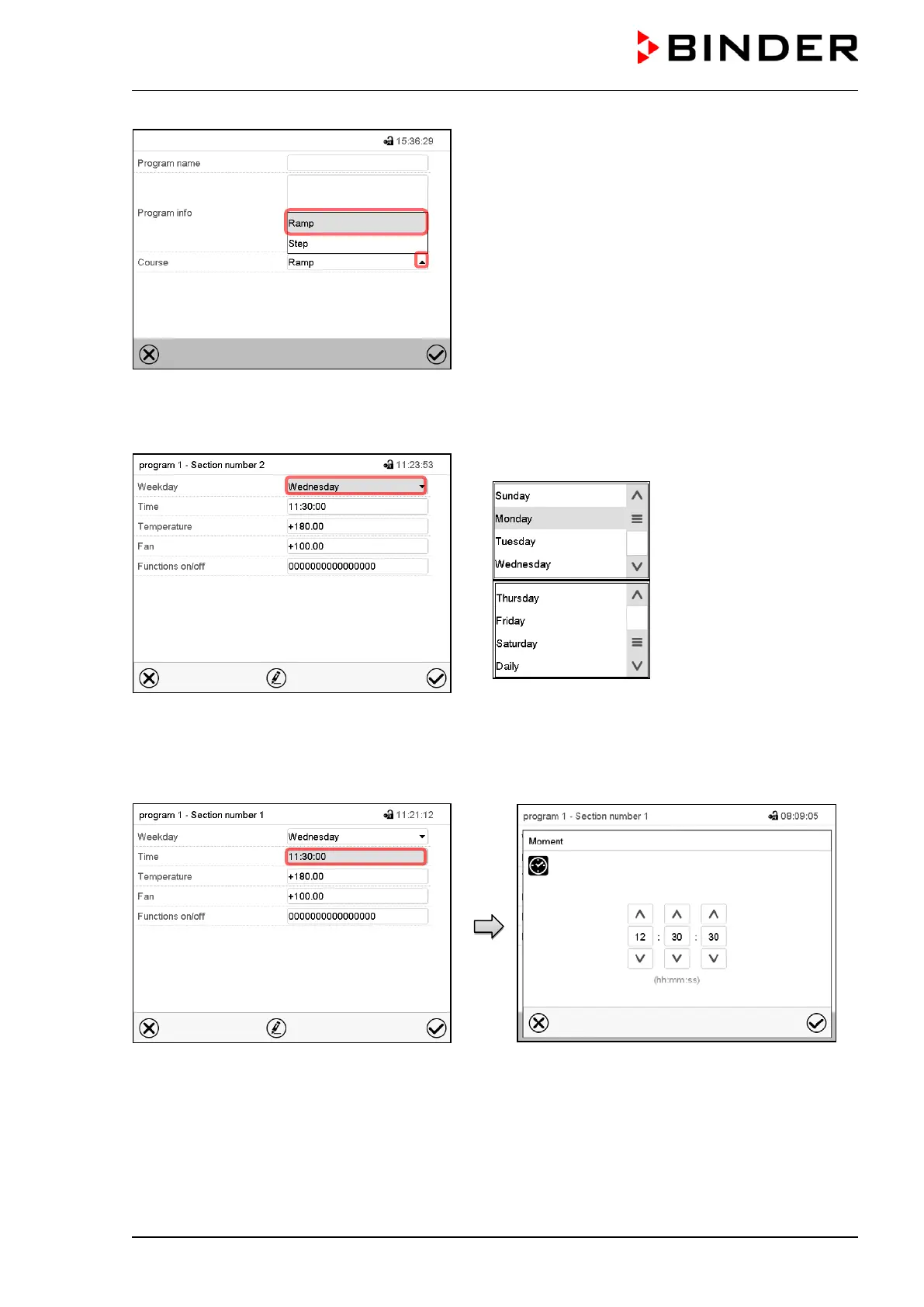
“Change program name” menu.
In the field “Course” select the desired setting “Ramp”
or “Step” and press the Confirm icon.
10.6.2 Weekday
Section view.
In the field “Weekday” select the desired weekday.
With “Daily” selected, this section will run every day at
the same time.
10.6.3 Start time
Section view.
Select the field “Moment”.
Entry menu “Moment”.
Select with the arrow keys the desired start
moment of the section and press the Confirm
icon.



 To Next Page