724-746-5500 | blackbox.com
724-746-5500 | blackbox.com
Page 57
LES301A user manual
Appendix C: Using SerialManager Utility
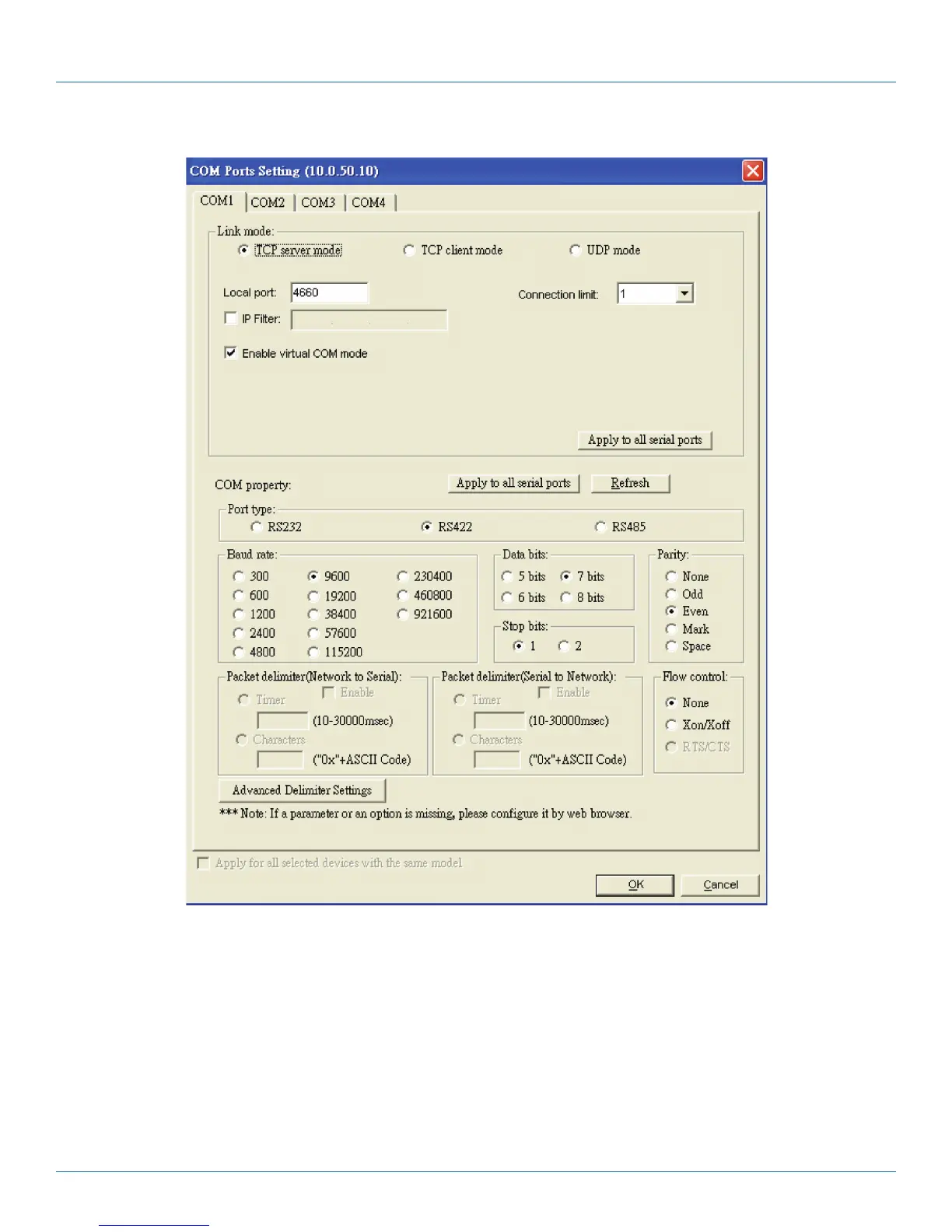
Figure C-13. COM Ports Setting screen.
You can also select several devices at once, and carry out the configuration for them at the same time by selecting “Apply for all
selected devices with the same model.”
NOTE: COM tabs are generated automatically according to the COM port number of the device. If a device has four COM ports,
there will be four tabs, for example: COM1, COM2, COM3, and COM4.
Link mode sets up a TCP or UDP connection between the serial port and the other network devices. Each COM port corresponds
to a link mode, TCP or UDP, which is used to transfer data. You can set each link mode and the working parameters according to
requirements.











 To Next Page