724-746-5500 | blackbox.com
724-746-5500 | blackbox.com
Page 65
LES301A user manual
Appendix C: Using SerialManager Utility
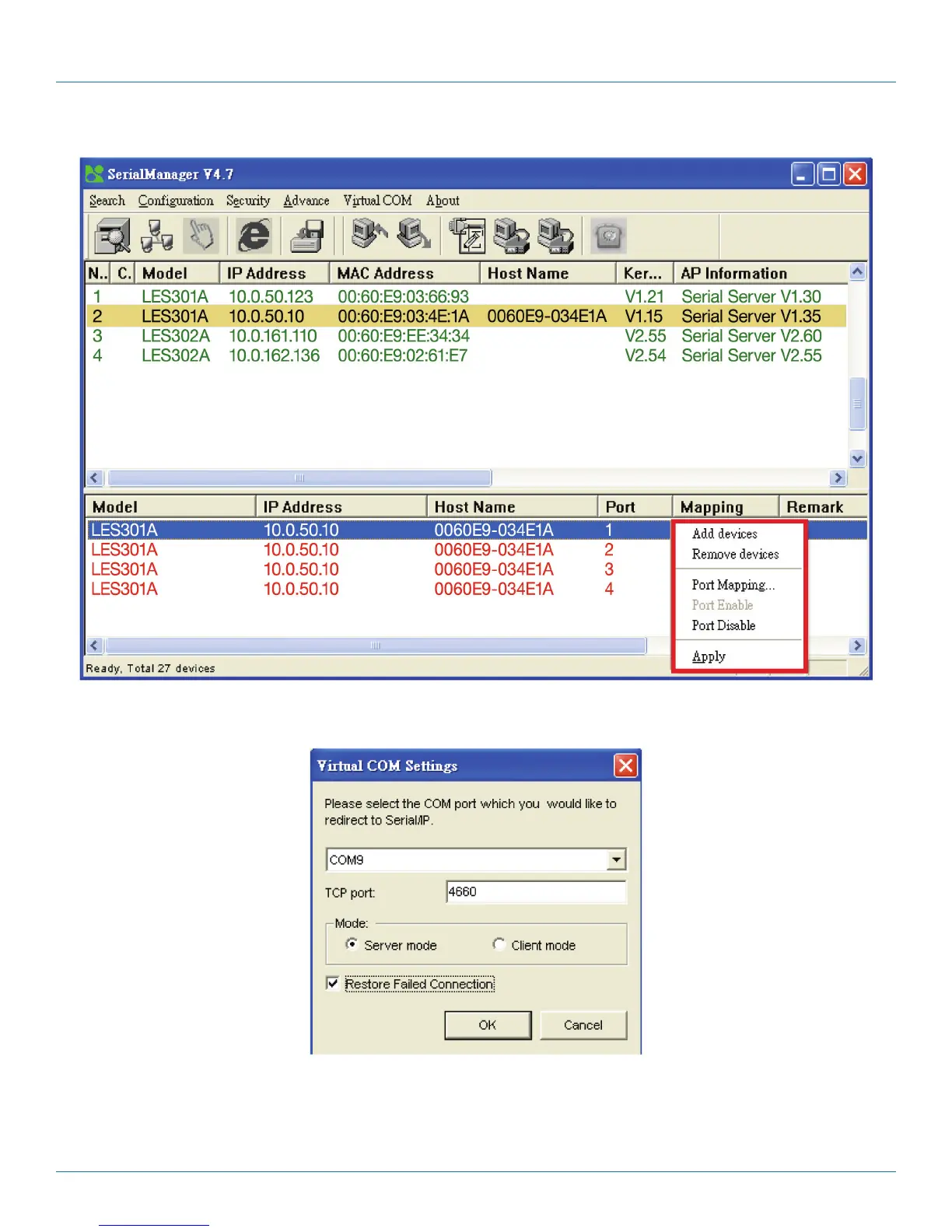
Figure C-24. Mapping drop-down menu.
If you select Port Mapping…, a new window will appear. You can set up the Virtual COM accordingly.
Figure C-25. Virtual COM Settings screen.
C.3.6 About
Use this function to display SerialManager utility information.











 To Next Page