724-746-5500 | blackbox.com
Page 60
724-746-5500 | blackbox.com
Chapter 3: Configuration
LPB2810A
• Key: The Key value incurred by the port, range 1-65535. The Auto setting will set the key as appropriate by the physical link
speed, 10Mb = 1, 100Mb = 2, 1Gb = 3. Using the Specific setting, a user-defined value can be entered. Ports with the same
Key value can participate in the same aggregation group, while ports with different keys cannot.
• Role: The Role shows the LACP activity status. The Active will transmit LACP packets each second, while Passive will wait for a
LACP packet from a partner (speak if spoken to).
• Buttons:
- Save: Click to save changes.
- Reset: Click to undo any changes made locally and revert to previously saved values.
System Status
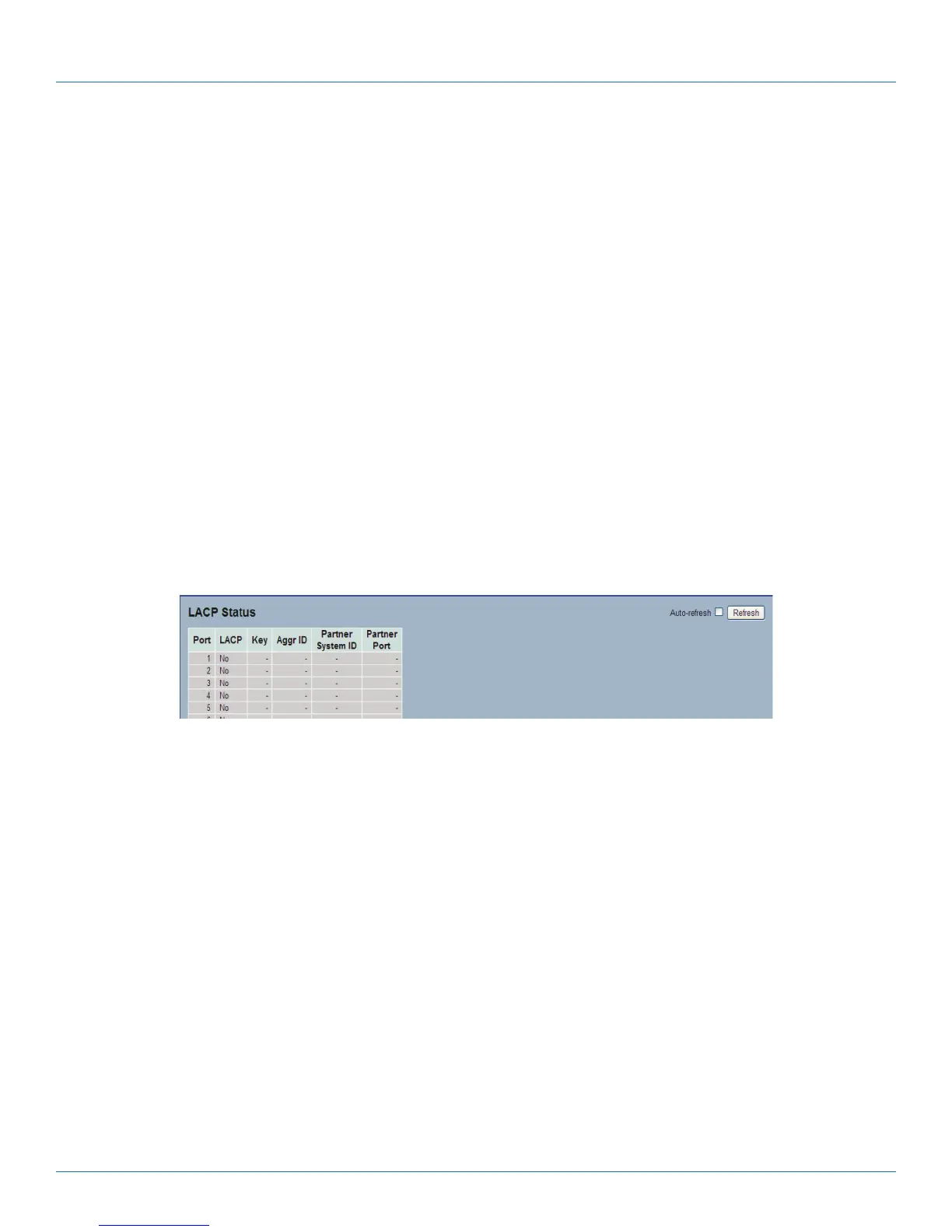
When you set the LACP function on the switch, it provides a status overview for all LACP instances
Web Interface
To display the LACP System status in the Web interface:
1. Click Configuration, LACP, System Status
2. To set the switch to auto-refresh the information, check “Auto-refresh”.
3. Click “ Refresh“ to refresh the LACP System Status.
Figure 3-14. The LACP System Status screen
Parameter Description
• Aggr ID: The Aggregation ID associated with this aggregation instance. For LLAG the ID is shown as 'isid:aggr-id' and for
GLAGs as “aggr-id“.
• Partner System ID: The system ID (MAC address) of the aggregation partner.
• Partner Key: The key that the partner has assigned to this aggregation ID.
• Last Changed: The time since this aggregation changed.
• Local Ports: Shows which ports are a part of this aggregation for this switch. The format is: “Switch ID:Port.“
• Auto-refresh: Click auto-refresh to refresh the information automatically.
• Icon, upper right of screen (Refresh): Click to refresh the LACP System status information manually.











 To Next Page