Previous DeckLink Cards – Connection Diagrams
79
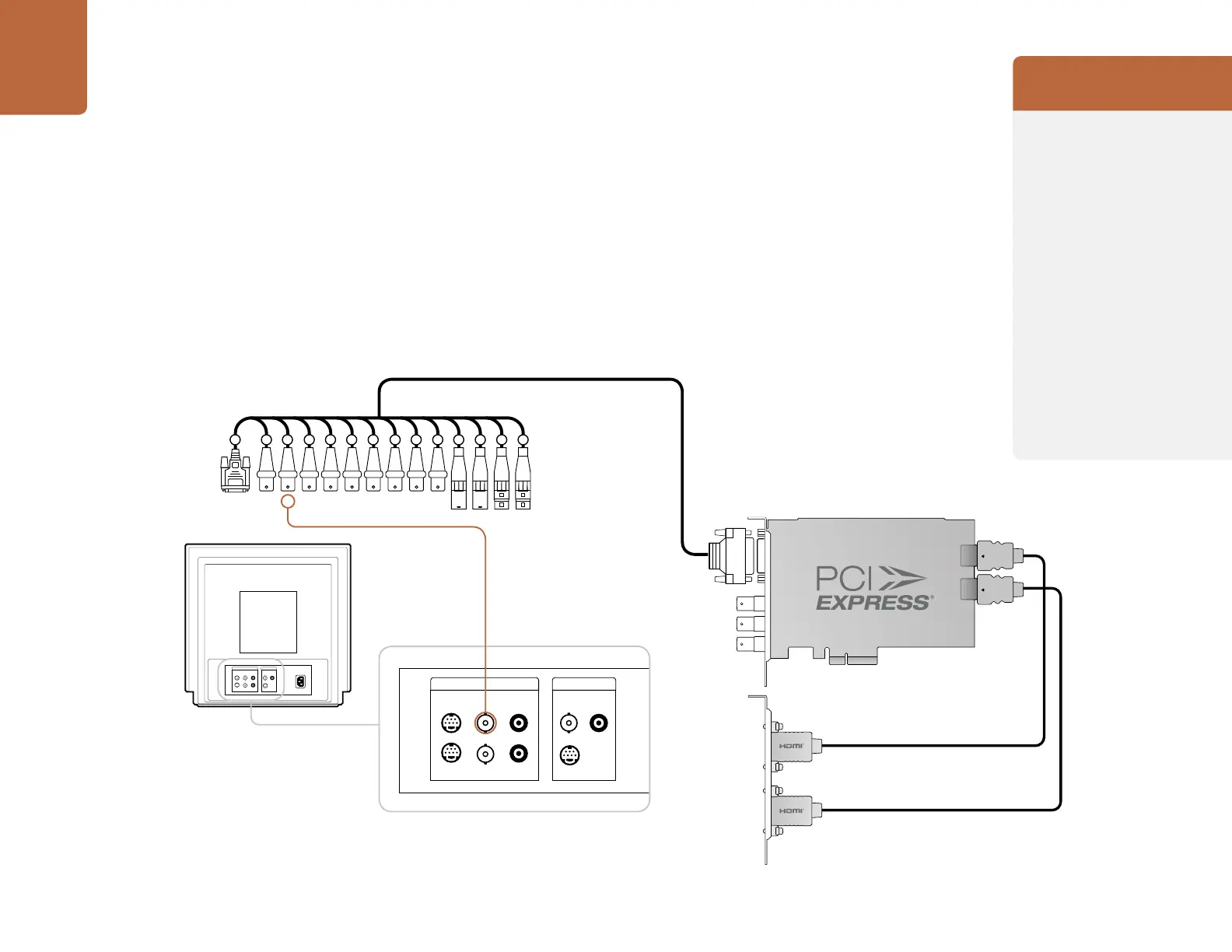
Connecting to an NTSC/PAL monitor
This example shows DeckLink HD Extreme 2 connected to a standard definition Sony PVM monitor
via composite analog video. Connect a BNC cable from DeckLink’s Y output cable to the composite
analog video input of the Sony PVM monitor. You can use this for SD capture and playback monitoring
with analog, SDI and HDMI video sources.
LINE A LINE B
VIDEO
IN
AUDIO
IN
VIDEO
IN
Y/C
Y/C
INOUTOUTOUT
AUDIO
IN
AC IN
LINE A LINE B
VIDEO
IN
AUDIO
IN
VIDEO
IN
Y/C
Y/C
INOUTOUTOUT
AUDIO
IN
AC IN
2 3 4 5 6 7 8 9 10 11 12 13 14 15
2 3 4 5 6 7 8 9 10 11 12 13 14 15
DeckLink HD Extreme
Professional Breakout Cable
Cards which can be used in
this workflow...
DeckLink HD Extreme 3D+
DeckLink Studio 2
Previous DeckLink cards
DeckLink Extreme
DeckLink Extreme PCIe
DeckLink HD Extreme
DeckLink HD Extreme 2
DeckLink HD Extreme 3
DeckLink HD Extreme 3D
DeckLink HD Pro 4:2:2 PCI-X
DeckLink HD Pro 4:4:4 PCI-X
DeckLink HD Pro PCIe
DeckLink HD Studio
DeckLink Pro
DeckLink SP
DeckLink SP PCIe
DeckLink Studio



 To Next Page