23
Operations & Maintenance Manual: Introduction
SETTINGS SCREEN
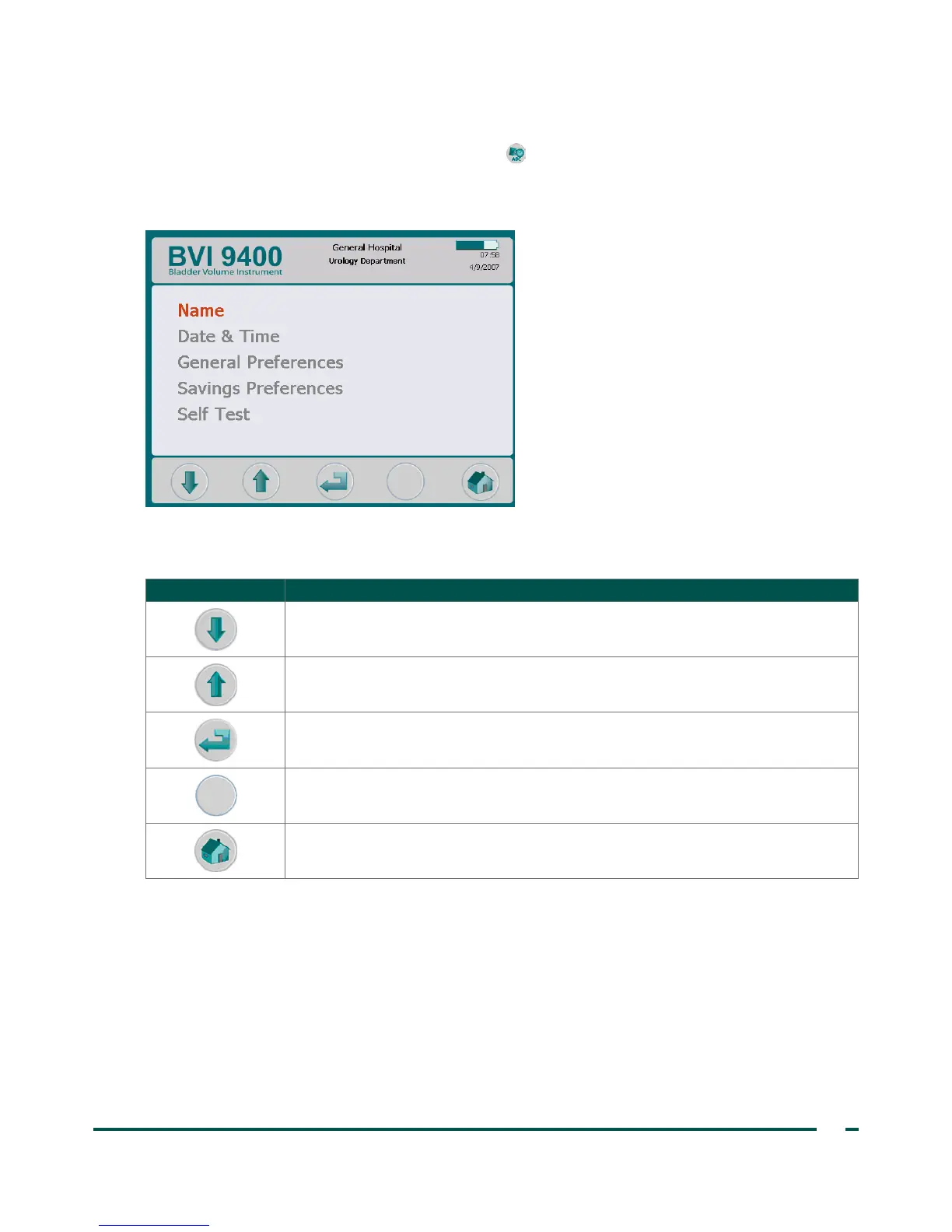
To open the Settings screen, push the Settings button on the Home screen. The display presents a list of
user‑configurable settings: Name, Date & Time, General Preferences, Savings Preferences, and Self Test.
Note: When this screen is open, the Scan button on the probe is disabled.
Table 12. Settings Screen Button Functions
BUTTON FUNCTION
Move down one setting in the list.
Move up one setting in the list.
Select the highlighted setting.
No function.
Return to the Home screen.



 To Next Page