26
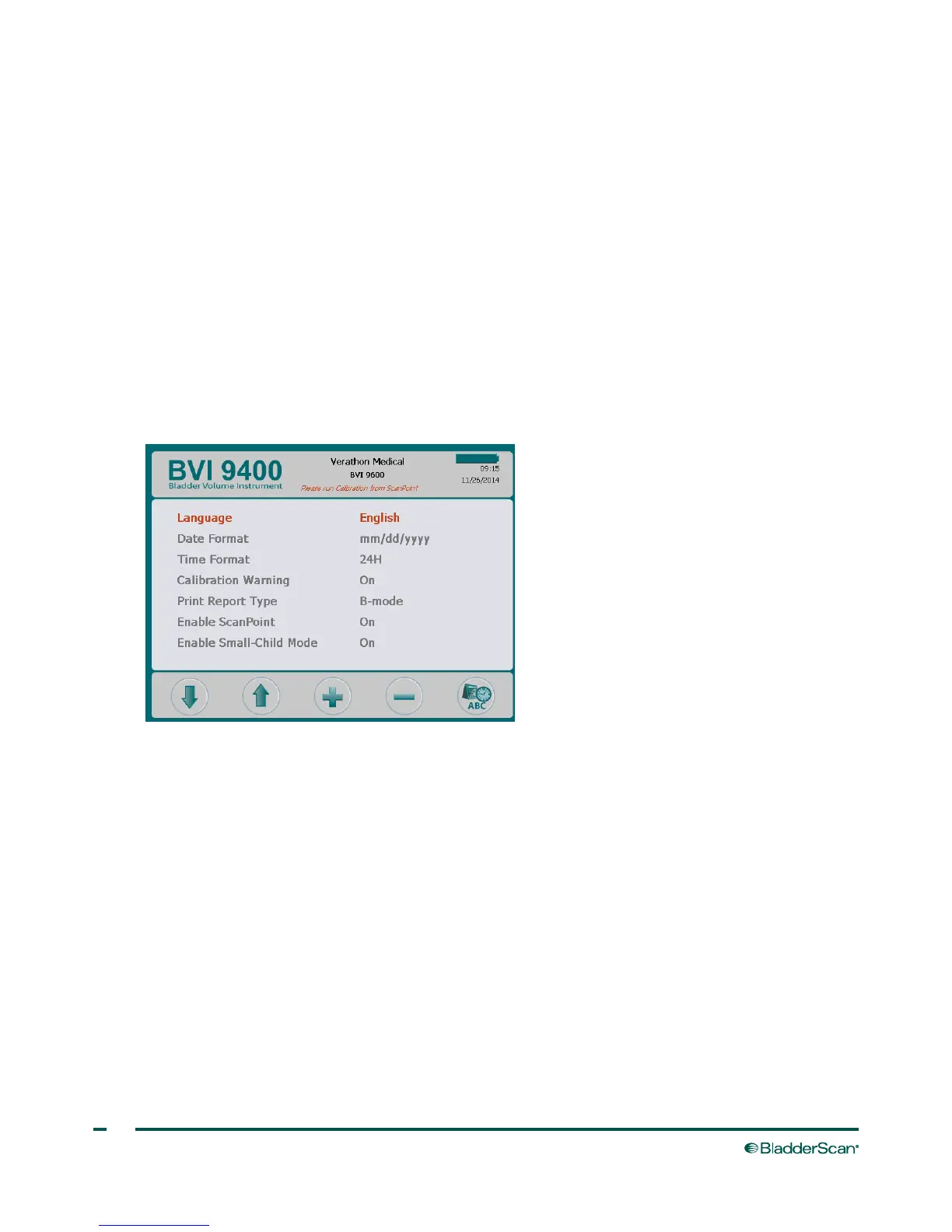
GENERAL PREFERENCES SCREEN
This screen displays a list of available settings and their current values.
Available settings:
• Language: Multiple languages are available. English is the default setting.
• Date Format: mm/dd/yyyy; dd.mm.yyyy; yyyy‑mm‑dd.
• Time Format: 12‑hour or 24‑hour.
• Calibration Warning: On (default), Off. When “On” is selected, a calibration warning will appear in
the display header when the device requires calibration.
• Print Report Type: Toggle between C‑mode images (bladder in crosshairs) and B‑mode images
(image of bladder and abdominal space below probe).
• Enable ScanPoint
®
: On (default), Off. Select “Off” to disable ScanPoint.
• Enable Small‑Child Mode: On (default), Off. Select “Off” to disable Small‑Child Mode.
Note: If use of the small‑child mode is rare in your practice, you may want to turn that option off.



 To Next Page