CALIBRATION AND ADJUSTMENT
3-16
SYSTEM PROGRAMMING (continued)
KEY PRESS DISPLAY ACTION
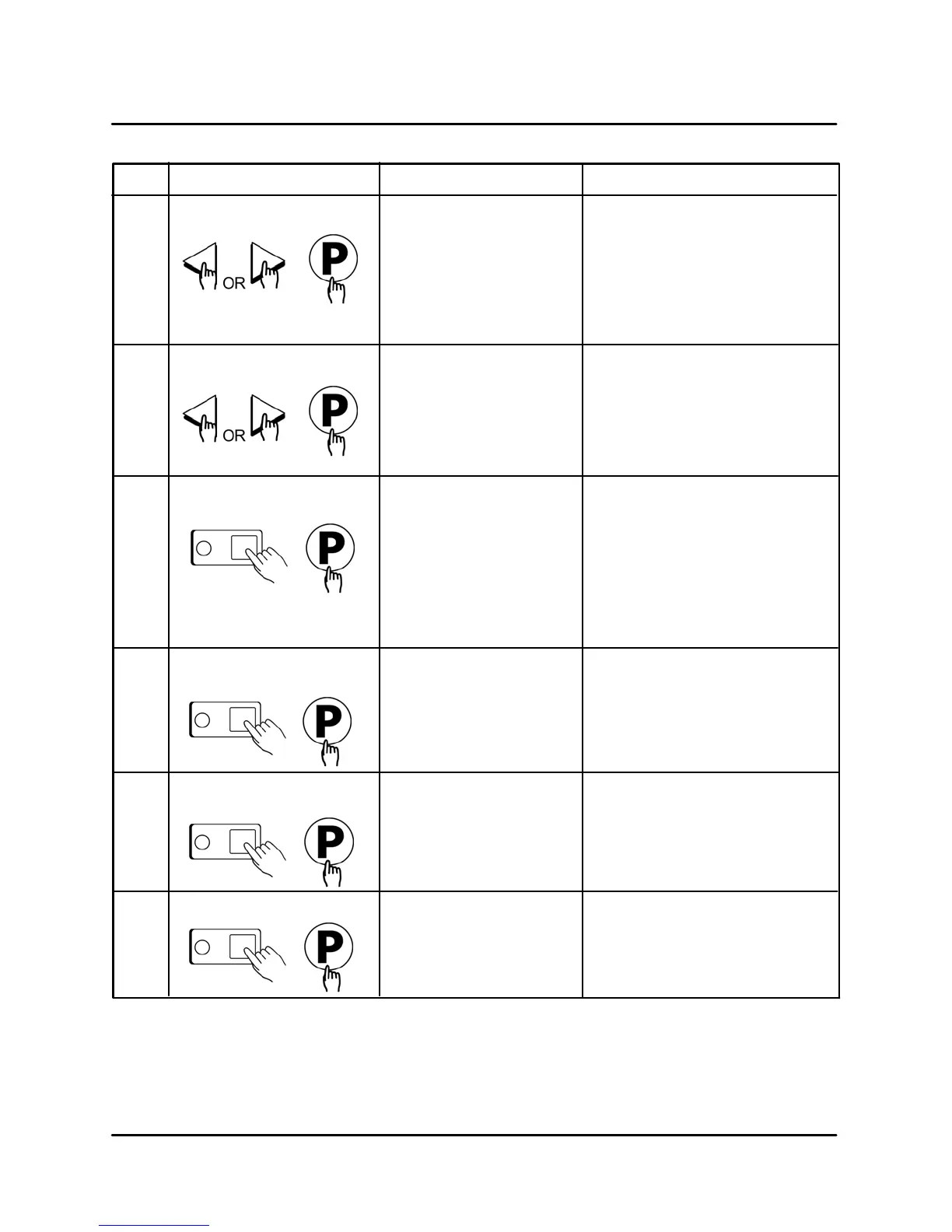
D Press the LEFT or RIGHT arĆ
row keys to select a tone level.
At each level the controller will
continuously sound the seĆ
lected tone.
D Press the P" key to lock in
your entry
TONE LEVEL
(None, 1, 2, 3, 4)
Set Tone Level
5
D Press the LEFT or RIGHT arĆ
row keys to select the method
that all temperatures will be
displayed in.
D Press the P" key to lock in
your entry
TEMPERATURE
F = FAHRENHEIT or
C = CELSIUS
Set Temperature Mode
6
D Press the numbered product
keys to select the time in
HH:MM format for activating
Setback mode.
NOTE: 0:00 is default to disĆ
able Setback.
D Press the P" key to lock in
your entry
SETBACK TIME
HH:MM
Program Setback Time
7
D Press the numbered product
keys to select the Setback
temperature in the range of
140Ć300°F.
D Press the P" key to lock in
your entry
SETBACK TEMP
XXX
Program Setback
Temperature
8
D Type in the length of hold time
required. The value is in the
range of 00:00 to 99:59.
D Press the P" key to advance
to the next stage or parameter.
HOLD TIME
HH:MM
Set Hold Time
9
D Type in the desired Hold temĆ
perature. Hold Temperature
Range is 140Ć210°F
D Press the P" key to advance
to the next stage or parameter.
HOLD TEMP
XXX
Set Hold Temperature
10








 To Next Page