4 Windows 8.1 Tutorials
17
4.7 Viewing Two Apps at Once
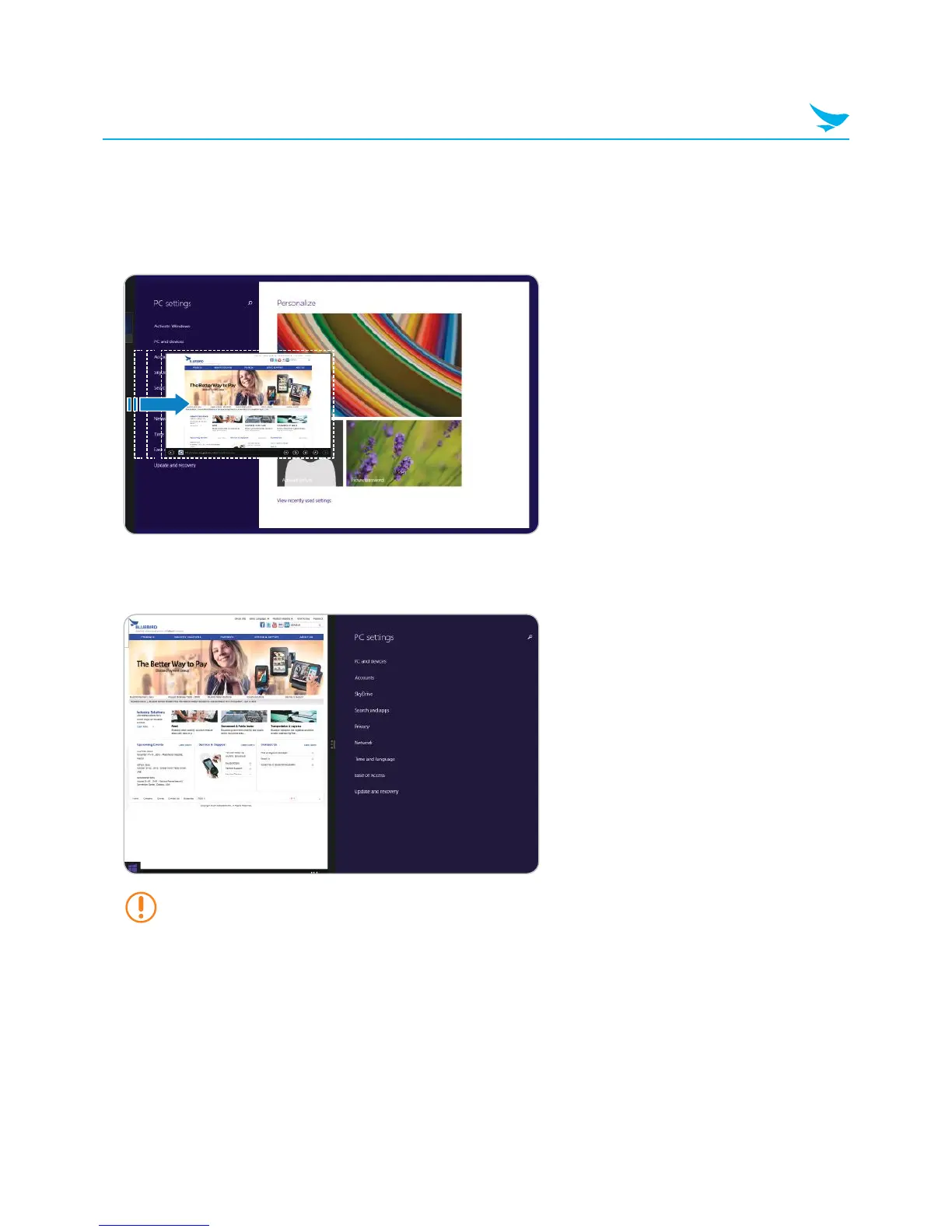
To display two apps at the same time:
1
From any app, drag your finger inwards from the left edge of the screen.
2
When the second app appears, drag it to the left or right side of the screen.
3
Release the app.
You can press and drag the dividing line in the center to resize the apps.



 To Next Page