3 Safety Precautions
08
3.2 Charging the Device
The device charges when connected to the power adapter or resting in the cradle (optional).
• Do not attempt to charge the device with anything other than the adapter it shipped with.
• Charge the device fully before using it for the first time. Failure to do so may decrease the life of
the battery.
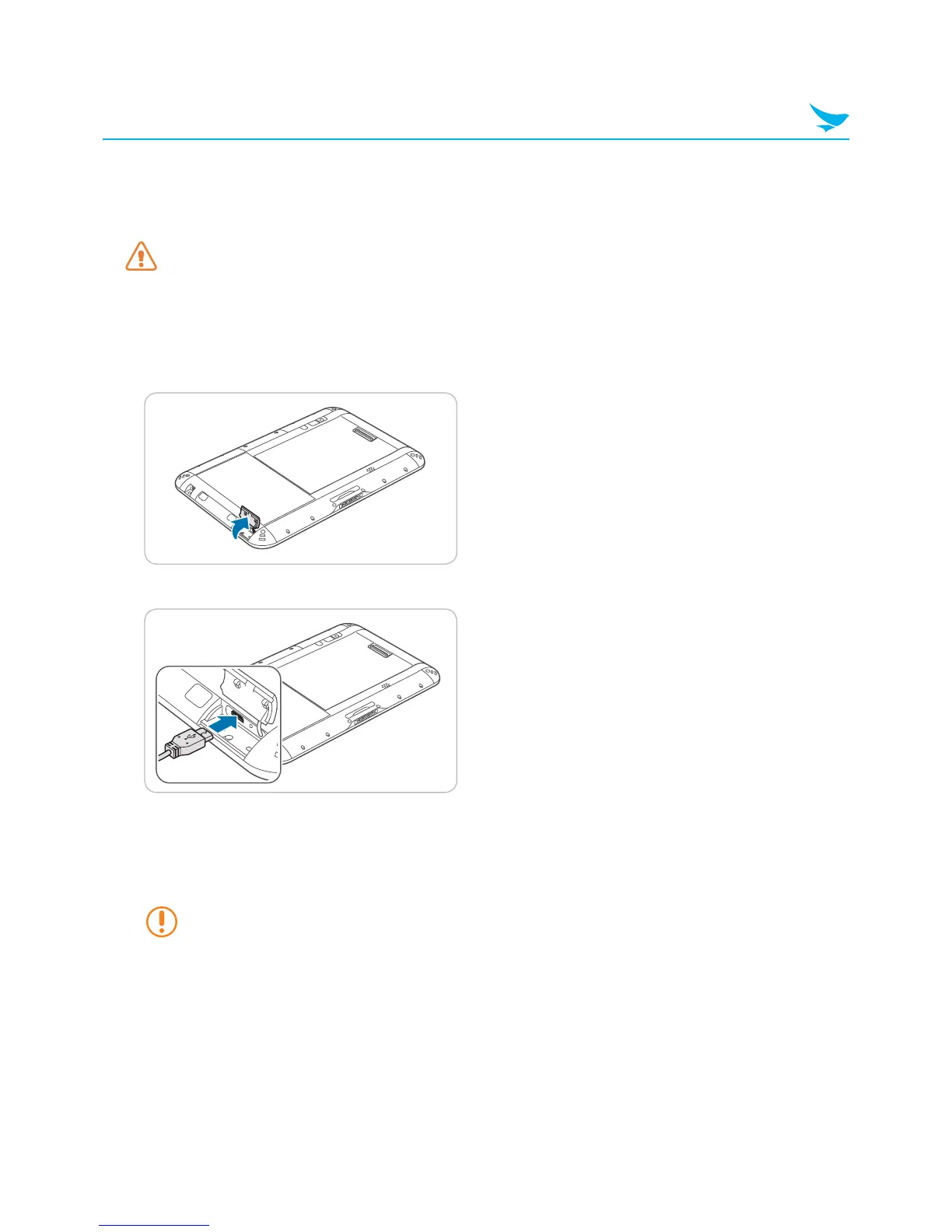
To Charge with the USB Cable
1
Open the cover on the right side of the device.
2
Plug the USB cable into the port.
• The battery LED turns red when the battery is charging.
• The battery LED turns off when the battery is fully charged.
• The battery LED blinks red at 1 second intervals when the battery has a problem, such as it being too
hot or too cold
Continuing to charge the device when the battery is full will not damage the battery.
3
Connect the USB cable to the power adapter.
4
Plug the adapter into an outlet.
5
After the battery is fully charged, unplug the USB cable, and then replace the cover.



 To Next Page