10 Using the Card Slots
33
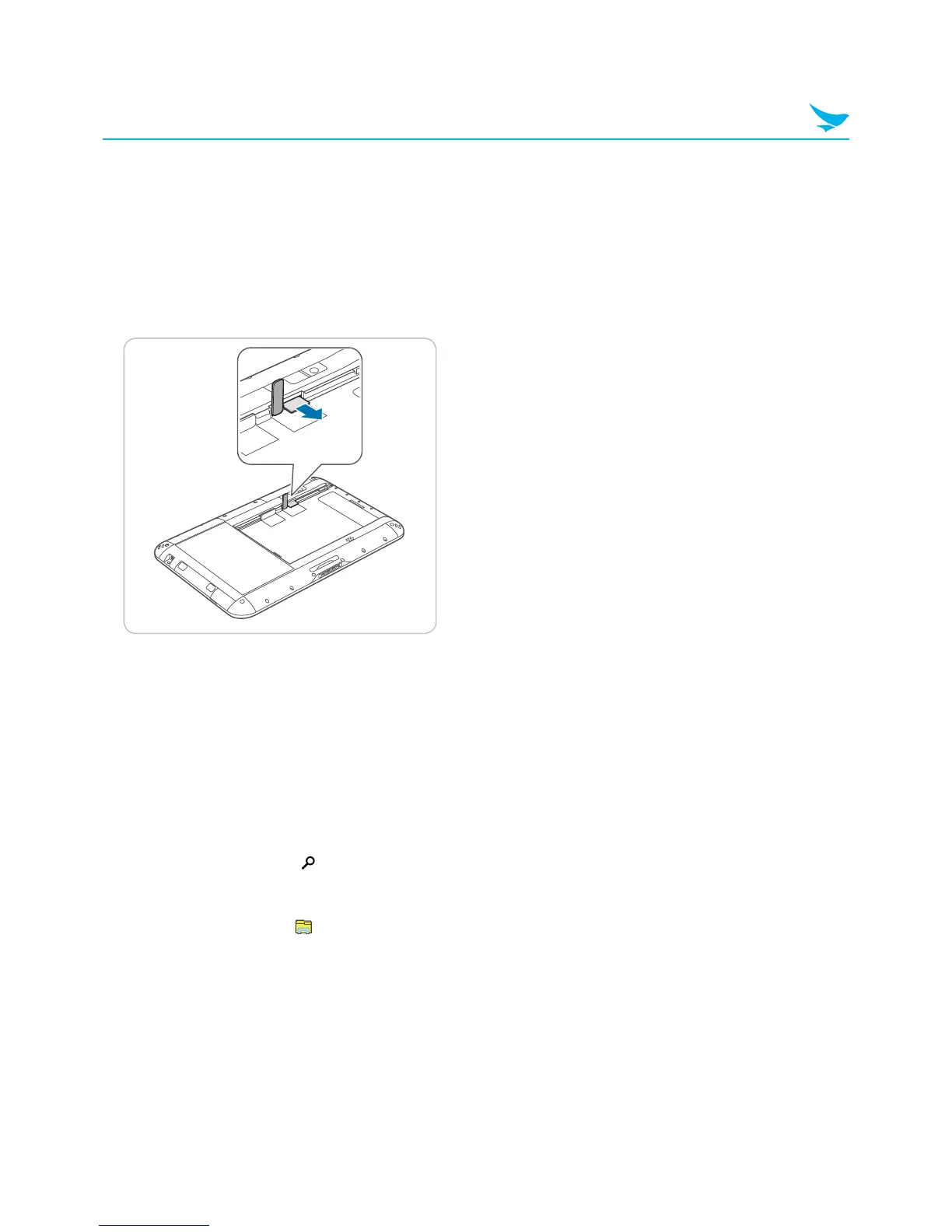
10.4 Removing a MicroSD Card
1
Push the battery locker to unlock the battery and remove the battery.
2
Open the cover to the microSD card slot on the right.
3
Press the microSD card into the slot to release it.
4
Pull the microSD card to remove it.
5
Close the cover of the microSD card slot.
6
Replace the battery and push the battery locker to lock the battery.
10.5 Accessing Data on MicroSD Cards
1
Insert the microSD card into the device (see 10.3 Inserting a MicroSD card on page 32).
2
Swipe in from the right edge of the screen.
3
In the Charms menu, tap Search.
4
In the Search box, type File Explorer.
5
In the search results, tap File Explorer.
6
In the pane on the left, tap This PC.
7
Under Devices and drives, tap the microSD card drive.



 To Next Page