06
3 Getting Started
This chapter explains the basics of how to use the device, including how to charge the device, and turn it on
or off. Subsequent chapters teach you how to navigate Windows or Android and customize the device, but
the information in this chapter will help you start the device for the first time and configure basic settings.
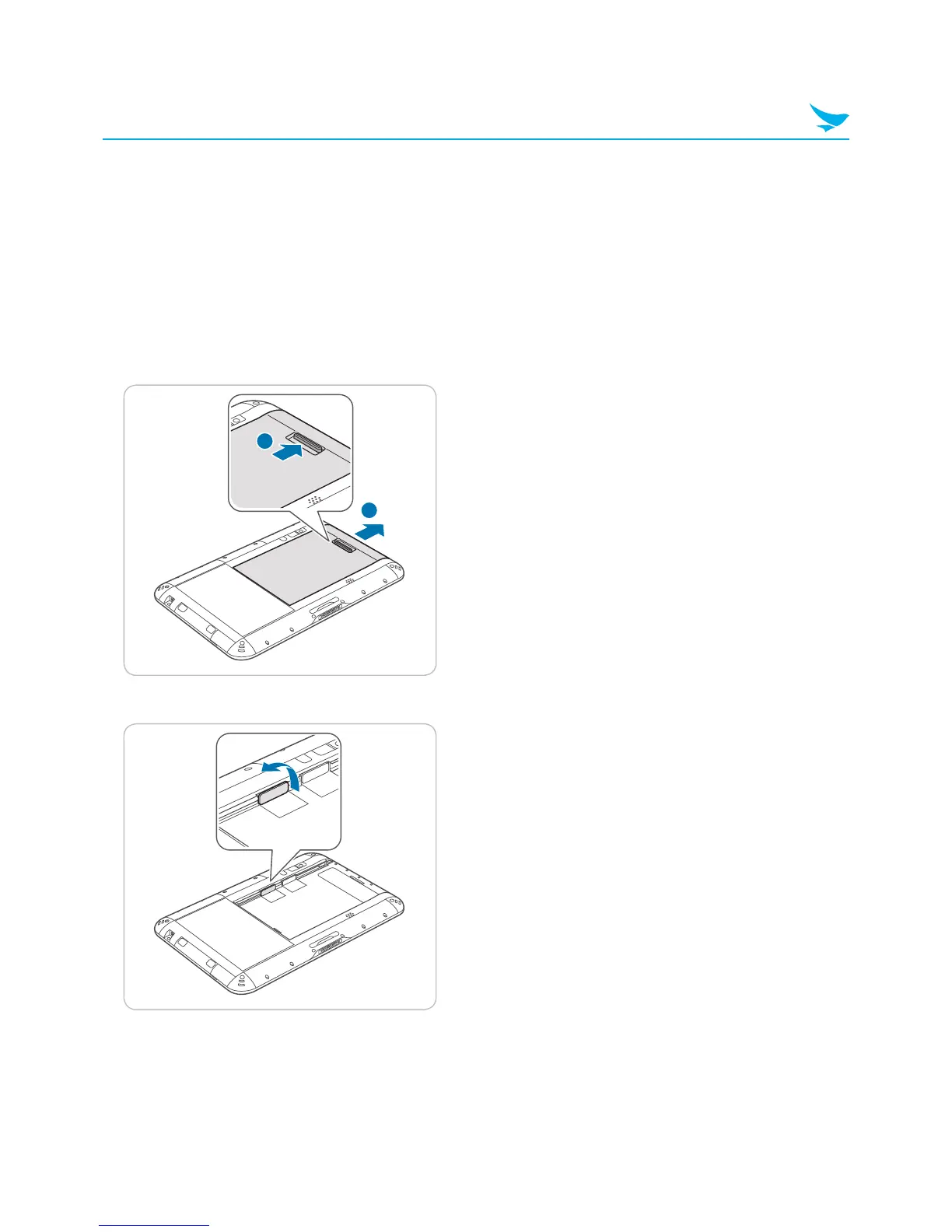
3.1 Inserting a USIM Card
USIM cards allow the device to connect to mobile networks.
1
Push the battery locker to unlock the battery and remove the battery.
2



 To Next Page