EP600 Energy Storage System User Manual
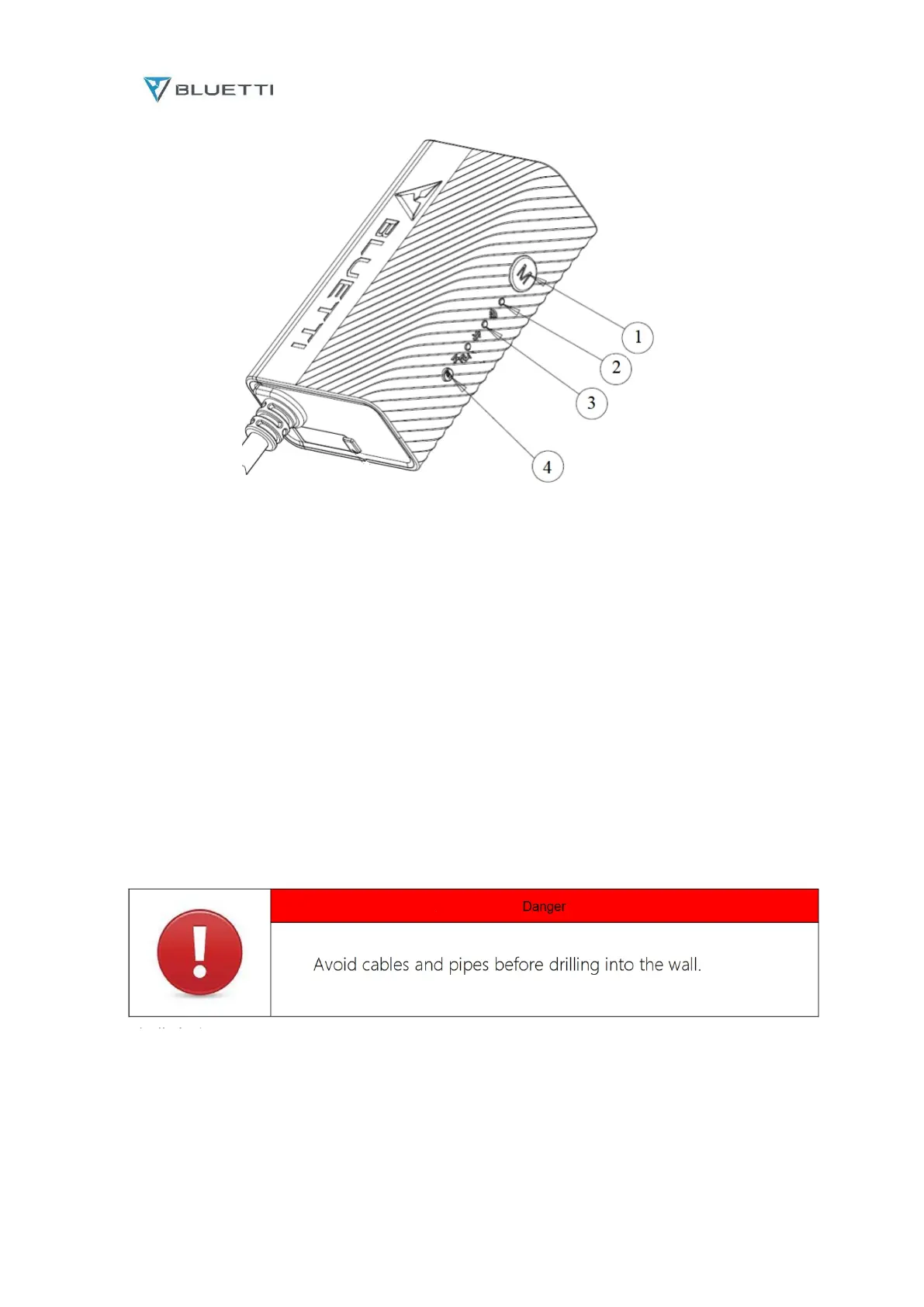
Fig. 6.13
1. Menu Button.
To factory reset the controller, press and hold this button till all LED indicators flash.
2. WiFi Indicator.
Flash till the controller connected to WiFi.
3. Bluetooth Indicator.
Flash till the controller connected to Bluetooth.
4. Reset Button.
6.10.2 Installation
a. Drill 2 pilot holes in the wall. Please refer to the drill position and hole size shown in fig. 6.14.1
and fig. 6.14.2. The depth of hole is 26mm.
b. Hammer the expansion anchor in until it’s flush with the wall. See fig. 4.14.3.
c. Fix the mounting bracket onto the wall and use the Phillips screwdriver to fasten 2 self-tapping
screws into the expansion anchors. See fig. 4.14.4.



 To Next Page