EP600 Energy Storage System User Manual
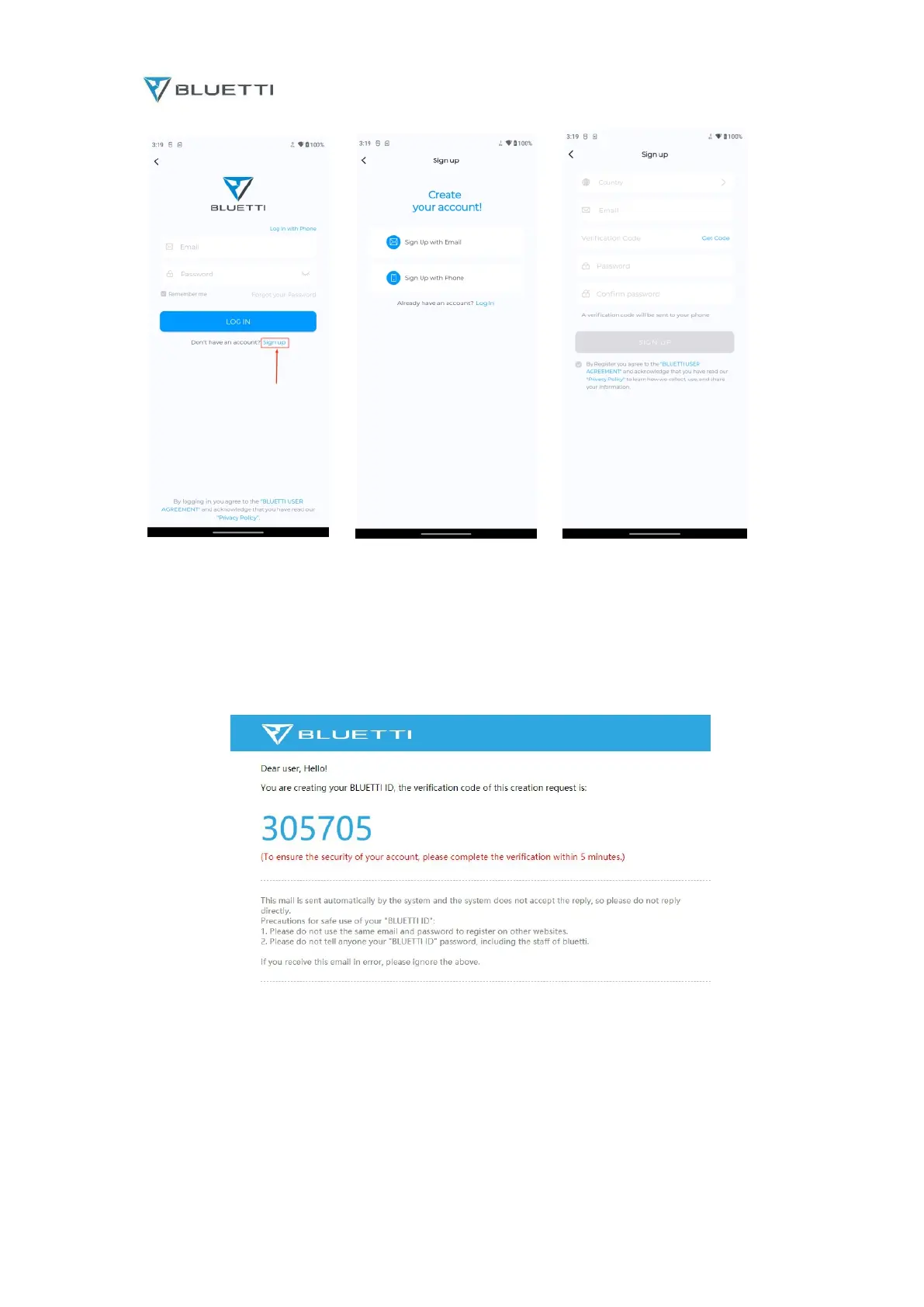
Fig. 6.16
BLUETTI will send the verification code to your registered email account, and fill in the
verification code to activate your BLUETTI account.
Fig. 6.17
6.11 Firmware Upgrade
6.11.1 Upgrade via USB Drive
a. Insert the USB drive into a USB port on your computer.
b. Download the upgrade file*, unzip and store it on the USB drive.
c. Insert the driver into the USB port on EP600.



 To Next Page