EP600 Energy Storage System User Manual
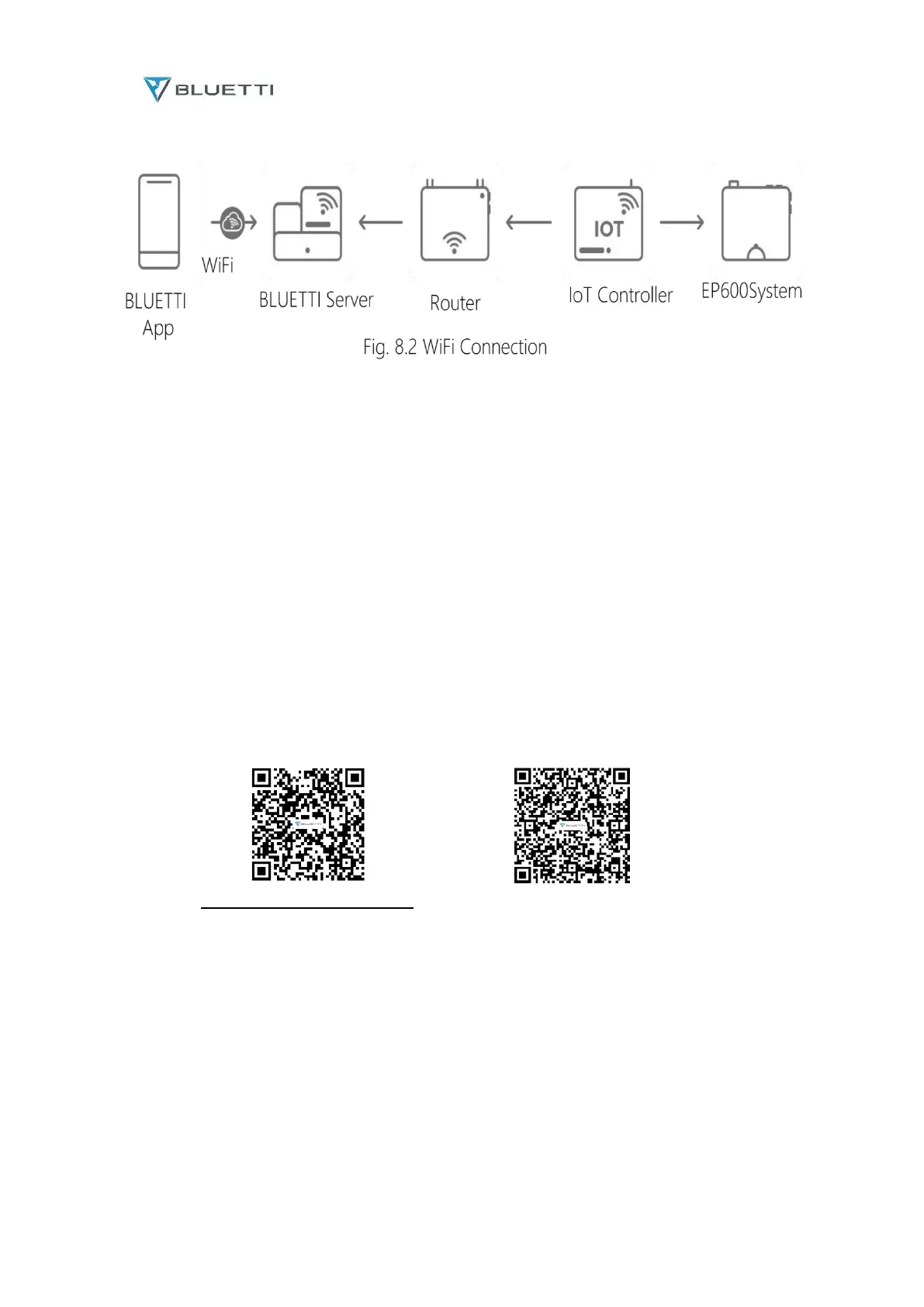
WiFi Connection
Note:
Supported operating systems: Android 6.0 and above, iOS 11.0 and above.
Bluetooth is available on your phone.
The router supports WiFi of IEEE 802.11 b/g/n, 2.4GHz.
BLUETTI recommends a router with WPA or WPA2_PSK encryption. The EP600 system doesn’t
support enterprise encryption (commonly used on public WiFi networks that require user
authentication, like airport hotspots) and WEP and WPA TKIP encryption.
Pictures shown are for illustration purposes only. Actual UI may vary by BLUETTI app version.
8.2 Download
Download the BLUETTI app from App Store or Google Play.
App Store(iOS) Google Play(Android)
Please visit https://www.bluettipower.com for details
9. Dispose of the Inverter
9.1 Remove the Inverter
When the inverter is no longer in use, it must be disposed of properly.
a. Power off the system.
b. Disconnect all electrical connections to the inverter, such as signal cable, DC input cable, power
cable, AC input cable, grounding cable, etc.
c. Remove the inverter and related parts.



 To Next Page