User’s Manual
41
4.3.2. STARTUP PROCEDURE AND CHECKS
Apply AC power to the drive system and the dynamic braking transistor
module. Do not start the motors on the system.
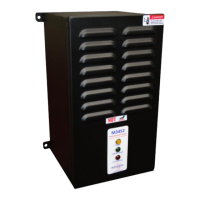
On the dynamic braking transistor module, verify the following:
AC control voltage is within tolerance. Refer to Table 2-6: General
Specifications for voltages and tolerances.
Green Control Power indicator is ON.
Amber DC Bus indicator is ON.
Red Active Braking indicator is OFF! Immediately turn off all power if
the indicator is ON to avoid possible load bank overheating and/or other
equipment damage!
Verify the drive system DC bus voltage, and make sure it is within
tolerance for the drive system.
Verify the DC current flow through the load bank is zero amps. Even
though the Red Active Braking indicator is OFF, any significant current
flow could indicate incorrect connections or damaged equipment.
Immediately turn off all power to avoid possible load bank overheating
and/or other equipment damage!
Note: Depending on the type of measuring equipment used, small
currents could just be noise pickup and could be ignored.
Check status contact to ensure it is closed. This indicates that the module
is ready for operation.
If any of the above conditions are not as indicated, turn off all power and allow
ample time for all system energy sources to discharge. Verify that all
voltages are zero and have discharged with a suitable meter! Check all
wiring connections and jumper configurations. Refer to the Troubleshooting
Section of this manual for more information. For further assistance, contact
Bonitron technical support.
Once the pre-checks are complete, the drive system can be enabled. Once
the drive system is operational, run the motors with light deceleration, and
decrease the braking time until the red Active Braking indicator lights.
4.4. OPERATIONAL ADJUSTMENTS
No adjustments are necessary for this module. All regulation pots are factory adjusted,
and should not be changed in the field. See Section 4.2.4.2.1.5 for information on
adjusting the braking setpoints over the Fieldbus interface. If your module is not
functioning properly, refer to the Troubleshooting Section of this manual, or contact
Bonitron for assistance.


 To Next Page