7.6.7 Menu item 9: Safety shut-down
INFO The time span (level) until automatic safety shut-
down of the cooking zones can be selected using
menu item 9.
Level
1
: long time span until automatic safety shut-
down
Level
2
: medium time span until automatic safety shut-
down
Level
3
: short time span until automatic safety shut-
down
(see Appliance description chapter, Safety shut-down)
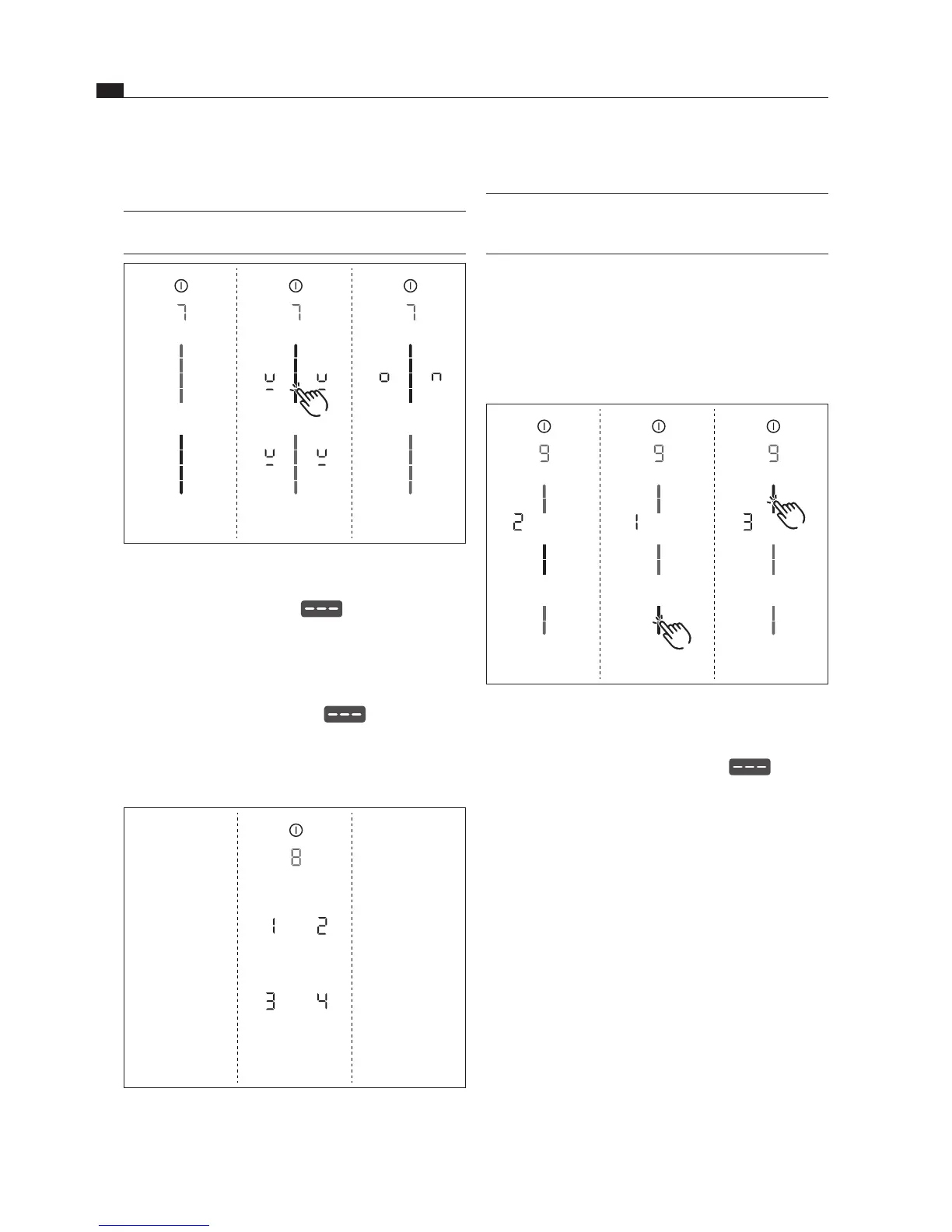
Fig. 7.10 Menu item 9: Safety shut-down
The current level is displayed.
Selecting the level:
Tap the corresponding slider segment .
Move to another menu item or close the menu.
7.6.5 Menu item 7: Permanent pan size
recognition
INFO With menu item 7 the permanent pan size
recognition can be permanently switched on or off.
Fig. 7.8 Menu item 7: Permanent pan size recognition
Activating permanent pan size recognition
Tap the top slider segment
The pan size recognition symbol
is displayed.
Move to another menu item or close the menu.
Deactivating permanent pan size recognition
Tap the bottom slider segment
Move to another menu item or close the menu.
7.6.6 Menu item 8: Show software/
hardware version
Fig. 7.9 Menu item 8: Software/hardware version
The software/hardware version is shown via the four
7-segment cooking zone indicators.
Move to another menu item or close the menu.



 To Next Page