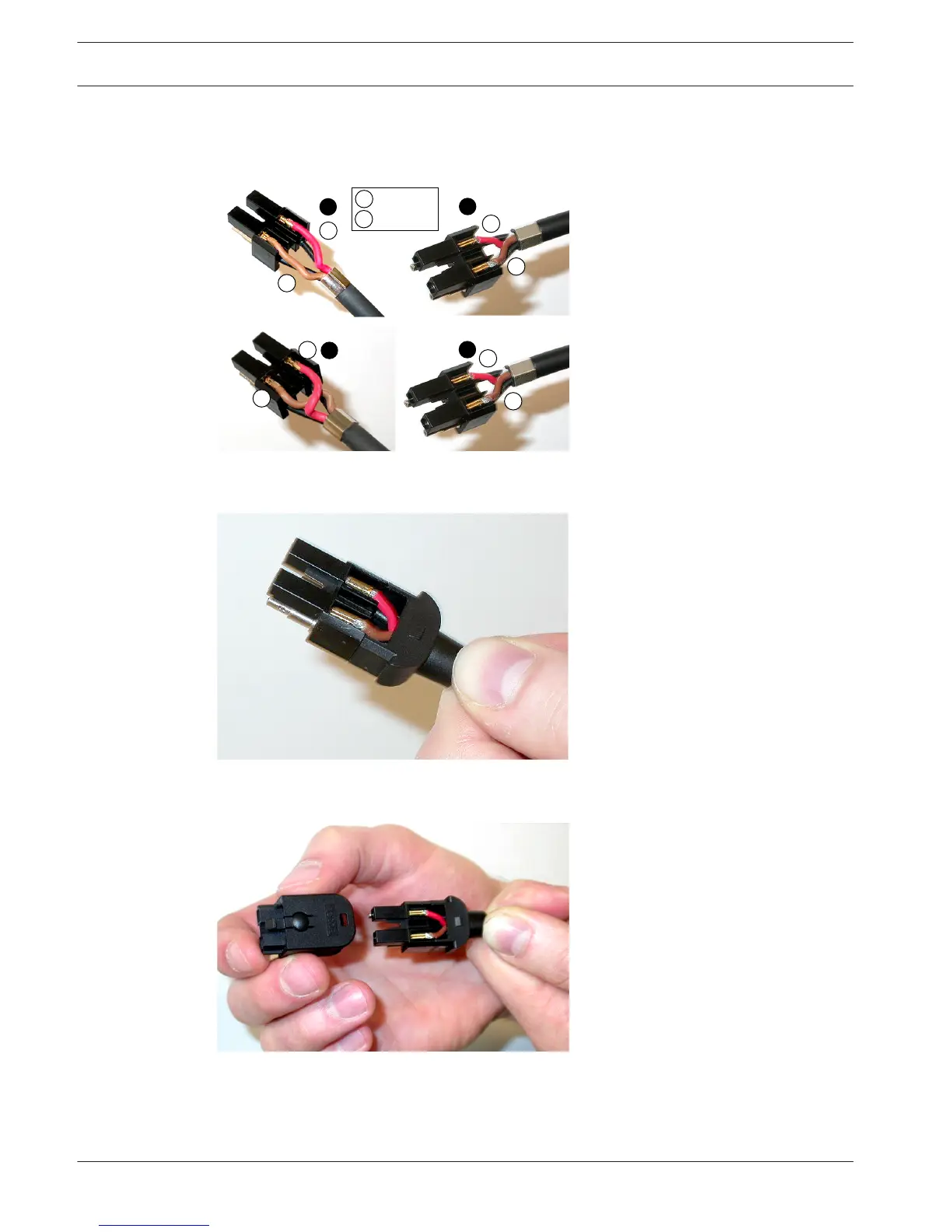
3. Put the socket contacts in the mounting block. Type A cables only: One of the connectors
attached to a type A cable, the red and brown copper wires must crossover as shown in
the wiring diagram.
Figure 6.96: Mounting block and back housing
4. Put the mounting block in the back housing.
Figure 6.97: Mounting block/back housing assembly
5. Click the front housing on the mounting block/back housing assembly.
Figure 6.98: Mounting the front housing
6. Insert the Torx screw into the front housing.
174
en | Connection Conference System
2013.11 | V2.0 | DCN-NG_OM_V4.x Operation Manual Bosch Security Systems B.V.















 To Next Page